For builders, estimating is the foundation of their future project. When done right, everything that follows, including proposals and invoices, flows from the same source, without being rebuilt from scratch.
Thus, estimating is the stage when inaccurate quotes and wrong calculations in the beginning may affect the entire workflow. In the UK, just as in any other country, estimating was mainly done with spreadsheets, which caused certain problems.
In this review, I will break down the best construction estimating software in the UK, its advantages, and its ability to meet the needs of UK contractors, so that you can make a better decision.
Spreadsheets used to be a tool for creating estimates and managing project costs. However, one of the most common frustrations shared by contractors was and remains the lack of a centralised system.
Estimating in a spreadsheet means it is manually entered into invoices, into accounting software, and into the budget in another spreadsheet. Besides, team members may end up working from outdated spreadsheet versions, leading to unnecessary rework.
A spreadsheet used to do one thing well: to hold numbers. However, a spreadsheet cannot connect those numbers in the estimate to the rest of the project. Each stage, including accounting and budgeting, requires someone to move data by hand. Every manual transfer is a place where a figure changes, and costs may be missed.
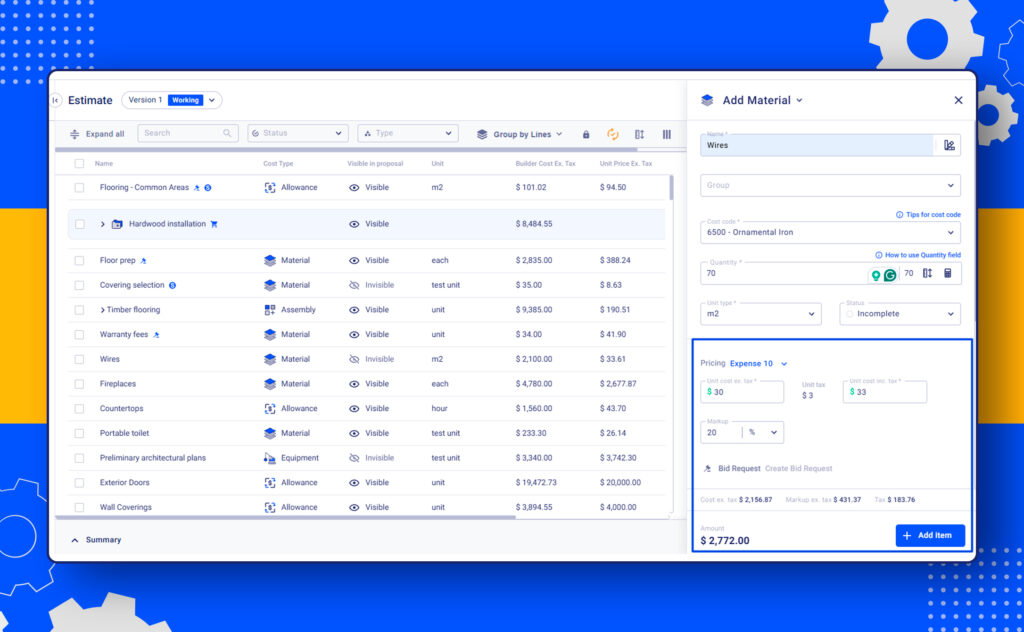
The same comes with a markup. In the spreadsheet, it is manually typed into a cell, and the formula copies it across rows. The final number has to be rechecked every time a cost changes. Meanwhile, the software changes it entirely by setting markup once and applying it automatically across every line item.
Here are only some benefits of using software; let me further explain what it brings.
Benefits of Construction Estimating Software in the UK
Construction estimating in the UK brings some challenges that are difficult to cope with. There are tight government regulations, compliance requirements, and industry standards.
Thus, a builder has to comply with all the laws and should maintain healthy profit margins. One major factor complicating UK estimating is the rising cost of labor. There is a skill shortage, and wages go up faster than you can imagine.
For example, you’ve priced labour based on last year’s rates, but by the time work starts, day rates for electricians or plumbers have jumped. That extra £10–£15 per hour may not sound like much, but over hundreds of hours it can eat tens of thousands from your profit.
So, this example shows the number one benefit of using construction estimating software. It helps prevent such a scenario by keeping labour costs up to date, factoring in market changes.
Construction estimating software can help bring clarity and accuracy. Let’s list some key benefits of modern UK-focused tools:
What to Look for in the UK Construction Estimating Software
Construction businesses vary in project scope and workflow. Thus, software needs can differ significantly. However, when choosing construction estimating software in the UK, it’s best to focus on three core priorities: accuracy, speed, and UK-specific features.
Key Points to Consider
Handling VAT and CIS correctly (syncing with Xero, QuickBooks)
Supporting the labor and material cost catalog
Sending, tracking, and comparing requests for quotes
Variation and retention management linked to budgets
Let’s review some construction estimating tools to see how they handle those tasks.
Review of Best Construction Estimating Software in the UK
Before reviewing, let me outline how I chose the estimating software to include in this list. First, to have a practical guide, it should take into account the UK-focused workflօws.
There are both UK-based tools like Price a Job and some that were not first developed as UK-oriented but have all the necessary features for the local workflow.
Besides, my selection includes a mix of the industry-standard giants, ERPs (picked by big companies), and cloud-native solutions. Why is it important? Estimating the needs of a solo trader and a big construction company with infrastructure contracts are different.
Some tools in the list are estimating-only tools for complex BIM modeling, others serve small businesses or solo traders, while others are somewhere in between.
Buildern: All-in-One Software for UK Builders
Why I Chose It: The best option for small and medium-sized residential and commercial contractors as it is a tool with end-to-end workflow but without the implementation overhead or pricing of an ERP system.
Buildern is a cloud-based construction estimating software designed for UK builders and contractors. It helps teams create accurate estimates, send requests for quotes, manage variations, and track financial indicators within one platform.
What sets Buildern apart is that it supports contractors beyond estimating, starting from the preconstruction stage and continuing throughout the entire project. During preconstruction, builders can perform digital takeoffs, build detailed estimates using labour and material cost catalogs, and send, track, and compare requests for quotes from suppliers and subcontractors.
Benefits of Using Buildern for Estimating
Our software streamlines the estimating process by combining accuracy, flexibility, and automation, helping UK builders create reliable estimates that can easily adapt to changes.
Key Financial Features
Beyond estimating, the software supports the full financial management lifecycle of a construction project. It is especially important in the UK, where tax compliance and cost control go hand in hand. Buildern supports UK-specific VAT handling and CIS deductions, allowing contractors to apply the correct tax settings at both the estimate and project level.
One of Buildern’s key strengths is how estimates flow into project budgeting when a job is approved. Instead of re-entering data, estimated costs automatically become budget line items.
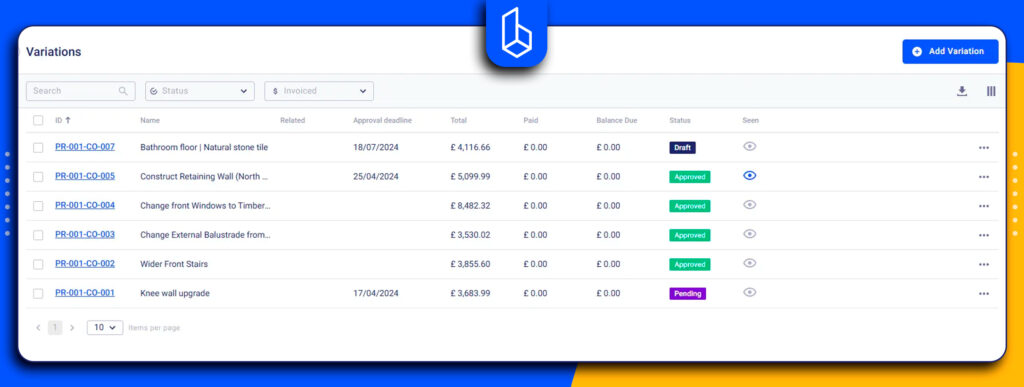
Buildern also provides robust variation management, allowing contractors to record, price, and approve changes without losing financial control. Variations remain linked to the original estimate and budget.
Digital takeoff to measure quantities directly from plans and reduce manual errors
AI-assisted estimating to speed up calculations and improve accuracy
Estimate versioning to track, compare, and manage multiple versions of the same estimate
Allowances management to account for uncertain or variable costs without compromising accuracy
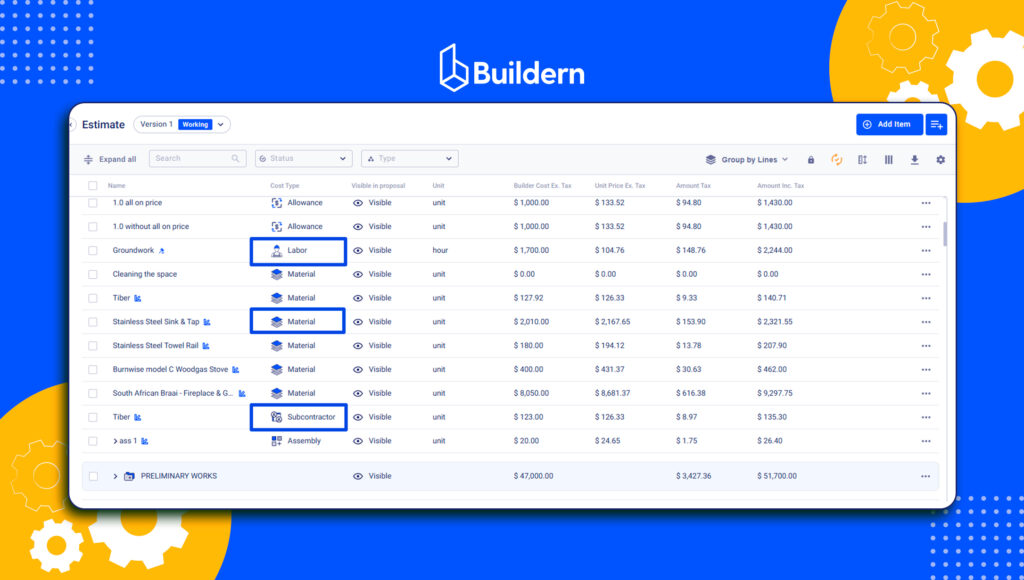
Centralised cost data for labour, materials, and subcontractors, keeping estimates consistent across projects
Pros
Estimate connects to every downstream financial document with no manual entry at any stage
The variation workflow has a clear audit trail
Client and subcontractor portals reduce back-and-forth communication
Suited to both residential and commercial work
Cons
BIM or 5D takeoff is not supported
Not yet large enterprise projects yet
Pricing
Buildern offers clear and transparent pricing plans, making it easy for construction businesses to choose a solution that fits their size and workflow. The Starter plan, priced at $255/mo billed annually, is ideal for small teams and growing builders. The Professional plan covers up to four users for $360/mo billed annually, providing additional capacity for expanding teams.
Both plans include unlimited access for field workers, clients, subcontractors, vendors, and projects. For larger teams, Buildern offers custom pricing.
Verdict: A powerful UK estimating construction software for residential and commercial builders (including small businesses) that can help at all preconstruction stages with a strong financial module, project management, and communication tools.
Check this if you’re looking for software for small businesses:
RIB CostX: Tool for Quantity Surveyors and Professional Estimators
Why I Chose It:RIB CostX has been the standard for quantity surveyors for over a decade, especially those managing heavy projects.
It is an estimating and takeoff software for the desktop but also has cloud reporting. It’s mainly targeted at quantity surveyors and estimators who need advanced capabilities.
The tool combines 2D and 3D/BIM quantity takeoff with cost estimating and workbook-based cost estimating in a single platform. CostX is good for generating reports and BOQs, but has limited functionality. It focuses on estimating and takeoff rather than the full financial workflow.
Key Features
2D drawing measurement and 3D BIM quantity takeoff
Live-linked workbooks that update when drawings are revised
Drawing revision tracking and change highlighting
BOQ preparation to NRM and industry standards
Pros
Takeoff accuracy (rated 4.8/5 on Capterra)
Live-linking between drawings and workbooks
BOQ and tender documentation output is professional and procurement-ready
Cons
Not a cloud-native platform
Performance slows on large jobs
No meaningful AI integration
Learning curve is significant for new users
No project management, variation tracking, or financial workflow beyond estimating
Pricing
RIB CostX offers flexible pricing based on the package and license type. Pricing is customised, so contractors need to request a quote from RIB.
Verdict: A tool for quantity surveyors that excels in 2D/5D BIM takeoff but lacks the broader site-based project management features found in all-in-one platforms.
ProEst: Tool for Commercial Contractors Managing BIM-driven Preconstruction
Why I Chose It: ProEst is a part of the Autodesk Construction Cloud and is targeted at bigger commercial contractors and estimating teams.
ProEst is a construction estimating software designed primarily for estimators, quantity surveyors, and commercial contractors working on medium to large-scale projects.
It is part of Autodesk Construction Cloud and is integrated within the Autodesk ecosystem. In the UK, ProEst is commonly used by contractors who rely heavily on BIM workflows.
However, the learning curve seems to be one of the problems. One of the reviewers described the platform as having a lot of features and functionality that require years of self-training to use to full capacity. Some users recommend having a dedicated person to manage the initial setup (database and assembly configuration).
Key Features
Digital Takeoff
Customisable cost database
Estimate comparison reports and cost tracking
Direct integration with Autodesk Construction Cloud and Procore
Pros
If built correctly, estimates are fast and consistent
Autodesk/Procore integration
Highly customisable assemblies
Estimate comparison reports
Cons
Database setup requires significant time and resources
Drawing upload order cannot be changed once set
Report writer is difficult to use and limited in output customisation for client-facing proposals
Accounting integrations outside the Autodesk ecosystem are limited
No project or financial management beyond preconstruction
Pricing
ProEst uses a custom pricing model based on company size, number of users, and selected Autodesk products. Pricing is not publicly listed.
Verdict: ProEst is an enterprise-level estimating solution best suited for estimators and contractors working on BIM-driven, large-scale projects.
Procore: All-In-One Tool for Large Companies
Why I chose it: Procore appears on almost every “best list”, with the estimating module for even large companies, but at the same time is too complex for small and mid-sized companies.
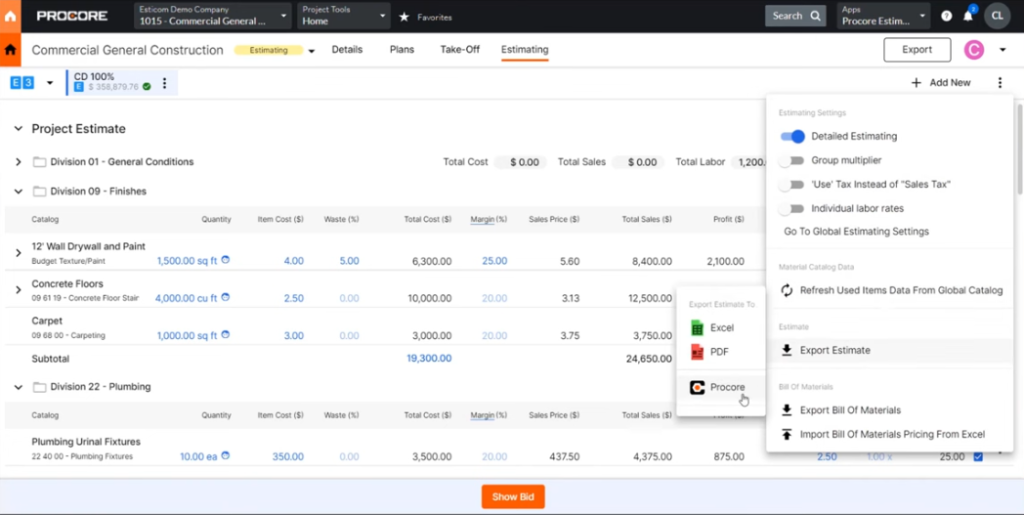
This estimating tool is designed for larger construction companies and contractors. Procore offers estimating capabilities through its budgeting, cost tracking, and subcontractor management tools.
The estimating module is not in isolation and connects with the broader project: budget line items, change orders, subcontractor commitments, and RFIs all share the same data environment.
It allows builders to create project budgets, track actual costs in real time, and compare and approve subcontractor quotes directly in the platform. For large teams, the features give a single source of truth across multiple projects.
The scale requirement comes through clearly in user reviews. Teams that get the most from Procore are those where multiple people and multiple projects. However, as seen in reviews on Capterra and G2 platforms, for businesses with a simpler structure, the platform’s complexity and implementation are a burden.
Key Features
Digital takeoff from uploaded drawings
Labor, material, and markup cost controls
Bid management and subcontractor quote tracking
Budget creation and real-time cost tracking
Integration with 100+ third-party tools
Pros
Strong workflows for large teams
Real-time field-to-office visibility
Broad integration ecosystem
Cons
Steep learning curve for most teams
Pricing is revenue-based and is too high, not suitable for SME builders
Inconsistent UI behaviour across modules (which is not acceptable for this price)
Difficulties with implementation
Pricing
Just as the learning curve for Procore can be complex, its pricing is not straightforward. Costs are typically based on the scope of projects and revenue.
Verdict: Too complicated and pricey for small and medium-sized building companies, let alone solo builders.
Access ConQuest: Good for UK Contractors and Civil Engineers
Why I Chose It: Access ConQuest is one of the few tools on this list built specifically for the UK market.
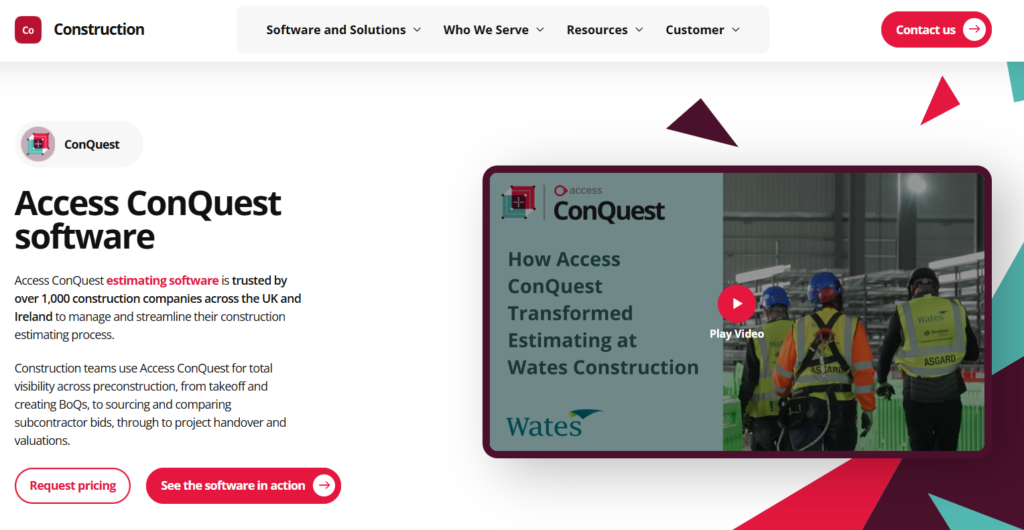
Access ConQuest is software for civil engineers, contractors, and construction companies. It is particularly suited for businesses handling large-scale projects such as infrastructure, civil works, and commercial construction.
The estimating tool is a part of the Access Group’s broader construction software suite, including separate tools for project management, finance, and HR.
It offers detailed takeoff and integration with UK-specific standards and contracts. The features include generating reports for tenders, proposals, and internal review.
While the software contains estimating features, unlike other software, it is more about tendering and BOQs. Therefore, it will hardly fit small and medium contractors.
Key Features
On-screen 2D/3D and BIM takeoff directly within the estimate
Cost library with over 10 million modifiable UK cost items
BOQ generation aligned with industry standards
Estimating for civil and infrastructure work
Pros
Built specifically for the UK market
‘Subcontractor enquiry and bid management is one of the more developed features on this list for main contractors
Handles the full range of contractor types: main contractors, subcontractors, civil engineers, and consultants
Library scale (10 million+ items) reduces time spent sourcing rates from scratch
Part of a broader Access Group ecosystem that extends into project management and finance if needed
Interestingly, I found no public reviews on the famous reviewing platforms at the time of writing. Probably the reason is that civil engineering companies and UK main contractors do not often write reviews. The cons mentioned here are based on product documentation and whether it is fit for all contractors.
Cons
No in-built financial or project management workflow
Pricng is not available without a sales call
Not suited to SMEs or residential builders by design
Pricing
Access ConQuest typically requires a custom quote and is known as expensive software for premium users only.
Verdict: Estimating solution designed for large civil and commercial contractors working with complex BOQs and formal procurement processes.
6 EstimatorXpress
Why I Chose It: EstimatorXpress is one of the tools appearing in search when looking for residential estimating.
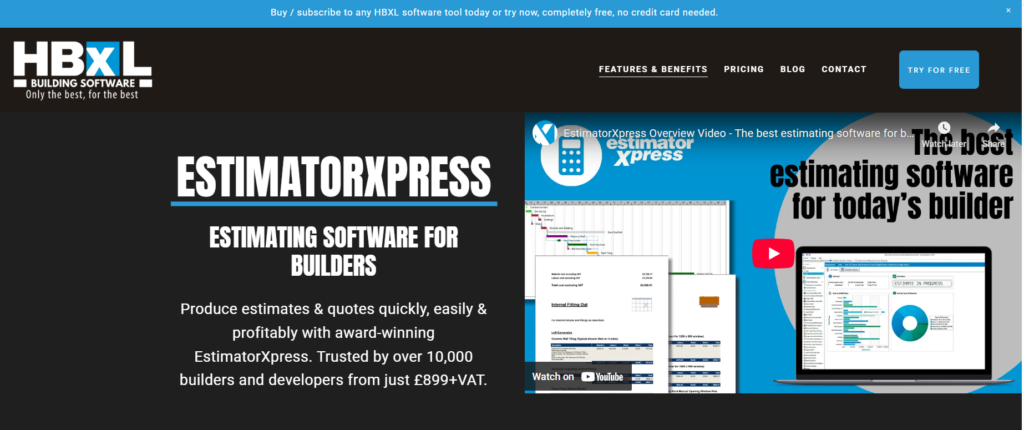
EstimatorXpress is used mostly in the UK by residential contractors. It helps contractors create detailed estimates using a built-in library of prices, pre-built templates, and trade-specific cost structures.
Probably most reviewers praise its features for generating estimates fast for straightforward jobs without going through a long process.
However, the software is primarily a desktop-based solution, not a fully cloud-native platform. While the logic is strong, this setup limits real-time collaboration, remote access, and integration with broader financial workflows.
Besides, the reviews are not many, but very specific, which is even more useful than hundreds of generic ratings.
Key Features
Estimating broken down by trade element
Live price links to UK builders’ merchant pricing
Quick Quote function for faster estimates on standard jobs
Pre-built templates for common UK residential project types
Pros
UK residential price library linked to live rates
Customer support rated 4.8/5
Professional quote output requires minimal formatting
One-time pricing model
Cons
Not a cloud-based platform
Stability issues (losing an in-progress estimate)
Learning curve, which is a real issue for small businesses
Pricing
EstimatorXpress uses a subscription-based pricing model from £899 a year.
Verdict: It is a narrowly focused estimating tool, but its desktop-based setup and some contractors may prefer a more modern, cloud-based alternative, especially given the price tag.
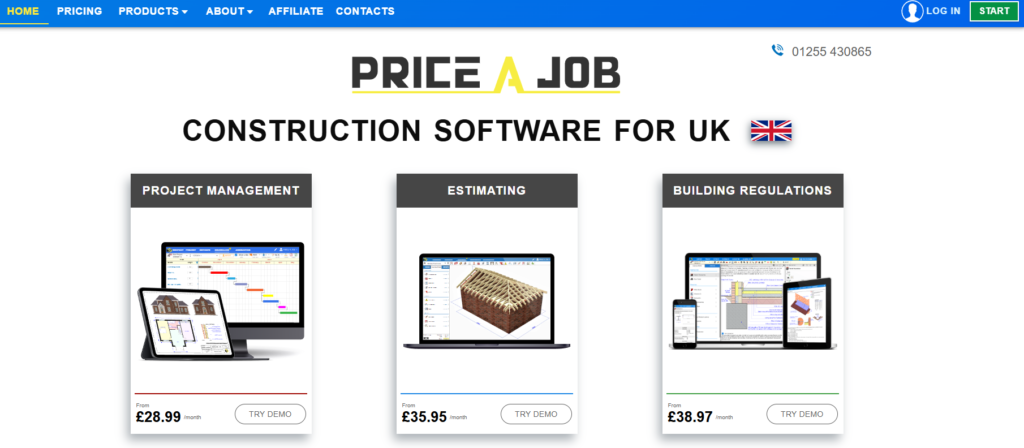
Price a Job
Why I Chose It: It’s a tool for builders starting out and doing residential jobs, but it gives limited opportunities.
Price a Job is an estimating and project management tool for small teams. It is a specialist estimating tool designed to build quotes from scratch using UK data.
Unlike other tools, Price A Job often requires you to build the job “module by module” (e.g., adding foundations, then walls, then roof separately). It also has limited capabilities to customize the layout or create advanced analytical reports.
The workflow is intentionally simple: quantities are entered manually with no takeoff or assemblies. There are also a few reviews, like in the case of Access. However, the reason most likely is that sole traders who research tools informally and do not write reviews.
Key Features
Module-by-module UK quote builder
Pre-loaded UK material and labour rates
PDF quote output
Pros
Lowest barrier to entry of any tool on this list
Free trial available
Accessible from any device
Cons
No digital takeoff
Material rates are manually maintained
Limited customisation and functionality
Very few public reviews available
Pricing
The software offers separate modules for estimating, project management, and accounting, as well as an all-in-one option that combines all features. Each module can be subscribed to individually, depending on the contractor’s needs.
Verdict: Price A Job is a more modular and less integrated tool than all-in-one software. It also lacks communication features and customization.
Match Construction Estimating Software to Your Project
Selecting the right construction estimating software in the UK depends on your project complexity and the level of integration you need with financial and project management workflows.
All-in-one platforms provide the most flexibility, combining accurate estimating, digital takeoff, variation management, and UK-specific financial compliance in a single platform. These tools allow estimates to flow directly into budgets, proposals, and project reporting, saving time and reducing errors.
For quantity surveyors and larger contractors handling complex or BIM-driven projects, choose software to have more complex but accurate tools, though they can feel overwhelming for smaller teams.
Desktop-based solutions may be suitable for specialized estimating needs, but they often lack the collaboration, cloud access, and integrated financial workflows.
Key Takeaways:
Accuracy, speed, and UK-specific features are crucial when evaluating any estimating software.
All-in-one cloud platforms streamline preconstruction and financial management, making them ideal for growing businesses.
Finally, the best choice is the one that helps win a job and subsequently manage the actual build.
How Does Construction Estimating Software Work?
The software automates the process of predicting project costs. It allows builders to perform digital takeoffs by measuring quantities, send requests for quotes, track and compare them, add allowances and markups.
What is the Best Construction Estimating Software in the UK?
The best software depends on your business size, project complexity, and workflow. Look for tools that offer accurate estimates, digital takeoff, variation tracking, and UK-specific tax compliance, while supporting collaboration and financial integration.
Can Construction Estimating Software Integrate With Accounting?
Yes. Many UK-focused platforms integrate with accounting systems like Xero or QuickBooks, ensuring VAT, CIS, and cash flow are automatically managed, keeping estimates aligned with actual project finances.
The best construction CRM is the one that carries a lead all the way to a signed contract and a running job without retyping anything. For most small and mid-sized builders, that means a construction platform with CRM built in, not a generic sales tool. The problem is that “construction CRM” covers very different products. […]
You bid a kitchen remodel at a 20% margin. The job closes, the client pays, and the bank balance looks fine. Three months later your bookkeeper tells you the job made 6%. Nobody can say exactly where the other 14 points went: extra crew days, a supplier price bump, or the trim carpenter who billed […]
Most small builders don’t lose money on the estimate. They lose it in the months after, when a lumber invoice lands in someone’s inbox, a client adds a window, and the subcontractor’s change order never reaches the budget sheet. A spreadsheet can hold a budget. It can’t tell you, on a Tuesday afternoon, that framing […]