





















We had our remodeling agency, we had the vision, but we had no idea how to bring and manage clients until Buildern came into the picture. Thanks a lot guys! You really helped put us on the right construction sales process and client management!
Construction Project Management App
Seamlessly Connect Your Field Crew and Office Teams with a Construction Mobile App
Track progress, log daily activities, assign tasks, and communicate with your team, all from your mobile device. Buildern keeps your field and office teams in sync every step of the way!

Trusted by The Best Residential and Commercial Builders Worldwide
Keep Projects on Track with Real-Time Field-to-Office Connectivity
Eliminate any setbacks between your field teams and the office. Buildern brings the job site online with real-time data sharing, intuitive mobile tools, and complete project visibility:
- Mobile daily logs: Record and submit job site progress directly from the field with photos, videos, notes, and weather conditions.
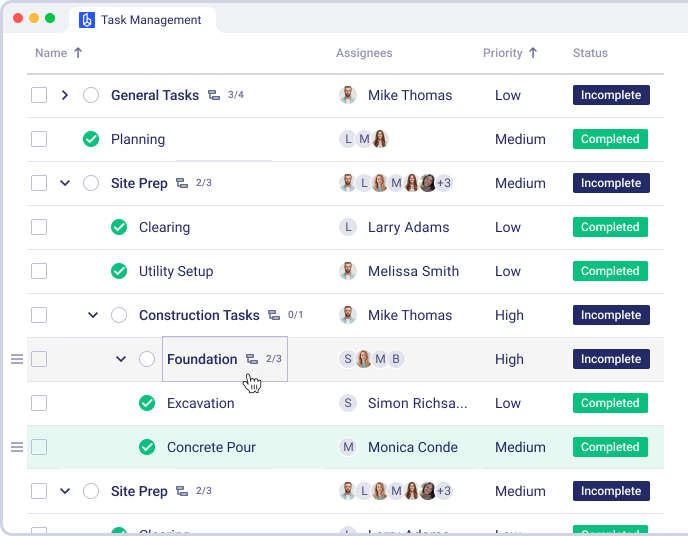
- To-Dos and task management: Add, assign, and update tasks on the go. Stay informed about what’s done and what’s overdue.
- Timesheets from the field: Let your crew submit hours directly from their phones, reducing admin time and payroll errors.
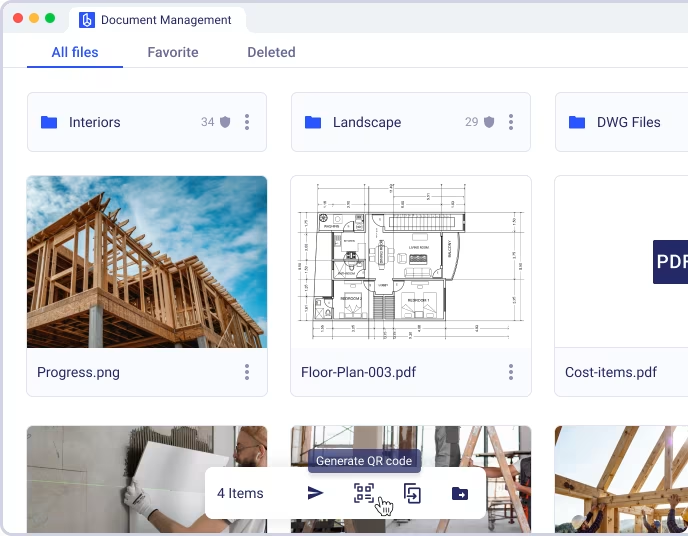
- Access key documents and plans: Field teams can open files, specs, and drawings anytime with no paper and back-and-forth emails.
- Messaging & updates: Communicate with your team instantly with real-time chat and alerts that ensure nothing slips through.

Award-Winning Software Trusted by Users
Why Builders Choose Our Construction Project Management Mobile App
Daily Logs Made Easy
Capture everything from photos and notes to weather and labor data. Field reports are automatically organized and stored.
Mobile Access to Critical Info
All project documents, schedules, and updates are accessible from any device, no matter where your team is.
Timesheets Without the Hassle
Track work hours from the job site. Crew members submit time entries right from their phone.
To-Do Lists That Keep Teams Accountable
Assign, edit, and complete tasks on the fly. Real-time updates keep everyone aligned.
Scheduling & Notifications
Ensure your field team knows what’s happening and when with calendar access and automated reminders.
No credit card required

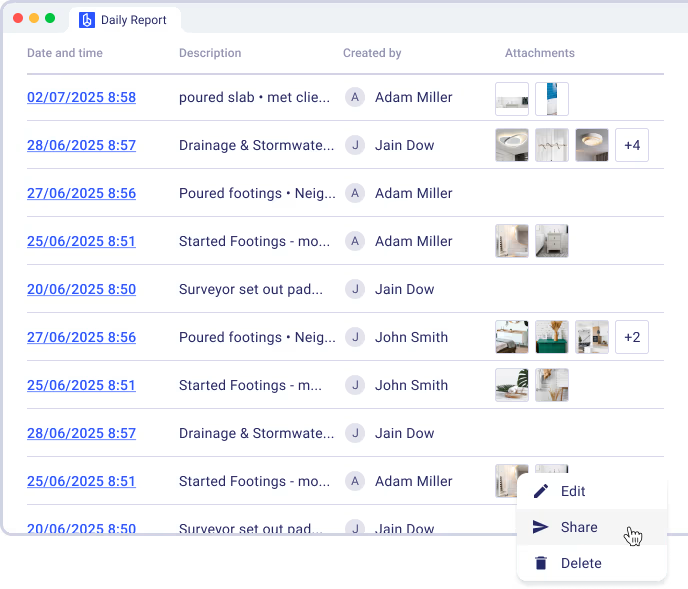
Daily Logs on Mobile, Right from the Job Site
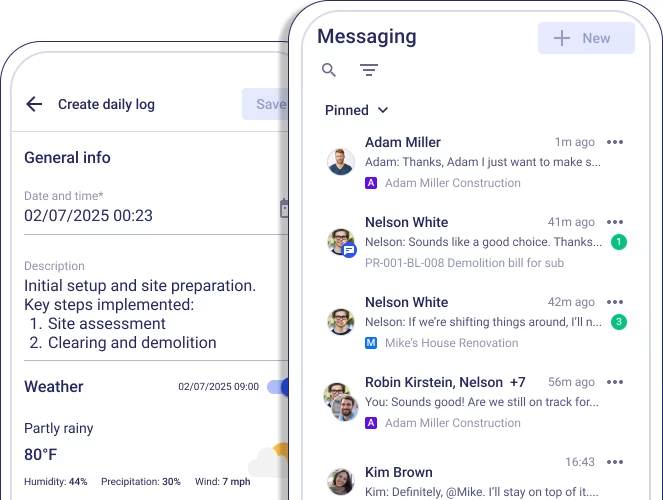
Record and submit job site progress directly from the field. With Buildern’s mobile-friendly tools, your crew can document each day’s activity quickly and accurately, helping you maintain clear records and reduce back-and-forth:
Photos and videos: Capture visual evidence of completed work, equipment in use, safety conditions, and progress milestones. Easily upload photos & videos straight from the field for instant visibility.
Notes for additional context: Add updates to clarify what was done, why changes occurred, or highlight any issues needing follow-up.
Weather conditions: Automatically log temperature, precipitation, and other weather data to keep reports factual and support delay claims if needed.
To-Dos and Task Management On the Go
Stay on top of daily responsibilities with intuitive mobile task tracking. Buildern makes it easy for field teams to manage job site workflows and communicate progress throughout the day:
Add new tasks as they come up: Log last-minute work, changes, or punch list items the moment they’re discovered, so nothing gets lost in the process.
Assign responsibilities: Designate tasks to specific team members or crews with clear ownership, helping avoid confusion and delays.
Update task status: Mark items as pending, in progress, or complete in real time to keep everyone on the same page and help office staff monitor productivity.


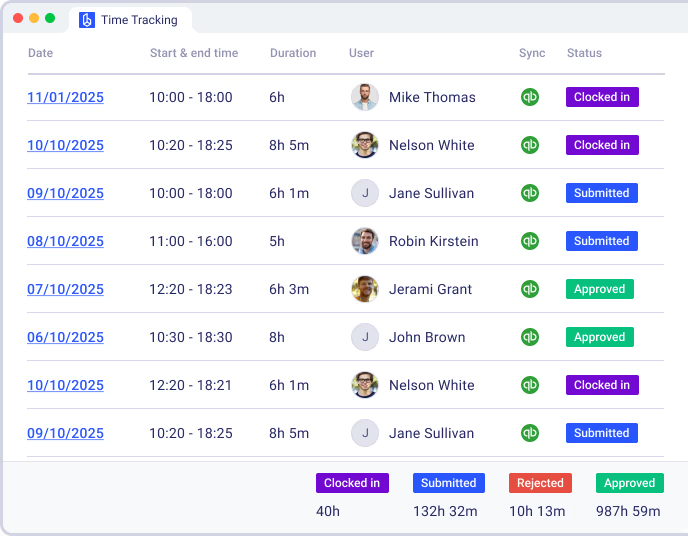
Field-Submitted Timesheets Made Simple
Let your crew submit hours directly from their phones without the hassle of paper forms or end-of-week memory recall. Buildern’s timesheet features make time tracking faster, more accurate, and easier for everyone:
Eliminate paper timesheets: Ditch the clipboards so that field workers can clock in, clock out, and log breaks digitally with just a few taps.
Reduce payroll errors: Prevent mismatched hours and missing entries with built-in validations and synced project data.
Save time on manual entry: Submitted timesheets automatically sync with the office, cutting down on admin time and reducing processing delays.
Access Files, Drawings, and Specs Anytime
Make sure your field teams always have the most up-to-date documents at their fingertips. Buildern ensures no one wastes time hunting down paper copies or working from outdated plans:
Open and view files instantly: Access blueprints, PDFs, schedules, and more on any mobile device.
Eliminate the need for printed plans: Avoid confusion and rework by sharing updates digitally in real time, so every team member sees the latest version.
Avoid delays from missing info: Keep all essential project documents stored in one secure, searchable location that’s always accessible.

What Our Customers Say About Us?
Everything was handled in a very professional way by Buildern. This software covers every side of my construction business and things are going good! Thanks guys.
Team at Buildern are true professionals. The whole team is enthusiastic and set a really high quality bar with their construction software and support. Jessica even followed up with an email with more helpful advice. Kudos!
It is very intuitive and easy to use. The dashboards are so clean and user friendly. The capability and features far exceed builder trend as does the rate of new development.
Buildern has been the right solution for our needs. It's easy to use and easy to navigate especially for me as a non-construction professional. Some other construction management softwares were a little too robust for our liking.
I appreciate the simplicity of Buildern's setup process, which required minimal implementation time compared to other software we've used, which took weeks or even months. This efficiency has allowed us to become operational swiftly, saving time.
No credit card required

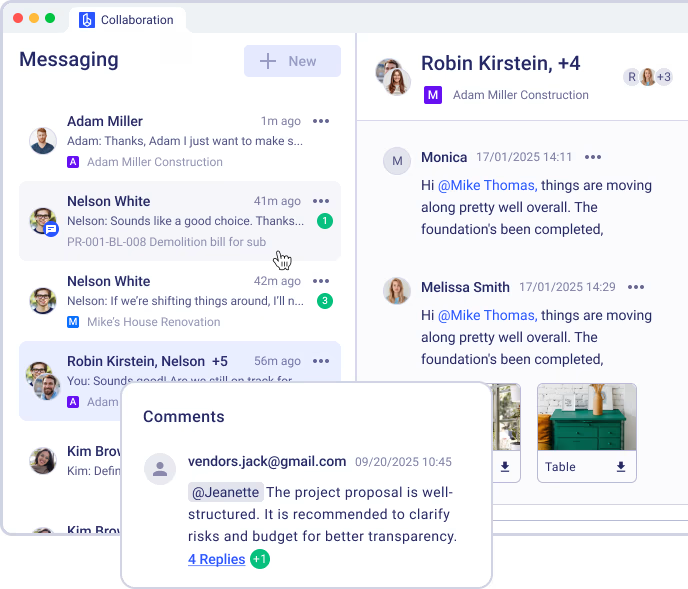
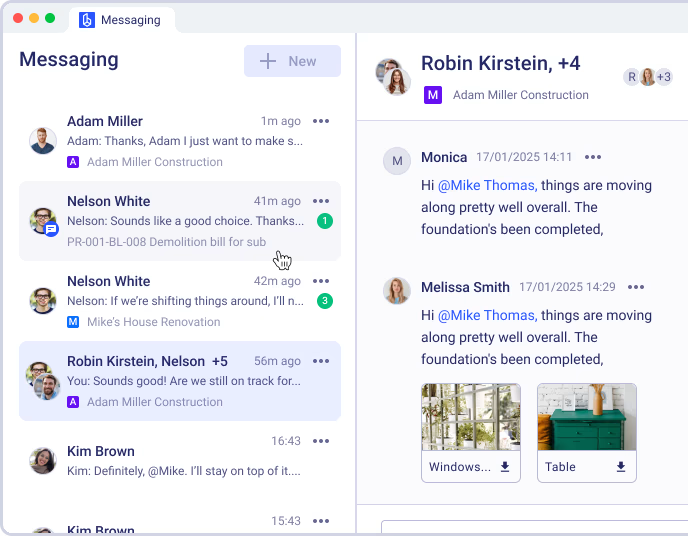
Messaging & Real-Time Project Updates
Stay connected across teams and job sites with instant communication that keeps projects moving. Buildern’s built-in messaging system simplifies collaboration, reducing miscommunication and delays:
Chat in real time: Send direct messages or group updates instantly between office and field staff.
Share updates or ask questions: Quickly notify others of progress, flag issues, or request clarification without needing phone calls or separate apps.
Get alerts for tasks, approvals, and changes: Receive push notifications for new assignments, pending approvals, or updated documents so you can respond fast.
The Benefits of a Connected Project Management Mobile App
Take control of field operations, minimize miscommunication, and accelerate project timelines with Buildern’s fully integrated mobile-first platform.
0%
More Efficient Field Communication
Buildern centralizes daily updates, messaging, and file access into one platform. This eliminates scattered conversations and cuts delays caused by fragmented communication, resulting in faster decision-making and smoother workflows between the field and the office.
0%
Reduction in Admin Time
With mobile daily logs, timesheet submissions, and file sharing handled in a single app, teams spend less time on paperwork and more time building. Automated syncing ensures the office receives updates in real time, no duplicate data entry required.
0%
Fewer Mistakes & Rework
Clear to-dos, instant access to the latest plans, and real-time updates help crews stay aligned. By reducing confusion and ensuring everyone has the same information, Buildern helps prevent errors and keeps projects on schedule.
No credit card required
Case Studies: Other Builder’s Success with Buildern
Don’t just take our word for it. See the real impact Buildern has had on companies like yours.

The commitment to understand what we needed and also look at adding some requirements that we wanted to have was a key factor in choosing Buildern. They met the needs for some of the big-ticket items we were struggling with.

Steve Glover
Paragon Homes

Once I was fully using Buildern for all of my projects, the workflow from estimating new projects to completing a job and informing clients and subcontractors along the way became easier. I’ve been more organized, which has actually cleared my head of any extra stress.

Angus Cowan
Angus Cowan Constructions

The usability of the software quite simply blows everything else out of the water. Every feature is well thought out, usable, and functional without being difficult to learn.

Michael Murphy
Aligned Building

Buildern came as the perfect solution - combining all the necessary project management features in one platform and allowing easy integration with other software.
Steve Kingston
Arc & Co Projects

Since adopting Buildern, we've seen remarkable improvements in our operations. Our project completion time has been reduced by 20%, and we've achieved a 15% decrease in overall costs due to more efficient resource management.
Dustin M. Hart
Kingston Homes

I save hours by just having everything stored in one place. It is user-friendly and comes with some really robust features that have truly transformed the way we manage our projects from start to finish.
Jed Smith
Lighthouse Projects
Explore Even More Capabilities of Our Commercial and Residential Construction Project Management Mobile App


Document Management
Keep plans, specifications, revisions, and signed documents in a centralized space. Control access by role, prevent version mix-ups, and speed up approvals with organized folders and search functions. Reduce time spent chasing files and ensure teams always work from the latest version.
Get more from your construction mobile app
Access project information, update progress, and keep office and field teams connected from anywhere.
FAQ
Can my field crew access Buildern from their phones?
Yes. Buildern is fully mobile-optimized and works seamlessly across all major smartphones and tablets. Your field crew can view and upload files, log hours, submit daily reports, take photos or videos, and communicate with the team without needing to return to the office or use multiple tools. Everything happens in one app, on the device they already use.
Can we assign and manage tasks in real time?
Absolutely! Buildern’s task management tools are designed for speed and flexibility. You can create to-dos, assign them to specific team members or crews, update task statuses, and track progress in real time. Team members receive instant notifications when a new task is added or changed, ensuring nothing is missed or delayed.
Does Buildern include daily reporting tools?
Yes. Daily reporting is one of Buildern’s core features. Field teams can submit structured daily logs that include notes, labor activity, equipment use, photos, videos, and even weather conditions. Reports are automatically organized and sent to the office, reducing paperwork while keeping project records accurate and up to date.
How do timesheets work in Buildern?
Each crew member can clock in, clock out, and log breaks directly from the job site using their mobile device. Timesheets are automatically synced with the office, where supervisors can review, edit, and approve them. This reduces administrative overhead, minimizes payroll errors, and helps ensure labor data is accurate and ready for reporting or job costing.
Is Buildern secure?
Yes. Buildern is built with enterprise-level security in mind. We use encrypted cloud storage, secure authentication, and role-based access control to protect your data. Only authorized users can view or modify project information, and all communication through the app is encrypted to prevent unauthorized access.
Can I communicate directly with workers through Buildern?
Yes. Buildern includes a built-in messaging system for direct and group chats. This allows field and office teams to stay connected at all times without relying on third-party apps or scattered communication. Use it to coordinate tasks, flag issues, ask questions, or simply keep everyone informed of the latest updates within the same platform.
Can Buildern help with project schedules?
Definitely! Buildern gives your team access to up-to-date project schedules from any device. Crew members can view what’s planned for the day or week, receive automatic reminders about their responsibilities, and stay aligned with the overall project timeline. Any updates made from the office are reflected in real time for the field.
Does Buildern integrate with construction tools?
Yes. Buildern integrates with construction tools, including estimating, budgeting, and CRM etc. This ensures a seamless transition from preconstruction to execution, so you don’t have to re-enter data or switch between platforms. The result is a unified workflow from start to finish.
Can I upload and manage construction documents in Buildern?
Yes. With Buildern, all your construction documents - drawings, blueprints, PDFs, specifications, and schedules can be uploaded, organized, and shared in a central, secure location. Field workers can access the latest versions from their phones, ensuring everyone works with the most up-to-date information and avoids costly rework.
What kind of support does Buildern offer?
We provide responsive support via email and in-app chat. Our team is here to help with onboarding, troubleshooting, and general usage questions. For teams that need more hands-on assistance, we also offer guided onboarding sessions and training to ensure your team is fully equipped to make the most of Buildern from day one.
Is Buildern suitable for both residential and commercial projects?
Yes. Buildern is trusted by builders of all sizes, whether you manage custom homes, remodels, multi-family units, or large-scale commercial projects. The platform is flexible enough to match your workflow and scalable to support growing teams and complex jobs without sacrificing performance or usability.