





















We had our remodeling agency, we had the vision, but we had no idea how to bring and manage clients until Buildern came into the picture. Thanks a lot guys! You really helped put us on the right construction sales process and client management!
Construction Task Management Software
Stay Organized and Keep Construction Projects on Track
Buildern streamlines To-Do list management by helping teams assign tasks, set deadlines, and track progress all from a single platform. Keep your projects on schedule with real-time updates and an easy-to-use interface designed for construction professionals!

Trusted by The Best Residential and Commercial Builders Worldwide
Keep Every Task Organized and on Schedule
With Buildern’s To-Do list, nothing gets overlooked. Assign tasks, track progress, and keep teams accountable, using our software as it empowers you to:
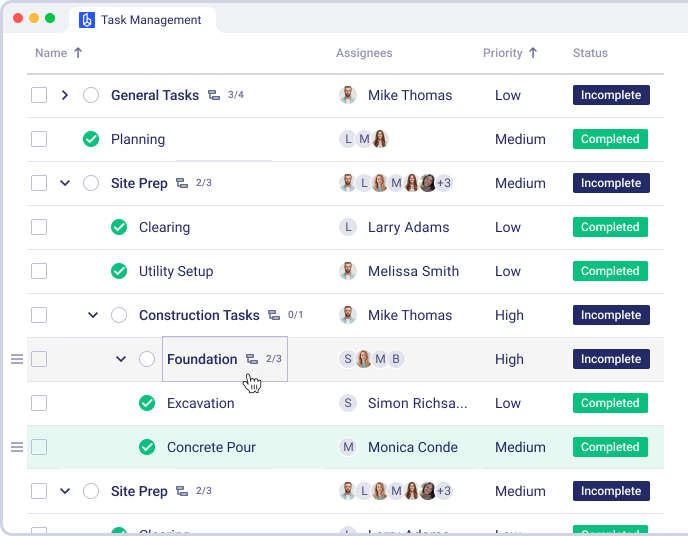
- Task & subtask management: Break down complex tasks into subtasks and assign them to different team members, subcontractors, or clients.
- Task templates: Save time by creating reusable templates for recurring tasks.
- Checklist integration: Ensure work gets completed correctly with predefined checklists inside each task.
- Automated task reminders: Never miss a deadline with automated notifications.
- Deadline & priority settings: Organize tasks by priority to focus on the most critical work first.

Award-Winning Software Trusted by Users
Why Builders Choose Our Construction Task Management Software
Centralized Task Management
Manage all the project tasks, big or small, in one place without any scattered notes or lost updates.
Mobile & Cloud Accessibility
Access your To-Do list from anywhere, whether you’re in the office or on-site.
Automated Workflows
Reduce manual work with task automation, dependencies, and structured workflows.
Integrated with Project Scheduling
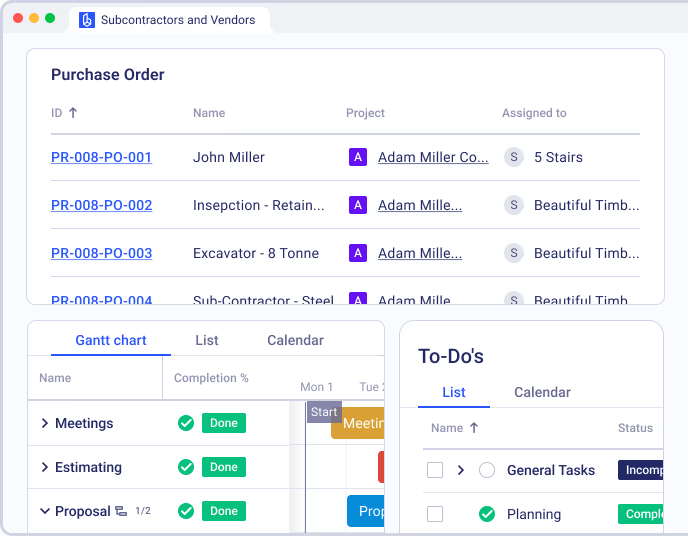
Sync your To-Dos with project timelines for seamless execution and better time management.
Real-Time Progress Tracking
Stay on top of every task with instant status updates, customizable views, and performance insights.
No credit card required

Improve Communication and Collaboration
Scattered messages and lost updates are no longer setbacks. Our software centralizes task-related communication to keep teams aligned with:
Comments & mentions: Tag team members, clients & subs, and add notes directly within To-Dos for seamless communication.
File attachments: Upload task-related files to keep all relevant information in one place.
Real-time updates: Instantly see task progress and status changes, keeping everyone on the same page.
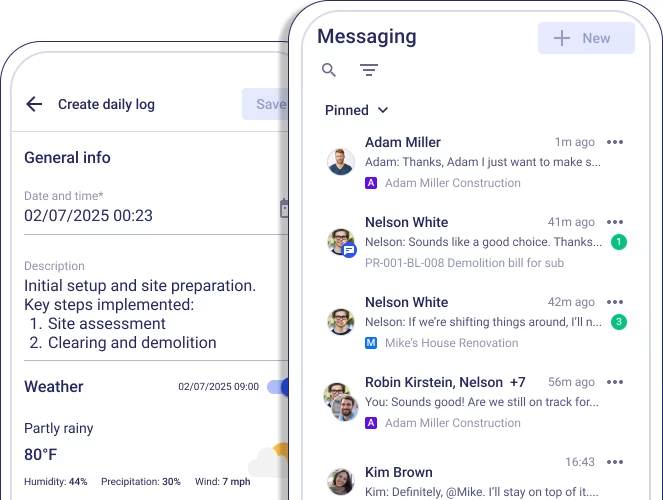
Mobile access: Update and check To-Dos from anywhere - from the office or on-site.
Automate Workflows & Reduce Manual Work
Buildern’s automation tools cut down repetitive admin tasks, allowing your team to focus on the actual work using:
Recurring To-Dos: Set up repeating tasks for daily, weekly, or project-specific workflows.
Task dependencies: Ensure tasks follow the right sequence by linking To-Dos with dependencies.
Pre-built & custom workflows: Use default workflows or customize them to fit your project needs.
Progress tracking dashboard: Monitor task completion rates and identify setbacks in real time.


Connect To-Dos with Your Project Schedule
Tasks do not exist in isolation. Buildern seamlessly integrates To-Dos with project schedules to present misalignment. Achieve this with:
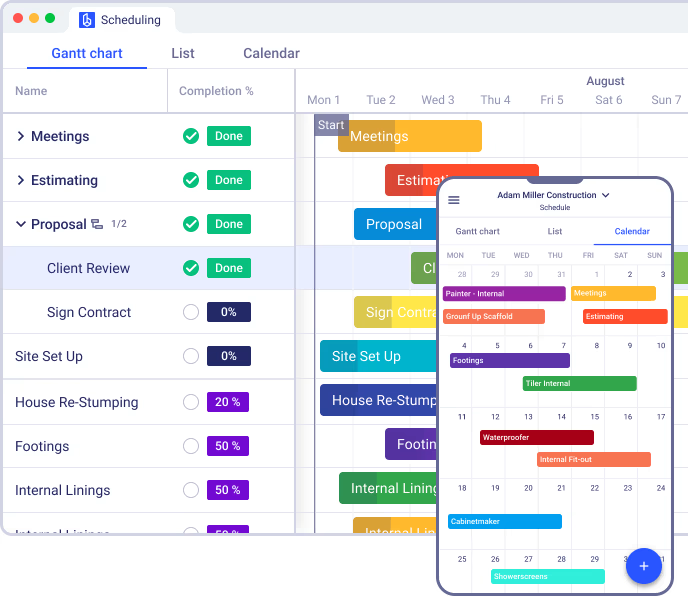
Gantt chart & calendar view: Visualize how tasks fit into the bigger project timeline.
Team workload management: Balance workloads by distributing tasks effectively.
Sync with project milestones: Link tasks to project phases, ensuring deadlines stay realistic.
Instant task rescheduling: Drag and drop tasks in the schedule to adjust plans as needed.
One-click task-to-schedule sync: Assign To-Dos to specific dates, teams, or milestones with a single click, ensuring smooth project execution.
What Our Customers Say About Us?
Everything was handled in a very professional way by Buildern. This software covers every side of my construction business and things are going good! Thanks guys.
Team at Buildern are true professionals. The whole team is enthusiastic and set a really high quality bar with their construction software and support. Jessica even followed up with an email with more helpful advice. Kudos!
It is very intuitive and easy to use. The dashboards are so clean and user friendly. The capability and features far exceed builder trend as does the rate of new development.
Buildern has been the right solution for our needs. It's easy to use and easy to navigate especially for me as a non-construction professional. Some other construction management softwares were a little too robust for our liking.
I appreciate the simplicity of Buildern's setup process, which required minimal implementation time compared to other software we've used, which took weeks or even months. This efficiency has allowed us to become operational swiftly, saving time.
No credit card required
Gain Full Visibility Over Task Progress
Buildern eliminates confusion by providing a clear overview of project tasks and their progress through:
Real-time task status updates: Instantly see which tasks are in progress, pending, or completed.
Customizable task views: Switch between list, calendar, or Kanban board views to track tasks your way.
Team performance insights: Monitor delays, workload distribution, and team efficiency in one place.
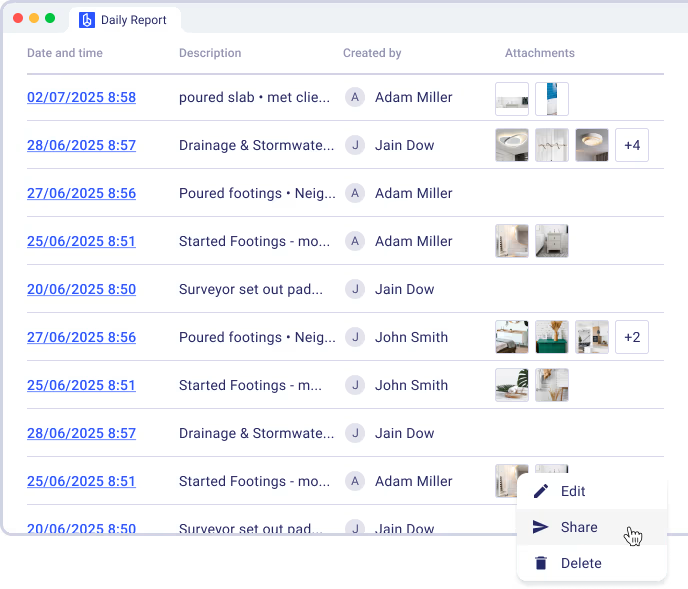
Detailed task history: Access a full record of task updates, comments, and completion times.

The Benefits of Streamlined and Accurate Task Management with Buildern
Unlock better project efficiency and team coordination with Buildern’s advanced task management tools.
0%
More Efficient Task Execution
Users report up to a 30% increase in task completion efficiency due to automated reminders, task dependencies, and real-time updates. Buildern ensures teams stay on track without unnecessary delays.
0%
Reduction in Missed Deadlines
With automated workflows and integrated scheduling, users experience 25% fewer missed deadlines. Task prioritization and scheduling features help construction teams manage workloads effectively and avoid bottlenecks.
0%
Improvement in Team Collaboration
Centralized task management, in-task communication, and document sharing lead to a 40% boost in team coordination. Everyone stays informed, reducing back-and-forth communication and misalignment.
No credit card required
Case Studies: Other Builder’s Success with Buildern
Don’t just take our word for it. See the real impact Buildern has had on companies like yours.

The commitment to understand what we needed and also look at adding some requirements that we wanted to have was a key factor in choosing Buildern. They met the needs for some of the big-ticket items we were struggling with.

Steve Glover
Paragon Homes

Once I was fully using Buildern for all of my projects, the workflow from estimating new projects to completing a job and informing clients and subcontractors along the way became easier. I’ve been more organized, which has actually cleared my head of any extra stress.

Angus Cowan
Angus Cowan Constructions

The usability of the software quite simply blows everything else out of the water. Every feature is well thought out, usable, and functional without being difficult to learn.

Michael Murphy
Aligned Building

Buildern came as the perfect solution - combining all the necessary project management features in one platform and allowing easy integration with other software.
Steve Kingston
Arc & Co Projects

Since adopting Buildern, we've seen remarkable improvements in our operations. Our project completion time has been reduced by 20%, and we've achieved a 15% decrease in overall costs due to more efficient resource management.
Dustin M. Hart
Kingston Homes

I save hours by just having everything stored in one place. It is user-friendly and comes with some really robust features that have truly transformed the way we manage our projects from start to finish.
Jed Smith
Lighthouse Projects
Explore Even More Capabilities of Our Commercial and Residential Construction Task Management Software


Document Management
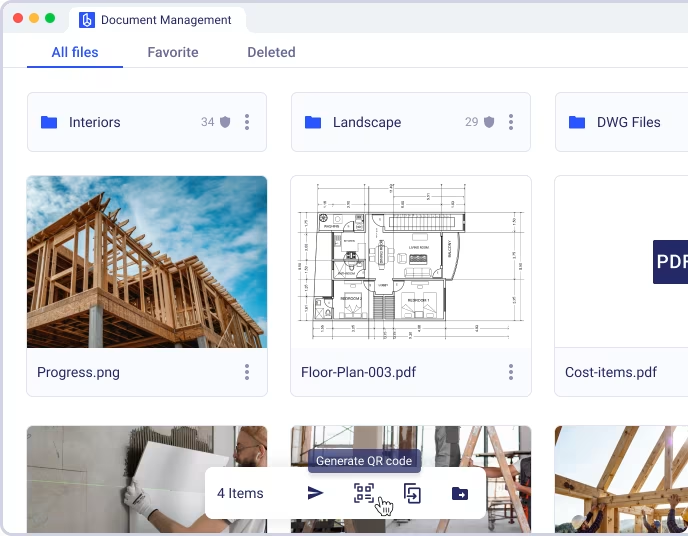
Keep plans, specifications, revisions, and signed documents in a centralized space. Control access by role, prevent version mix-ups, and speed up approvals with organized folders and search functions. Reduce time spent chasing files and ensure teams always work from the latest version.

Keep every construction tasks organized and on track
Assign, monitor, and update tasks in real time so your team always knows what needs to be done and nothing falls through the cracks.
FAQ
How does Buildern help manage construction To-Dos?
Buildern streamlines task management by allowing teams to create To-Do lists, assign tasks, track progress, and collaborate in real time. Tasks can be broken into subtasks, linked to checklists, and automated for efficiency.
Can I assign tasks to subcontractors and clients?
Yes. Buildern allows you to assign tasks not only to your internal team but also to subcontractors and clients, ensuring everyone involved stays informed and accountable throughout the project.
Can I create task templates for recurring work?
Yes! Buildern lets you create and save task templates, so you don’t have to start from scratch each time. These templates can include checklists, deadlines, and task assignments.
How does Buildern integrate To-Dos with the project schedule?
Tasks in Buildern can be directly linked to project schedules, ensuring deadlines are realistic and aligned with milestones. The system updates schedules automatically when tasks shift.
Does Buildern send reminders for incomplete tasks?
Yes! Automated reminders notify team members when tasks are due or overdue, keeping projects on track.
Can I communicate with my team, subcontractors, and clients directly within tasks?
Absolutely. Each task includes a comment section where team members, subcontractors, and clients can ask questions, share updates, and tag others for input or clarification.
Is there a way to track who completed each task?
Yes. Buildern logs all task activity, showing who completed a task, when it was updated, and any changes made along the way.
Can I attach files, blueprints, or permits to tasks?
Yes! You can upload and attach files to To-Dos, keeping all necessary documents in one place for easy reference.
Does Buildern work for multiple projects at once?
Yes! You can manage multiple projects, assign tasks to different teams, and monitor progress across all job sites from a single dashboard.
Is Buildern’s To-Do system mobile-friendly?
Yes. Buildern’s mobile app ensures field teams can access and update To-Dos on the go, keeping everyone informed in real time.
Can I customize task statuses and categories?
Yes! Buildern lets you create custom task statuses, categories, and workflows to fit your company’s specific project management style.