




















We had our remodeling agency, we had the vision, but we had no idea how to bring and manage clients until Buildern came into the picture. Thanks a lot guys! You really helped put us on the right construction sales process and client management!
Construction QuickBooks Integration
Two-Way QuickBooks Integration: Automate Your Construction Accounting
Experience real-time two-way data syncing, accurate financial records, and stress-free accounting for your projects with QuickBooks integration. Buildern makes precision and accuracy across all your financial workflows possible!

Trusted by The Best Residential and Commercial Builders Worldwide
Sync Your Finances Instantly; No More Double Entries!
Buildern’s seamless two-way integration with QB ensures that any data entered into either platform, be it bills, expenses, invoices, timesheets, or payments, is instantly reflected in both systems. You only need to enjoy consistent and precise data without double-entry. Get key benefits to
- No double entry: Enter data once in either Buildern or QB and it updates across both platforms automatically.
- Import historical data: Buildern allows you to import your financial records from QB easily.
- Global compatibility: You can work with QB in the US, Canada, Australia, New Zealand, the UK, and more.
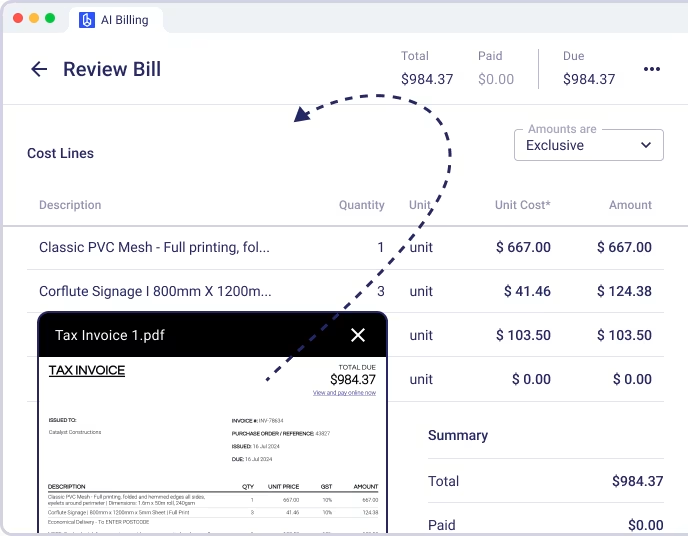
- AI-powered bill scanning: Automate bill and expense tracking with OCR technology that captures data instantly.

Award-Winning Software Trusted by Users
Why Builders Choose Our Construction Accounting Software
Two-way sync
Any data you add in Buildern updates in Quickbooks and vice versa, keeping everything aligned.
Import your historical data
When you first connect, bring in your past invoices, expenses, or project financials.
No manual entries
Automation handles everything so that you can focus on your projects.
AI-powered bill scanning
Get your data automatically extracted and categorized.
Availability in multiple regions
Buildern’s Quickbooks integration supports users in the UK, Australia, New Zealand, Canada, and beyond.
No credit card required

Take Full Control of Your Budgets
Our software takes care of your financial strategy by enabling you to predict, control, and adjust costs easily. Buildern ensures you get
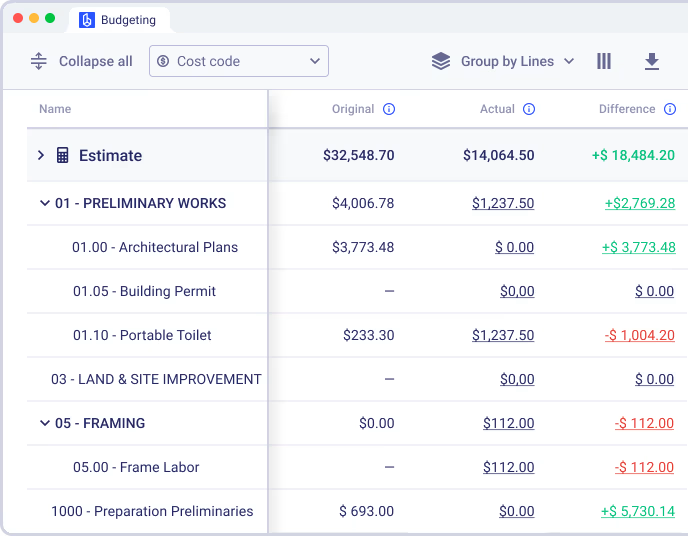
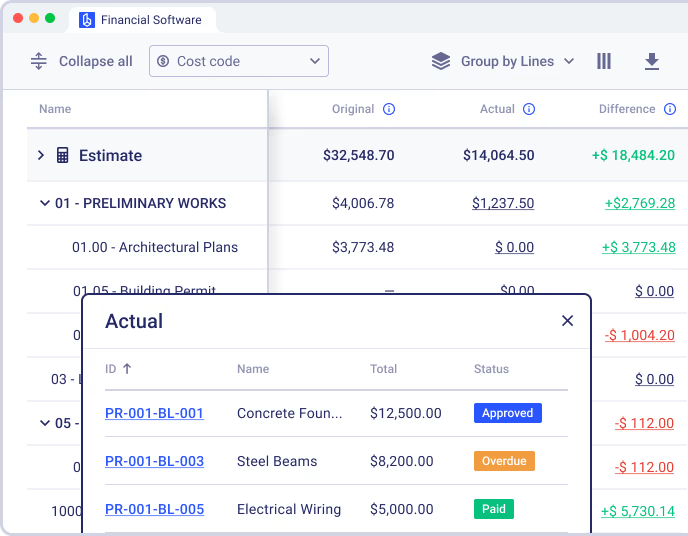
Centralized tracking: Bring all your project expenses into one platform for a clear and organized financial overview. No more jumping between different tools or struggling with missing data.
Accurate forecasting: Leverage historical data to make informed decisions and create precise cost estimates, reducing the risk of budget overruns.
Change order management: Unexpected adjustments are inevitable in construction. Our software allows you to quickly modify estimates, track changes, and prevent costly delays.
Profitability insights: Analyze budget trends to cut costs and maximize returns so that you can identify areas for savings and ensure every project contributes to your bottom line.
Transfer All Historical Data with Ease
Buildern allows you to import your entire historical financial data when connecting with QB. From past invoices and payments to estimates and expenses, everything is carried over effortlessly. Our software assures you can
Start fresh without losing valuable records: Buildern ensures that all your past financial transactions are securely transferred so that you can maintain a complete financial record without gaps.
Access and analyze historical data for better forecasting: Buildern allows you to review and analyze previous project costs helping you to improve budgeting and forecasting for future projects.
Make integration with zero stress possible: There is no need for manual data entry or complicated setup as everything is seamlessly integrated, ensuring all historical information is imported.

What Our Customers Say About Us?
Everything was handled in a very professional way by Buildern. This software covers every side of my construction business and things are going good! Thanks guys.
Team at Buildern are true professionals. The whole team is enthusiastic and set a really high quality bar with their construction software and support. Jessica even followed up with an email with more helpful advice. Kudos!
It is very intuitive and easy to use. The dashboards are so clean and user friendly. The capability and features far exceed builder trend as does the rate of new development.
Buildern has been the right solution for our needs. It's easy to use and easy to navigate especially for me as a non-construction professional. Some other construction management softwares were a little too robust for our liking.
I appreciate the simplicity of Buildern's setup process, which required minimal implementation time compared to other software we've used, which took weeks or even months. This efficiency has allowed us to become operational swiftly, saving time.
No credit card required

Automated Bill and Expense Management with AI-Powered Tools
Buildern leverages OCR technology to simplify bill and expense management. Upload your files, and our software will automatically extract the relevant details such as quantities, prices, descriptions, vendor information, dates, etc., and sync them with QB for accurate financial records. It will empower you to:
Save time by automating tedious processes: Our OCR technology captures and processes bill and expense details instantly, allowing you to focus on higher-priority tasks.
Reduce errors with precise data extraction: Buildern ensures accuracy by automatically pulling the correct information from your uploaded bills, minimizing mistakes.
Focus on project execution, not data entry: Instead of spending hours handling paperwork, you can dedicate more time to managing your projects, improving efficiency, and driving profitability.
Flexible Workflows; The Choice Is Yours
One of the biggest advantages of Buidern’s QB integration is its flexibility, allowing you to work in the system that best fits your team’s needs. Our two-way sync ensures seamless updates between both platforms:
Choose your platform: Work in the system that suits your team’s workflow, no matter if it’s Buildern or QB.
Two-way sync: Any updates made in one platform automatically reflect in the other.
Seamless collaboration: Enjoy the best of both worlds without being locked into a single platform.
Accurate & synchronized data: Whether managing project-focused entries in Buildern or handling accounting in QB, your data stays up-to-date.

The Benefits of Streamlined and Accurate Accounting with Buildern
Unlock improved profitability and efficiency with Buildern’s advanced accounting tools.
0%
Reduction in Cost Overruns
Users report a 15% decrease in cost overruns due to Buildern’s automated expense tracking and real-time budget updates. This ensures projects stay on track financially and avoids unexpected expenses.
0%
Faster Project Turnaround
With Buildern’s seamless integrations and automated workflows, users experience 20% faster invoicing, payment processing, and financial reporting. This saves time and improves operational efficiency.
0%
Increase in Project Profitability
Buildern’s precise data synchronization and customizable reporting result in up to a 10% improvement in financial accuracy, helping construction businesses make better-informed decisions and improve profitability.
No credit card required
Case Studies: Other Builder’s Success with Buildern
Don’t just take our word for it. See the real impact Buildern has had on companies like yours.

The commitment to understand what we needed and also look at adding some requirements that we wanted to have was a key factor in choosing Buildern. They met the needs for some of the big-ticket items we were struggling with.

Steve Glover
Paragon Homes

Once I was fully using Buildern for all of my projects, the workflow from estimating new projects to completing a job and informing clients and subcontractors along the way became easier. I’ve been more organized, which has actually cleared my head of any extra stress.

Angus Cowan
Angus Cowan Constructions

The usability of the software quite simply blows everything else out of the water. Every feature is well thought out, usable, and functional without being difficult to learn.

Michael Murphy
Aligned Building

Buildern came as the perfect solution - combining all the necessary project management features in one platform and allowing easy integration with other software.
Steve Kingston
Arc & Co Projects

Since adopting Buildern, we've seen remarkable improvements in our operations. Our project completion time has been reduced by 20%, and we've achieved a 15% decrease in overall costs due to more efficient resource management.
Dustin M. Hart
Kingston Homes

I save hours by just having everything stored in one place. It is user-friendly and comes with some really robust features that have truly transformed the way we manage our projects from start to finish.
Jed Smith
Lighthouse Projects
Explore Even More Capabilities of Our Commercial and Residential Construction Accounting Software

Budgeting
Track estimated vs. actual costs throughout the project lifecycle. Make informed adjustments, manage committed costs, and maintain visibility into your financial position. Avoid budget overruns and keep stakeholders aligned with up-to-date, data-driven insights that reflect job progress in real time.


Client Invoicing
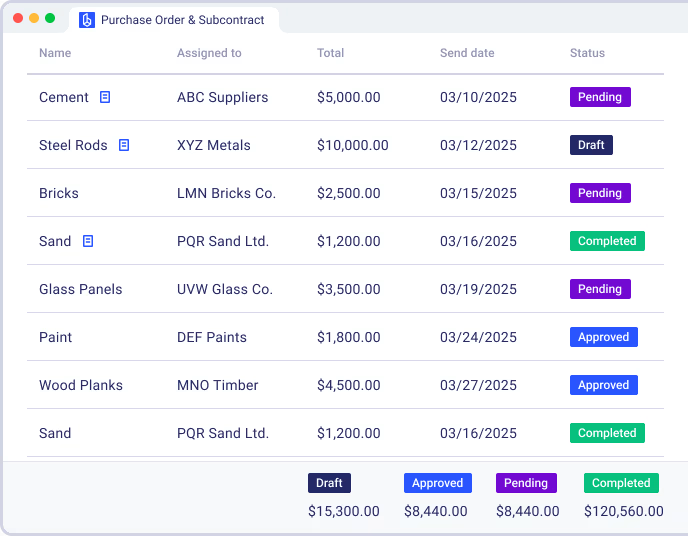
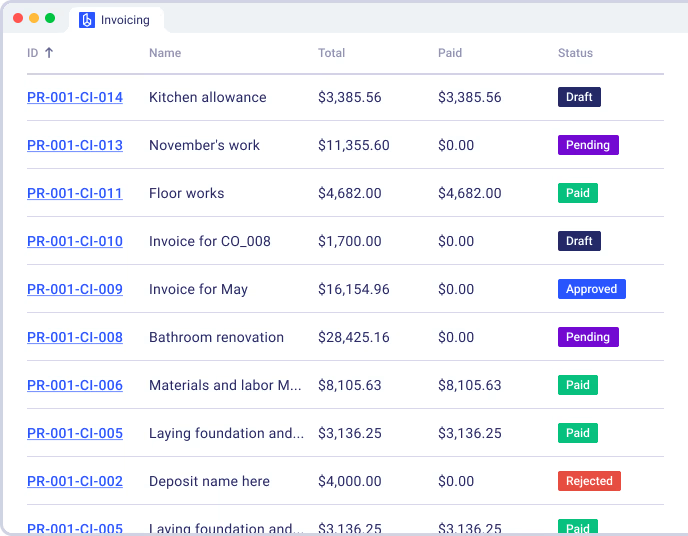
Generate professional client invoices backed by accurate data and job details. Send timely bills, record payments, and track outstanding balances without switching between multiple systems. Keep everything in one place to support cash flow, reduce mistakes, and maintain strong financial transparency on every project.
Sync your construction finances with QuickBooks in real time
Connect your projects to QuickBooks to automatically sync invoices, payments, and costs for accurate and up-to-date accounting.
FAQ
How does Buildern’s integration with QuickBooks work?
Buildern integrates seamlessly with QB through two-way syncing, which means any financial data entered into Buildern — such as projects, bills, expenses, invoices, timesheets, payment records, cost codes, subs and vendors, and clients — automatically syncs with QB. Similarly, any updates made in QB will reflect in Buildern. This ensures both systems stay synchronized in real-time, eliminating the need for manual double entry and significantly reducing the risk of mistakes.
Can I import historical data from QuickBooks into Buildern?
Yes, Buildern allows you to import your historical financial data from and clients — when you first connect your account. This includes past invoices, expenses, and other key financial details, ensuring you start with a complete and accurate financial overview. This feature is unique to Buildern and saves you time during setup while giving you access to all your prior data in one place.
Do I need to enter data in Buildern or QuickBooks?
The choice is yours. Thanks to Buildern’s two-way sync functionality, you can enter financial data in either Buildern or QuickBooks. No matter where you input the information, it will automatically sync to the other platform. This flexibility ensures you can use the system that works best for you and your team without sacrificing efficiency.
Does the QuickBooks integration work outside of the US?
Yes, Buildern’s QuickBooks integration is compatible with multiple regions, including the US, Canada, Australia, New Zealand, the UK, and more. While some tools only work with the US version of QuickBooks, Buildern’s integration is designed to support a broader range of regions and currencies, making it an excellent solution for global construction businesses.
How does Buildern eliminate manual entry in accounting workflows?
Buildern automates repetitive financial tasks to reduce manual entry. For example, with AI-powered bill OCR scanning, you can upload bills and receipts into Buildern, which automatically extracts and categorizes the data. This information is then synced to QuickBooks, saving you time and ensuring accurate financial tracking without the hassle of manual input.
Is my data secure with Buildern and QB integration?
Yes, your data is fully secure. Buildern employs advanced encryption protocols to protect your sensitive financial information, and QuickBooks maintains high-security standards to ensure your data is safe throughout the integration process. You can trust both platforms to handle your financial data with the utmost care.
Is my financial workflow secure with Buildern's QuickBooks integration?
Yes, your financial workflows are fully secure. Buildern ensures that all financial processes, including invoicing, payments, and expense tracking, are protected through advanced encryption and security protocols. QuickBooks also upholds high-security standards, ensuring that your financial data remains safe and synchronized throughout the integration. You can trust both platforms to handle your financial operations with the utmost care.
How do I set up the QuickBooks integration with Buildern?
Setting up the integration is simple and user-friendly. Navigate to the integrations section in Buildern, select QuickBooks, and follow the step-by-step instructions to connect your account. Once connected, your data will sync automatically, allowing you to focus on managing your projects rather than troubleshooting software.
What kind of support is available for the QB integration?
Buildern offers comprehensive support to ensure you have a seamless experience with the QuickBooks integration. From detailed setup guides and tutorials to live chat and email support, our customer service team is available to assist you with any questions or challenges you may face. Whether you’re just starting or optimizing your workflow, we’re here to help every step of the way.