Running a construction business means juggling dozens of people, documents and decisions every week. This month’s updates are about giving you back control of all three.
Many of you told us the same things. Your clients and suppliers get too many emails. Mistakes slip into documents before anyone checks them. And Purchase Orders take too much manual work to look right. So we fixed all three.
You can now decide exactly which notifications your team, your subs and vendors, and your clients receive. Change Orders and Client Invoices go through a clear approval step before anything reaches a client. And Purchase Orders have customizable layouts, so every order looks the way your business needs it to. The result: focused inboxes, fewer costly mistakes, and a more professional image with everyone you work with.
Quieter inboxes for your team, subs and clients
A construction project involves many people: your office team, field crews, subs, suppliers and clients. Each of them needs different updates. But when everyone gets everything, the messages that matter get buried and clients start ignoring your emails. Some of you even told us suppliers were mistaking order confirmations for brand-new orders.
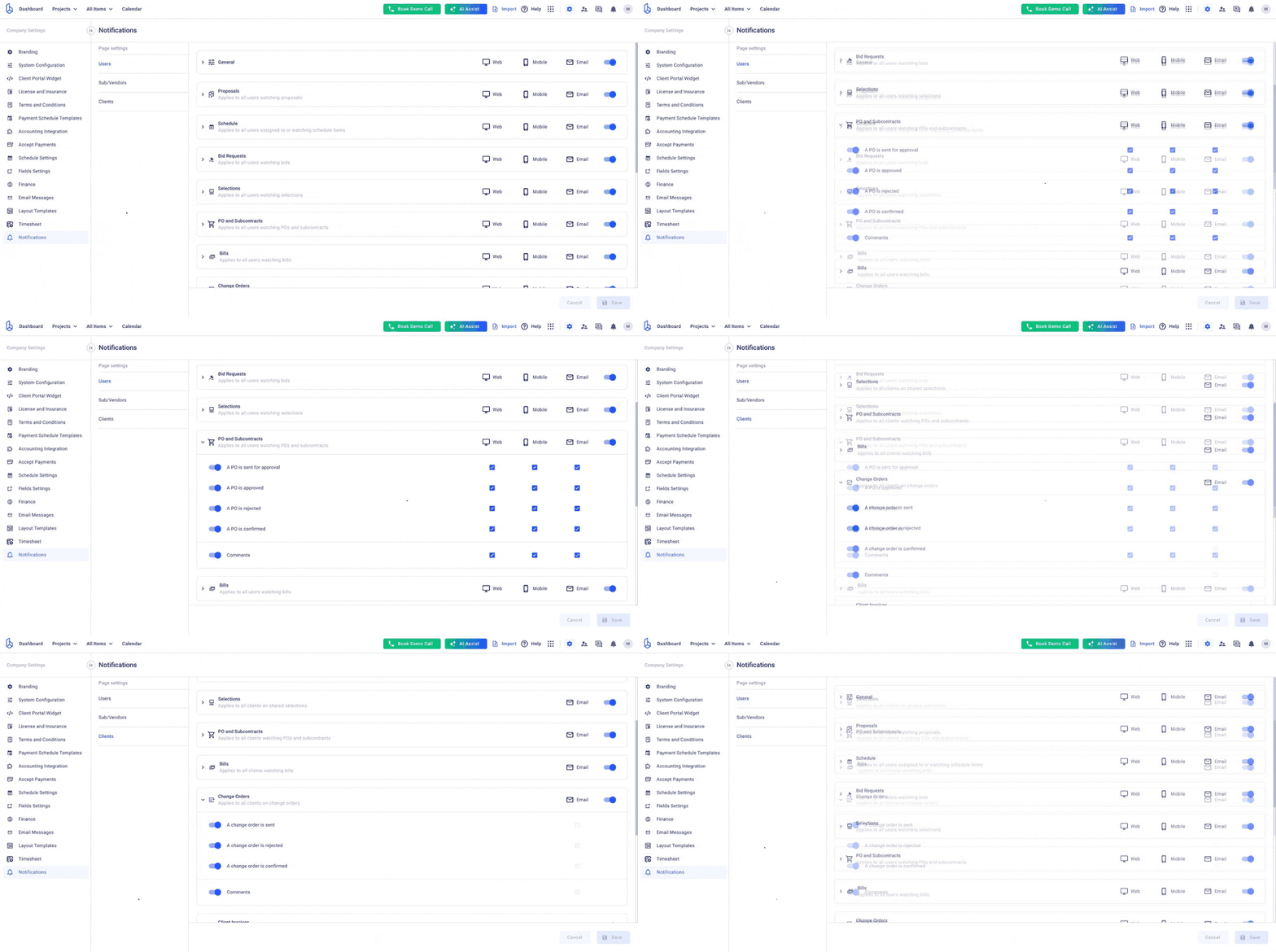
So we built notification settings that put you in charge. Set the defaults once for your whole company, with separate rules for your team, your subs and vendors, and your clients, then adjust them for anyone who needs something different. It works across every module, reminders included. Your clients hear from you when it counts, and your suppliers get only what helps them deliver.
What it means for you
Clients only hear from you when it matters, so they actually open your emails
Suppliers stop getting confirmations they don’t need, and stop asking “is this a new order?”
Your team gets the updates they care about in the app, on mobile or by email, and nothing else
New alerts for the moments that matter: a client pays online, a bill gets approved, or an emailed bill can’t be imported
Try it in two minutes: go to Company Settings → Notifications, open the Clients page and choose which updates your clients really need.
Nothing reaches your client before it’s signed off
Your estimator finishes the Change Order for a kitchen upgrade late on Tuesday and hits send. The price is off by a few thousand, and your client sees it before you do. Now you’re explaining a mistake instead of running the job, and that costs you more than money.
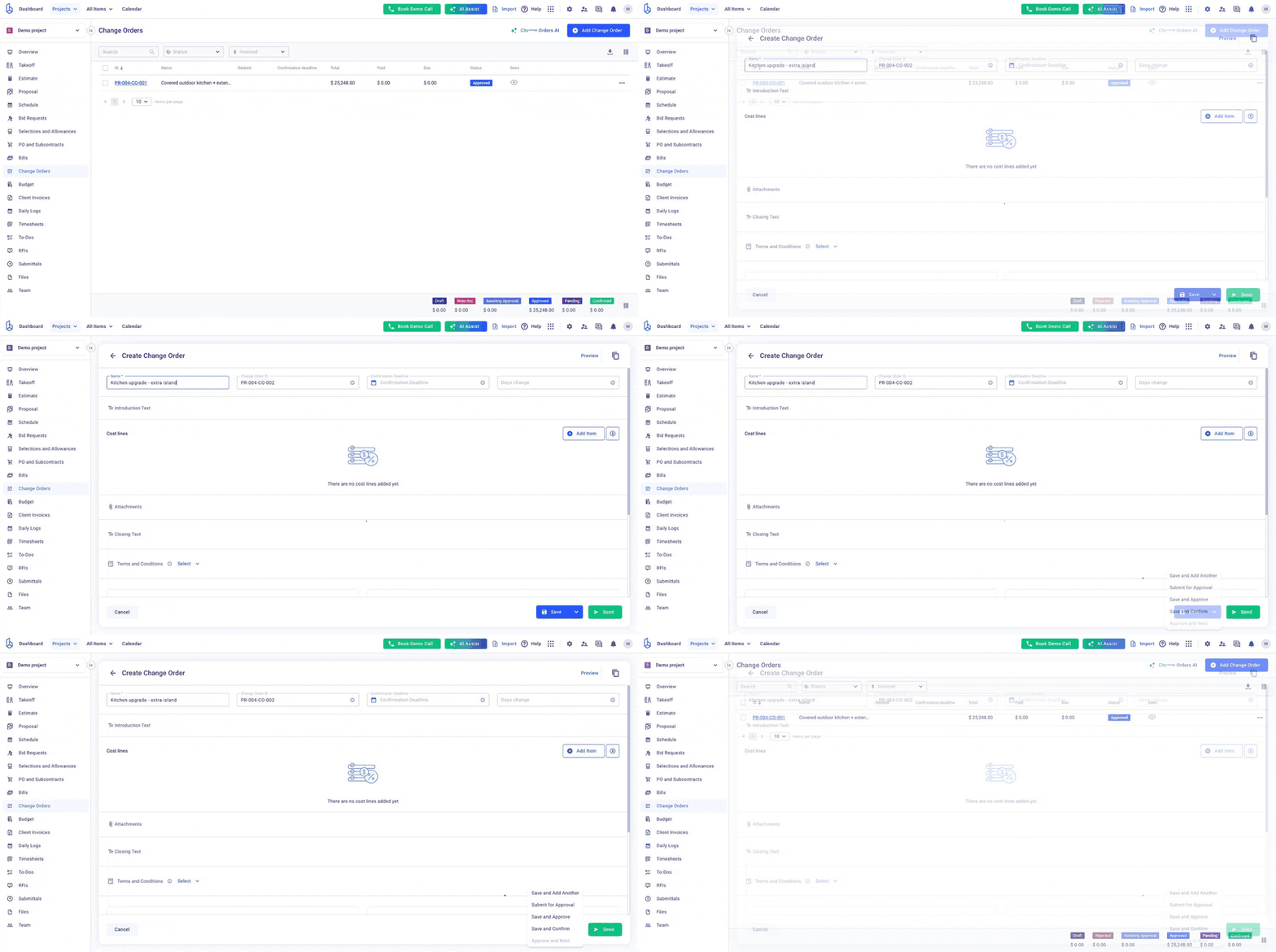
We built approvals to stop that from happening. Change Orders and Client Invoices now go through the same approval step your team already uses for Purchase Orders: the document is prepared, you review it, and only then does it reach the client. And once a client approves a Proposal or Change Order, it stays approved, so you can order materials and start work with confidence.
What it means for you
A second pair of eyes on every Change Order and invoice, before the client sees it
Fewer pricing mistakes and fewer awkward “please ignore the last email” moments
See at a glance what’s waiting for your sign-off, right from the list
Once a client approves a Proposal or Change Order, they can’t reject it later, so you can order materials with confidence
Try it on your next Change Order: open the Save menu and choose Submit for Approval instead of sending it straight away. See how approval workflows work →
Purchase Orders that look like yours
A Purchase Order is often the first document a supplier sees from your company, and it shapes how they see you. Yet many builders told us they were downloading every order, hiding details in a PDF editor and re-sending it by hand, just to make it look right.
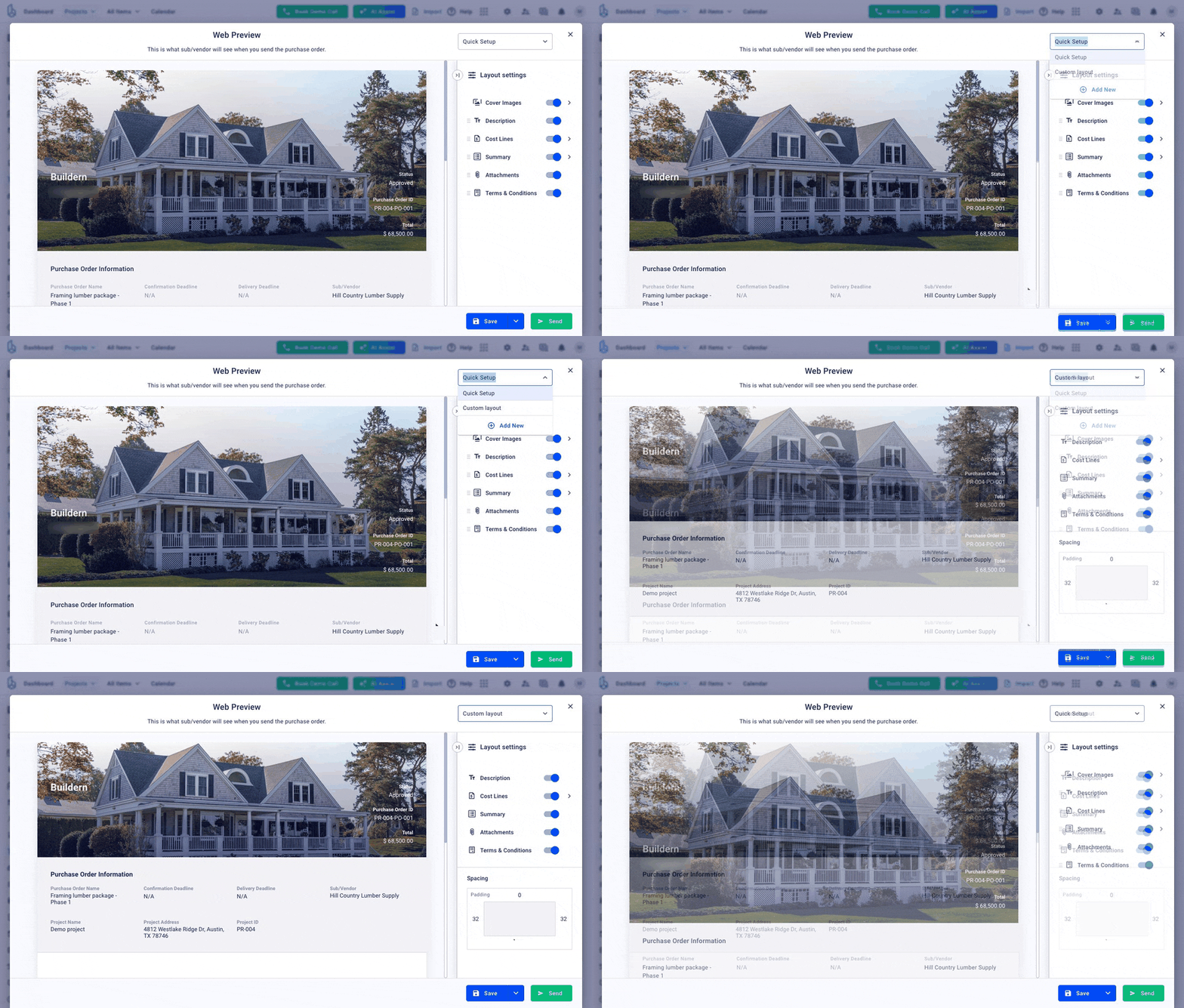
So we gave Purchase Orders the same custom layouts your Proposals and Client Invoices already have. Build a layout once with your notes, your brand colors and only the details your suppliers need, and Buildern fills in the rest. Every order goes out polished and on-brand, and your team stops spending time on manual edits.
What it means for you
No more downloading, editing and re-sending documents by hand
Suppliers see only what they need, so your pricing and project details stay private
Every order looks professional and consistent, so your business looks as organized as it is
Amounts can show in words as well as numbers, for contracts that need both
Try it before your next order goes out: open any Purchase Order, click Preview and pick a layout from the menu at the top. See how to build a custom layout →
Also new
A few more improvements to make your week easier, grouped by where you’ll notice them.
Planning and working with subs
A bigger, better Calendar: see your whole operation in one place, with a timeline by team member or project, saved views and a dashboard widget.
Pick the exact contact: send Purchase Orders, Bid Requests, To-Dos and Submittals to a specific person at a sub or vendor, not just the company.
Money and paperwork
Clearer financial lists: see ex-tax totals, cost codes and cost code categories right on your Purchase Order, Bill, Client Invoice and Change Order lists.
Smoother accounting sync: QuickBooks attachments now come across with your bills, and you can push or pull bills to and from Xero in bulk.
Estimating
Faster estimates: start typing an item name in an estimate and pick it straight from your cost catalog.
Got an idea for what we should build next? Send it our way through in-app support. A lot of this month’s updates started as requests from builders like you.
Construction Management Software
The all-in-one platform for managing construction projects from start to finish.
Angus Cowan has been building in Brisbane since 1999. For most of that time, he ran his business the way many builders still do: estimates in spreadsheets, projects managed in a separate tool, and a lot of late nights stitching the two together. Today, his estimating, scheduling, budgets, client invoices and files all live in […]
Updated November 2026 Retainage is the part of each progress payment an owner holds back until the job is finished. On most projects it runs 5% to 10% of every invoice. That money is already earned, so how you bill it, track it and get it released has a direct effect on your cash flow. […]
Updated November 2026 Every estimate is only as good as the quantities under it. Miss 40 sheets of drywall or a few yards of concrete, and the error flows straight into your bid, your budget and your margin. That’s what a construction takeoff prevents. This guide explains what a takeoff is, how it differs from […]