Best Construction CRM Software in 2026

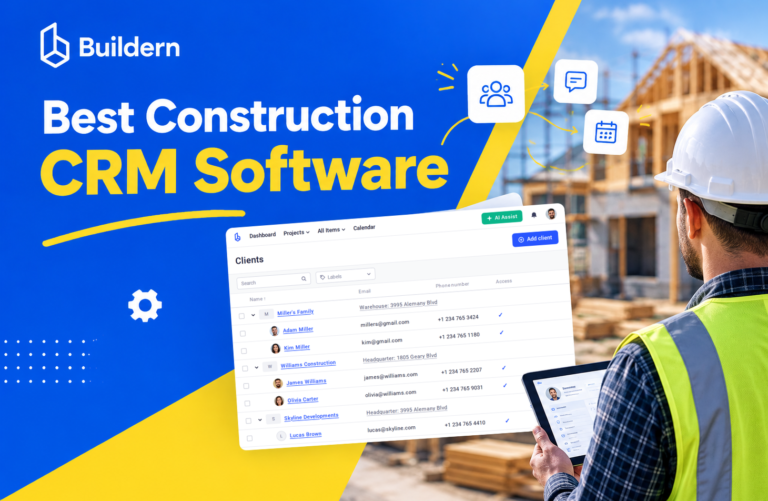
The best construction CRM is the one that carries a lead all the way to a signed contract and a running job without retyping anything. For most small and mid-sized builders, that means a construction platform with CRM built in, not a generic sales tool.
The problem is that “construction CRM” covers very different products. Some are general sales CRMs with a construction template. Some are sales add-ons for roofing or service trades. Others are full construction management platforms where the CRM is the front door to estimating, scheduling and billing.
This guide compares 10 tools that contractors actually shortlist in 2026, with pricing, best-for picks and the trade-offs of each. If you are still deciding whether you need a CRM at all, start with our guide on what a construction CRM is and how it differs from a standard CRM.
How we evaluated these tools
We scored each tool on what a builder’s sales process needs, from first call to signed contract and handoff to the job.
- Lead capture and pipeline. Web forms, lead sources, stages, follow-up reminders and win/loss tracking.
- Estimate-to-proposal flow. Can you build an estimate from a cost catalog and turn it into a branded proposal with e-signature?
- Handoff to the job. Does a won lead become a project with its budget, schedule and documents, or do you start over in another tool?
- Client experience. A client portal for selections, change orders, updates and payments.
- Pricing transparency and fit. Published prices, per-user costs, and whether field staff, subs and clients cost extra.
- Ease of setup. How long a small team needs to get running without a consultant.
Pricing below is taken from each vendor’s public pricing page or, where none exists, from reported quotes. It was checked in October 2026 and can change.
Best construction CRM software at a glance
Buildern, JobTread and Buildertrend are the strongest picks for builders who want the CRM connected to estimating and project delivery; Followup CRM and JobNimbus suit sales-heavy commercial subs and exterior trades.
| Tool | Best for | Type | Starting price (USD) | Client portal |
|---|---|---|---|---|
| Buildern | Custom home builders and GCs wanting CRM through to accounting | All-in-one construction platform | $225/mo (2 seats); clients, subs and field users free | Yes, free |
| JobTread | Remodelers and small builders who want transparent per-user pricing | All-in-one construction platform | $199/mo + $20/user/mo | Yes |
| Buildertrend | Established residential builders with 5+ projects a year | All-in-one construction platform | Quote only; reported ~$339–$499/mo | Yes |
| BuildBook | Small residential teams that want simple setup | Lightweight construction PM + CRM | $79/mo billed annually (1 user) | Yes |
| Houzz Pro | Remodelers and designers who want marketplace leads | Lead gen + business management | Reported from $99/mo billed annually | Yes |
| Contractor Foreman | Budget-conscious small contractors | All-in-one construction platform | $49/mo (1 user) | Yes |
| Followup CRM | Commercial subcontractors with sales teams | Construction-specific sales CRM | $99/user/mo, 5-user minimum, annual | No |
| JobNimbus | Roofing and exterior contractors | Trade CRM + job management | Quote only | Limited |
| HubSpot | Marketing-led firms needing a general CRM | General CRM | Free; paid from ~$20/seat/mo | No |
| Pipedrive | Simple visual pipeline on a small budget | General CRM | $14/seat/mo (Lite, annual) | No |
The 10 best construction CRM tools, reviewed
1. Buildern
Best for: custom home builders, remodelers and GCs who want one system from first lead to final invoice.
Buildern treats the CRM as the start of the job, not a separate app. A lead moves across a drag-and-drop pipeline, gets an estimate built from your cost catalog, becomes a branded proposal with e-signature, and turns into a project with the budget, schedule and documents already in place.
Key CRM features
- Lead capture and tracking by project type, budget and location; imports from Excel, Google Sheets and Zapier
- Kanban sales pipeline from inquiry to signed contract
- Automated follow-ups, reminders and scheduled messages
- Estimates, proposals and contracts with integrated e-signatures
- Free client portal for schedules, selections, change orders, daily logs and messaging
- Dashboards for lead sources, conversion rates and sales trends
Pricing: Starter $225/mo (2 seats), Professional $360/mo (4 seats), Enterprise custom; 10% off annual. Clients, subcontractors, vendors and field workers are free on every plan.
Pros: lead, estimate, project and accounting data stay in one place; free external users keep costs predictable; QuickBooks and Xero integrations.
Cons: more than a pure sales tool, so teams that only want a pipeline may not use everything they pay for.
2. JobTread
Best for: remodelers and small residential builders who want all features at one transparent price.
JobTread bundles a construction CRM with estimating, takeoff, e-signed contracts, bid requests and customer portals. Every plan includes every feature, so pricing scales only with internal users.
Pricing: $199/mo base plus $20/user/mo (cheaper per user above 10 users); 20% off annual. No setup fees, 30-day money-back guarantee.
Pros: clear pricing; unlimited jobs and portal users; strong estimating.
Cons: the CRM is solid but simpler than dedicated sales CRMs; per-user costs add up for larger office teams.
3. Buildertrend
Best for: established residential builders running 5+ projects a year.
Buildertrend’s sales tools cover lead management, email marketing drips, proposals and digital contracts, connected to a mature project management suite with selections and a homeowner portal.
Pricing: quote only. Third-party reports put Essential at about $339–$499/mo and Complete at about $829–$1,099/mo. Unlimited users and projects.
Pros: deep residential feature set; email drips built in; large user community.
Cons: no public pricing; the CRM on lower tiers is light; heavier onboarding for small teams.
4. BuildBook
Best for: small residential builders and remodelers who want something simple.
BuildBook combines CRM contacts, estimates, proposals with digital approvals, Gantt scheduling and a client dashboard in a clean, easy interface.
Pricing: Solo $79/mo, Team $149/mo (2–5 users), Business from $249/mo, billed annually.
Pros: fast setup; friendly client experience; affordable for one-person shops.
Cons: lighter on pipeline automation, job costing and reporting than bigger platforms.
5. Houzz Pro
Best for: remodelers and interior designers who want leads from the Houzz marketplace.
Houzz Pro routes homeowner inquiries from Houzz into a lead inbox, then handles follow-ups, consultations, proposals, invoices and a client dashboard.
Pricing: published only for entry tiers; reported from $99/mo (Starter) to $399/mo (Pro), billed annually.
Pros: built-in lead source; 3D floor plans and mood boards.
Cons: opaque pricing; key operations tools sit on higher tiers; reliance on Houzz leads.
6. Contractor Foreman
Best for: small contractors on a tight budget.
Contractor Foreman includes lead management, estimates, bid management and a client portal on every plan, alongside a wide set of project management tools.
Pricing: Basic $49/mo (1 user), Standard $105/mo (3 users), Plus $166/mo (8 users), Pro $221/mo (15 users), Unlimited $332/mo.
Pros: low entry price; lots of features per dollar; 30-day free trial.
Cons: the interface feels busy; CRM and proposal tools are less polished.
7. Followup CRM
Best for: commercial subcontractors (roofing, mechanical, electrical) with dedicated estimators and sales reps.
Followup CRM is a sales CRM built only for construction. It focuses on bid tracking, account management, sales automations and dashboards rather than running the job.
Pricing: Starter $99/user/mo and Professional $149/user/mo, both with a 5-user minimum billed annually, plus a one-time launch fee from $2,500.
Pros: strong commercial bid and account tracking; deep reporting.
Cons: expensive for small teams; no project management, so you still need a second system.
8. JobNimbus
Best for: roofing, siding and other exterior contractors.
JobNimbus pairs a visual CRM board with estimates, e-sign, invoicing, financing and payments, plus supplier integrations common in roofing.
Pricing: quote only; plans scale by users (Essentials up to 3, Pro up to 10, Premium up to 19, Enterprise 20+).
Pros: built around the exterior-trade sales cycle; strong mobile app.
Cons: less suited to custom homes or multi-phase builds; no public pricing.
9. HubSpot
Best for: firms with an active marketing team that need email, forms and lead nurturing.
HubSpot is a general CRM with a free tier, strong marketing automation and many integrations. It has no estimating, scheduling or job tools.
Pricing: free for up to 2 users; Sales Hub Starter from about $20/seat/mo; Professional about $100/seat/mo plus a $1,500 onboarding fee.
Pros: free start; best-in-class marketing tools.
Cons: needs customizing for construction; data must be re-entered or synced into your project software.
10. Pipedrive
Best for: small teams that only need a simple visual sales pipeline.
Pipedrive is an easy pipeline CRM with deal stages, activity reminders and email sync.
Pricing: Lite $14, Growth $39, Premium $59, Ultimate $79 per seat/mo (billed annually).
Pros: very easy to use; low cost.
Cons: nothing construction-specific: no estimates, proposals from a cost catalog, client portal or job handoff.
Which construction CRM fits your business?
Match the tool to how you win work and what happens after the contract is signed. For a feature-by-feature checklist, see how to choose a construction CRM.
| Your business | What matters most | Shortlist |
|---|---|---|
| Custom home builder | Long sales cycles, detailed estimates, selections, cost-plus or fixed-price proposals, client portal | Buildern, Buildertrend |
| Remodeler | Fast estimates, quick proposals, many small jobs, homeowner communication | Buildern, JobTread, BuildBook, Houzz Pro |
| Small GC (1–5 office staff) | Low monthly cost, one tool instead of five, quick setup | Buildern, Contractor Foreman, BuildBook |
| Commercial subcontractor | Bid tracking across GCs, account management, sales team reporting | Followup CRM (+ a separate PM tool) |
| Roofing or exterior trade | Storm and insurance jobs, door-to-door sales, supplier ordering | JobNimbus |
| Marketing-led firm | Email nurturing, forms, ad attribution | HubSpot (+ a construction platform) |
Three checks before you buy:
- Count the real seats. Ask whether field workers, subs and clients need paid licenses. On per-user tools this can double the cost.
- Test the handoff. In the trial, take one lead from first call to a signed proposal and a live project. Note every place you retype data.
- Ask for the full price. For quote-only tools, request the total first-year cost including onboarding and launch fees.
FAQ
What is the best CRM for construction companies? For most small and mid-sized builders, an all-in-one platform with a built-in CRM, such as Buildern, JobTread or Buildertrend, works best because leads become projects without re-entry. Commercial subs with large sales teams often prefer a dedicated sales CRM like Followup CRM.
Can I use HubSpot or Salesforce as a construction CRM? Yes, for lead tracking and marketing. But they have no estimating, proposals from a cost catalog, client portal or job handoff, so you will need to connect them to construction software.
How much does construction CRM software cost? General CRMs start free or around $14–$20 per user per month. Construction platforms with CRM included usually cost $50–$400 per month for a small team, and quote-only tools can run $500–$1,000+ per month.
Is there a free construction CRM? HubSpot has a free tier for up to 2 users, but it is not construction-specific. Most construction platforms offer a free trial or demo instead of a free plan.
Do I need a CRM if I already use construction management software? Check whether your platform already includes lead tracking, proposals and a sales pipeline. Many do, and a second CRM can create duplicate data.
What features should a construction CRM have? Lead capture, a sales pipeline, follow-up automation, estimates and proposals with e-signature, a client portal and a clean handoff to the project. Our construction CRM guide covers each in detail.
Final thoughts
Pick the CRM that removes the most retyping between your first call and your first invoice. If you sell and build residential projects, a construction platform with CRM built in will usually beat a general sales tool.
Buildern connects leads, estimates, proposals, the client portal, scheduling and accounting in one place, with clients, subs and field users free on every plan. Book a demo to see how a lead becomes a live project.