Best Construction Project Management Software in Canada (2026): A Shortlist for Contractors



In Canada, project teams do not lose control of a job because they lack effort. They lose control because schedules shift, decisions sit in inboxes, site updates arrive late, and documents end up spread across too many tools.
Hence, the role of construction project management software is to keep planning, execution, and communication in one system so the office and the field can stay aligned from kickoff through closeout.
The challenge is that many platforms call themselves “PM software” while forcing contractors to stitch together scheduling, daily reporting, document storage, and client updates across multiple apps. The result is missed handoffs, unclear accountability, and slow decisions.
Our guide breaks down what matters most when you are evaluating construction project management software in Canada in 2026. You will see the buying criteria that affect delivery, the features that separate construction platforms from general project tools, and a shortlist of options that contractors use to plan work, track progress, and keep everyone informed.
If you already know you need tighter scheduling, cleaner field reporting, and fewer surprises for clients, start with the criteria section. It will help you shortlist faster and compare tools on what impacts execution, not on a long feature list.

Table of Contents
- What To Expect From Construction Project Management Software In Canada
- How To Evaluate Construction Project Management Software
- What Canadian Teams Should Check: Taxes, Holdbacks, and Units
- Quick Comparison Table
- Best Construction Project Management Software in Canada (2026 Shortlist)
- Buildern Deep Dive
- 5 Common Mistakes When Choosing Construction Management Software in Canada
What To Expect From Construction Project Management Software In Canada
Construction project management software is the system contractors use to run a job from kickoff to closeout without relying on disconnected spreadsheets, text threads, and scattered folders. In practical terms, it keeps the schedule, field updates, documents, and decisions in one place so the office and the site stay aligned.
On Canadian projects, that alignment matters because execution rarely follows a perfect plan; weather shifts, inspection timing, trade availability, and material lead times all force adjustments.
When information sits across multiple tools, the work still moves forward, but with friction. Crews arrive without the latest details, changes get communicated too late, and project managers spend too much time chasing updates instead of managing delivery.
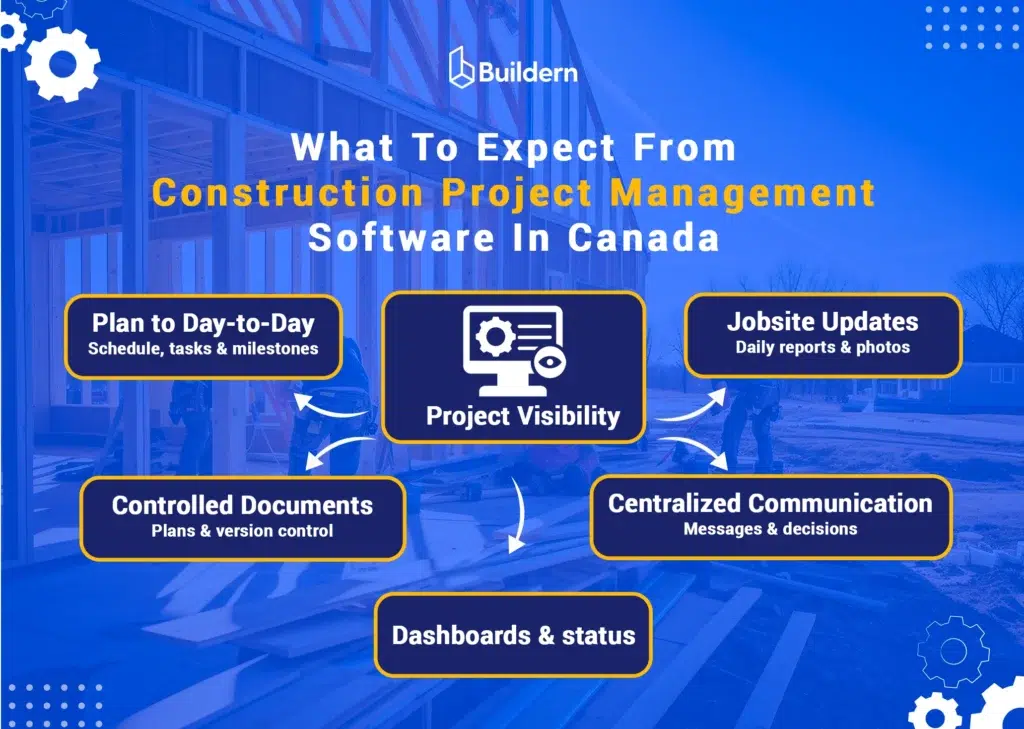
A solid construction PM platform should handle five core responsibilities:
- Turn the plan into day-to-day execution. Assign tasks, manage milestones, track deadlines, and update schedules without losing context.
- Capture jobsite reality consistently. Log daily reports, photos, progress notes, and blockers in a structured way, not as after-the-fact summaries.
- Keep documents controlled and accessible. Store and share files with clear version control so teams are not building from outdated information.
- Centralize communication and decisions. Keep messages and approvals connected to the relevant project item so accountability is clear.
- Improve visibility for owners and internal stakeholders. Use dashboards and status reporting to surface delays earlier and keep clients informed without rebuilding reports manually.
When you evaluate tools in this category, focus less on feature count and more on coordination reduction. The best platforms reduce repeat admin tasks, shorten the gap between the field and the office, and make project status easier to communicate without adding process overhead.
How To Evaluate Construction Project Management Software
Most tools look good in a demo. The real test is what happens once the schedule shifts, trades overlap, and updates start coming in late. The simplest way to evaluate any platform is this: does it reduce coordination work, or add more of it?
Start with scheduling. If the schedule turns into a static calendar that only one person maintains, the team will ignore it. You want scheduling that ties work to owners and milestones, supports dependencies, and stays easy to update when plans change.
Then look at field reporting. Daily updates only help if people actually use them. The best systems make it quick to capture progress, photos, and issues in a consistent format, without turning reporting into admin work.
Documents matter for the same reason. If the platform cannot keep version clarity and make the right file easy to find on the site, teams will fall back to texting PDFs and digging through folders.
Communication should stay connected to the project record. Decisions and approvals need to live next to the task or document they relate to, or you lose context fast.
Finally, sanity check the operational fit: mobile usability, permissions that match construction roles, reporting that does not require manual rebuilding, and onboarding effort your team can realistically handle across multiple active projects.
Recommended Reading:
What Canadian Teams Should Check: Taxes, Holdbacks, and Units
Taxes, holdback, and units affect billing accuracy and client approvals as much as schedules do. If these details require manual workarounds, reporting becomes unreliable, and invoice revisions become more frequent.
Taxes (GST, HST, PST, QST)
Canadian contractors often deal with different tax patterns across projects, especially across provinces. The software should allow multiple tax rates and apply them consistently across estimates, change orders, and invoices.
Simply, a reliable test is a change order workflow. Create an estimate, add a change order, generate an invoice, and review the tax breakdown at each stage. The requirement is consistency in calculations and a clear tax split on client documents.
Holdback (Retainage)
Holdback should be handled as a percentage-based calculation that carries across progress billing, not as a manual line item. Validate that retainage is tracked over time, remains accurate across multiple invoices, and can be billed cleanly when released.
A practical scenario is two progress invoices with holdback applied, plus a change order between them, then confirm retained amounts remain traceable and correct.
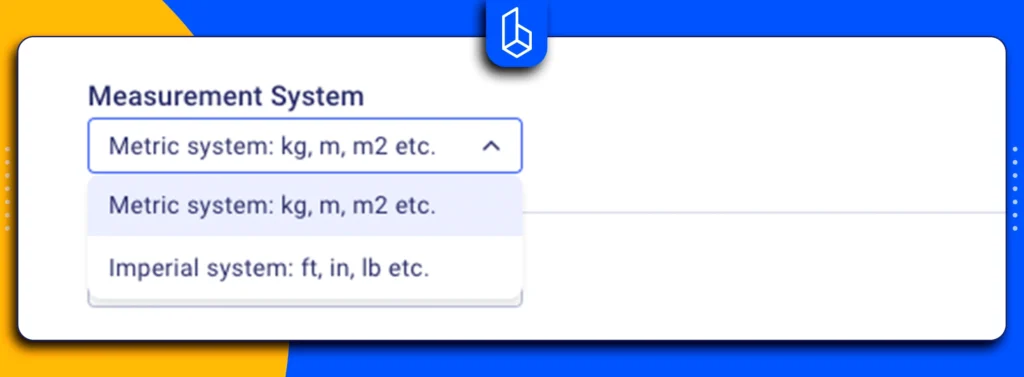
Units (Metric Support)
Metric support needs to remain consistent across takeoff, estimating, and any outputs that reference quantities. Confirm unit labels remain visible, precision does not change unexpectedly, and templates or catalog items use consistent unit definitions.
Ultimately, you can test this by building a metric example with linear meters and square meters and confirming units stay consistent as the scope is updated and documents are generated.
Quick Comparison Table
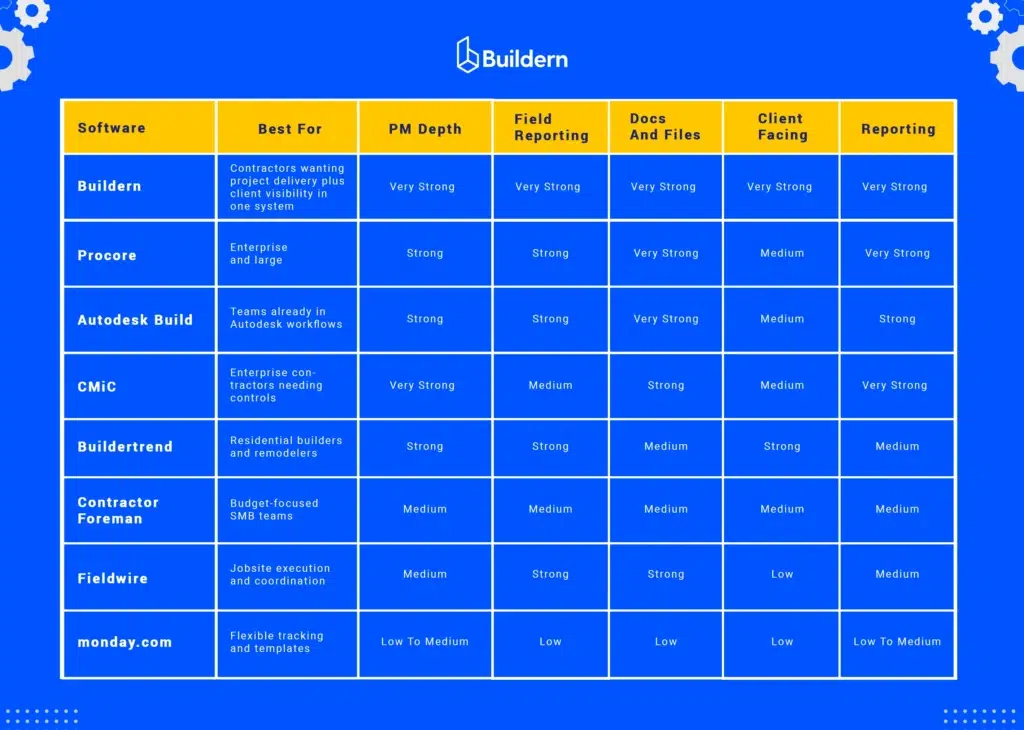
Before going into the full shortlist, it helps to group tools by how contractors actually use them. Most options in this category fall into four buckets: enterprise suites built for large organizations, construction platforms designed for day-to-day delivery, field-focused tools that excel on site, and general work management software that you can adapt for construction.
The table below is a fast way to narrow your options based on delivery needs, not marketing claims. Use it to identify two or three candidates worth a deeper look, then review the shortlist entries for fit and tradeoffs.
Recommended Reading:
Best Construction Project Management Software In Canada (2026 Shortlist)
Our shortlist follows the evaluation criteria above. Each platform can work, but they fit different contractor realities: enterprise governance, residential client management, field execution, or specific to construction delivery control. Use the “Best for” line to scan, then focus on tradeoffs and fit signals before booking demos.
#1 Buildern
Best for: Contractors who want scheduling, daily reporting, document control, and client visibility in one single platform, with estimating and financial workflows available when needed.
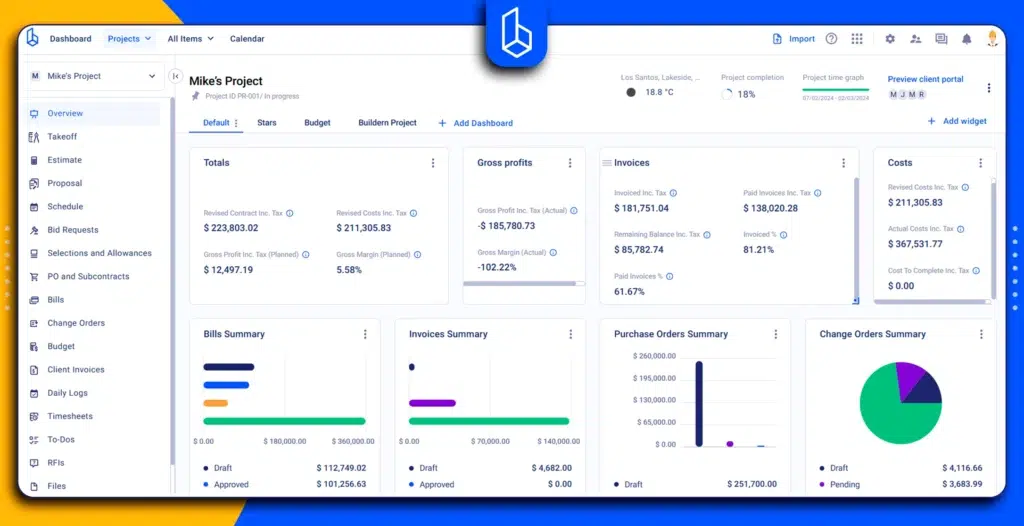
Buildern is positioned around end-to-end delivery. The practical advantage is workflow continuity: the schedule, daily updates, documents, and stakeholder communication stay connected to the same project record. That matters when you are managing multiple active jobs and need reliable visibility without chasing updates across tools.
Strengths to highlight
- Scheduling and task control: Keeps the plan operational as projects change, with clear ownership and visibility.
- Field visibility: Daily reporting and progress capture that supports consistent updates from site to office.
- Client visibility: Structured client portal access for progress, documents, and project communication.
- Taxes support: Supports custom tax rates (you can set up GST, HST, PST, QST) and applies them to items. Confirm how taxes appear for client documents during the demo.
- Retainage or holdback: Supports retention on invoices by setting a retention percentage that is deducted and held, with the ability to invoice it when needed.
- Metric support: Supports metric via customizable measurement units used in takeoff and estimates.
Bonus 💡: If your organization is heavily standardized on an enterprise ecosystem, you can also find Buildern strongly helpful.
#2 Procore
Best for: Larger GCs and complex commercial work where formal controls, multi-stakeholder collaboration, and enterprise reporting are non-negotiable.
Procore is commonly shortlisted when project complexity is high, and the company expects structured workflows across many teams and projects. It is often a good idea when leadership wants consistent oversight and standardized processes across the portfolio.
Where it tends to fit well
- Multi-project operations with standardized reporting expectations
- Projects with many stakeholders and formal approval workflows
⚠️ Tradeoff to consider
- Higher cost is a common downside in user feedback
- Rollout and training can be complex for smaller teams
- Daily use can feel heavy if you do not need enterprise-level controls
#3 Autodesk Construction Cloud (Autodesk Build)
Best for: Teams already working in Autodesk workflows who want project collaboration and delivery connected to that environment.
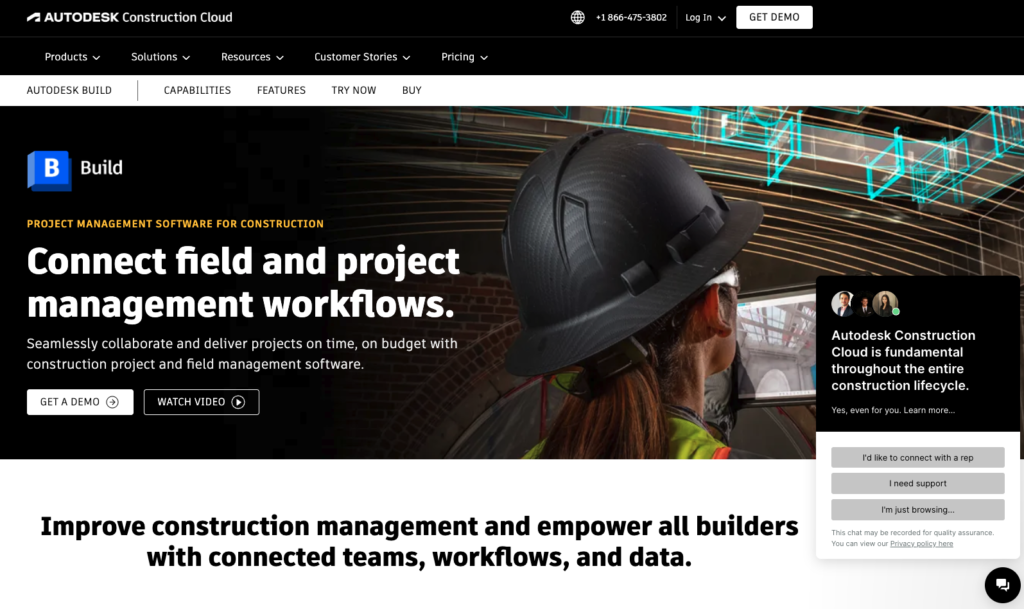
Autodesk Build is typically evaluated by contractors who rely heavily on Autodesk tools and want a connected layer for project delivery and collaboration. It can be a strong fit when document coordination and cross-team visibility are central, and Autodesk is already part of how the team works.
Where it tends to fit well
- Organizations already committed to Autodesk in design, coordination, or construction workflows
- Teams that want collaboration tied to an established ecosystem
- Companies that value integration over a standalone PM platform
⚠️ Tradeoffs to consider
- Steeper learning curve, especially without strong internal enablement
- UI consistency across modules is a recurring complaint
- Best fit is often teams already committed to the Autodesk ecosystem

#4 CMiC
Best for: Enterprise contractors that want a deeper operational structure and strong governance tied to project execution.
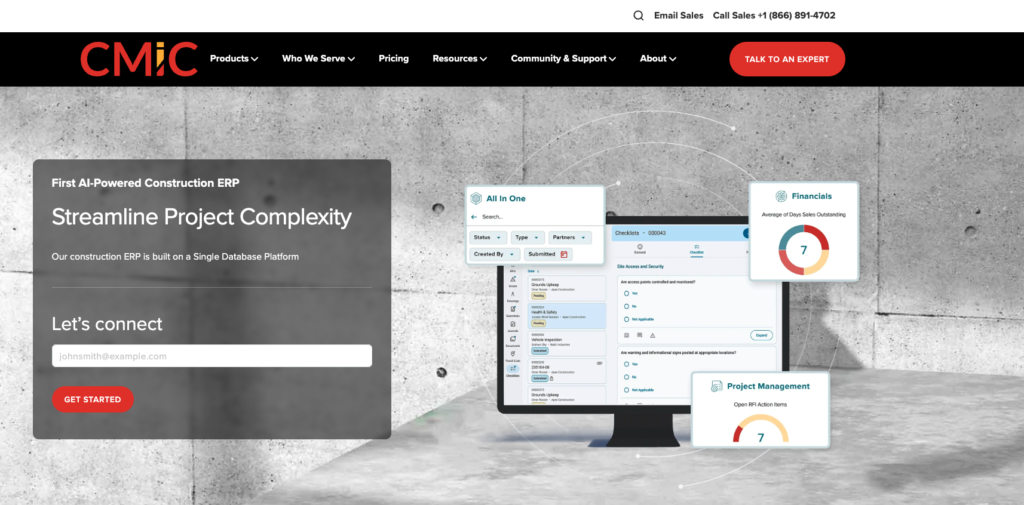
CMiC tends to be shortlisted by larger organizations that prioritize formal controls and a structured operating model. It is usually not good for simplicity. It is chosen for organizations ready to align teams around a defined system.
Where it tends to fit well
- Enterprise environments with standardized processes and reporting expectations
- Organizations that want stronger controls across multiple functions
- Teams prepared for a formal rollout and internal enablement
⚠️ Tradeoffs to consider
- Complexity can be a barrier if the immediate need is quick adoption across the field team.
- Implementation and configuration can be demanding
- Interface and module consistency is a common issue raised in reviews
- Can be more system than many SMB teams need day to day
#5 Buildertrend
Best for: Residential builders and remodelers who prioritize client communication, selections, and homeowner-facing workflow.
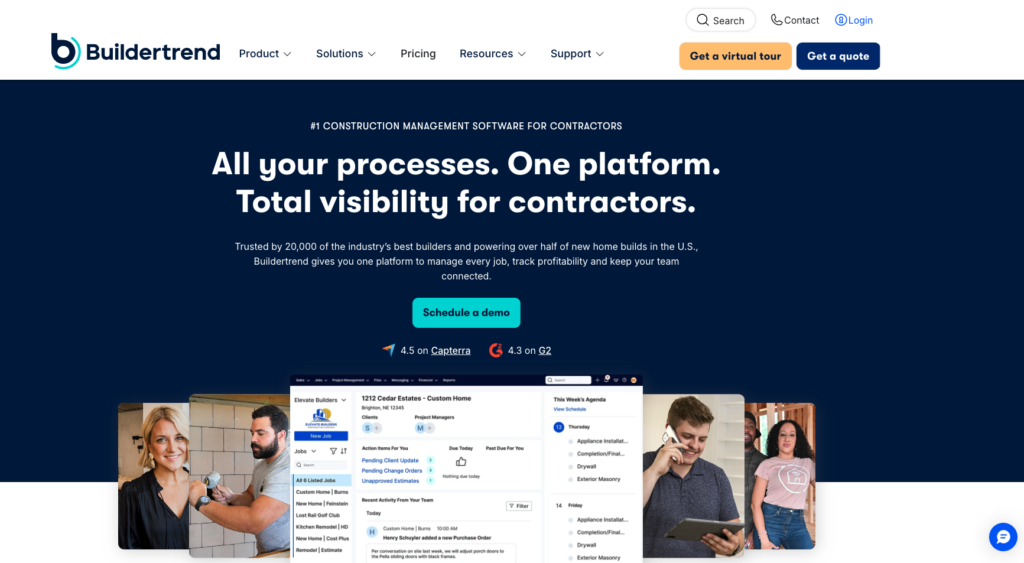
Buildertrend is a frequent shortlist option in residential construction. It is typically selected when the contractor needs a client-friendly system and wants a clear structure for homeowner communication alongside project organization.
Where it tends to fit well
- Home builders and remodelers managing many client touchpoints
- Teams that value organized communication and client experience
- Smaller to mid-size operations with repeatable residential workflows
⚠️ Tradeoffs to consider
- If you run mixed commercial work or need deeper delivery controls and reporting, validate PM depth against your day-to-day requirements.
#6 Contractor Foreman
Best for: Smaller teams that want broad functionality at a lower cost and can accept lighter depth in some areas.
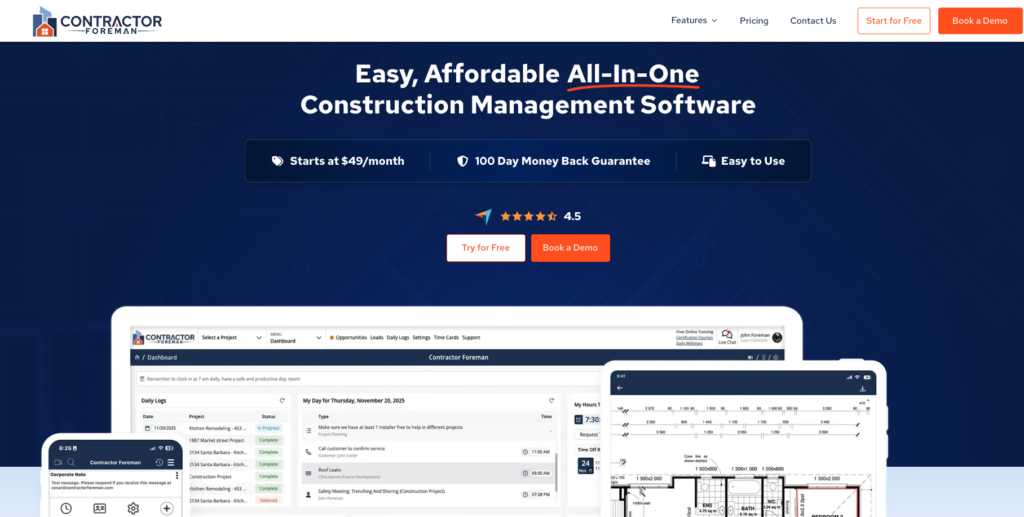
Contractor Foreman often appears on shortlists for cost-sensitive buyers looking for a wide feature set without enterprise pricing. It can fit when the team’s workflow is straightforward, and the priority is an all-in-one toolset.
Where it tends to fit well
- SMB contractors needing a wide range of basics in one subscription
- Teams with simpler scheduling and reporting requirements
- Owners who want a functional system quickly
⚠️ Tradeoffs to consider
- Navigation can feel cluttered because the platform is feature-dense
- Learning curve can be higher than expected for small teams
- Mobile performance issues for some users, especially around photo handling
- Can slow down with heavier data loads
- Limitation on integrations, depending on the stack you use
#7 Fieldwire
Best for: Jobsite execution and field coordination where adoption by supers and foremen is the main priority.
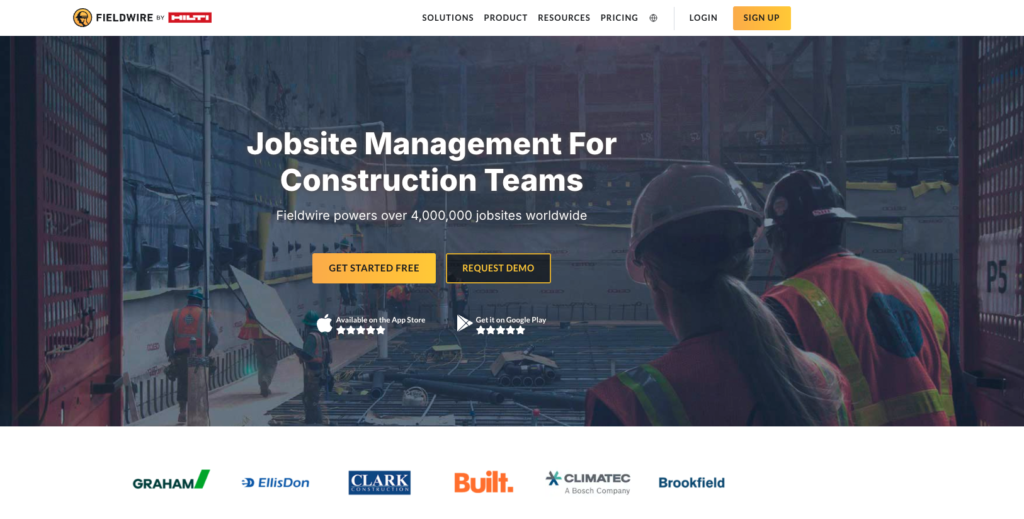
Fieldwire is commonly for strengthening site-level coordination. It is a practical choice when the field team needs a straightforward way to manage tasks, track issues, and stay aligned around job site execution.
Where it tends to fit well
- Teams that need better day-to-day jobsite coordination
- Operations where field adoption has been a challenge with heavier platforms
- Contractors looking to improve execution discipline at the site level
⚠️ Tradeoffs to consider
- Strong for field execution, but lighter on broader operational workflows
- Reporting and documentation outputs can feel limited for management-level needs
- File handling constraints can come up depending on the plan and usage
- Some workflows can feel clunky once you push beyond core task and plan coordination
#8 monday.com
Best for: Teams that want flexible workflow tracking and are willing to configure and enforce construction processes internally.
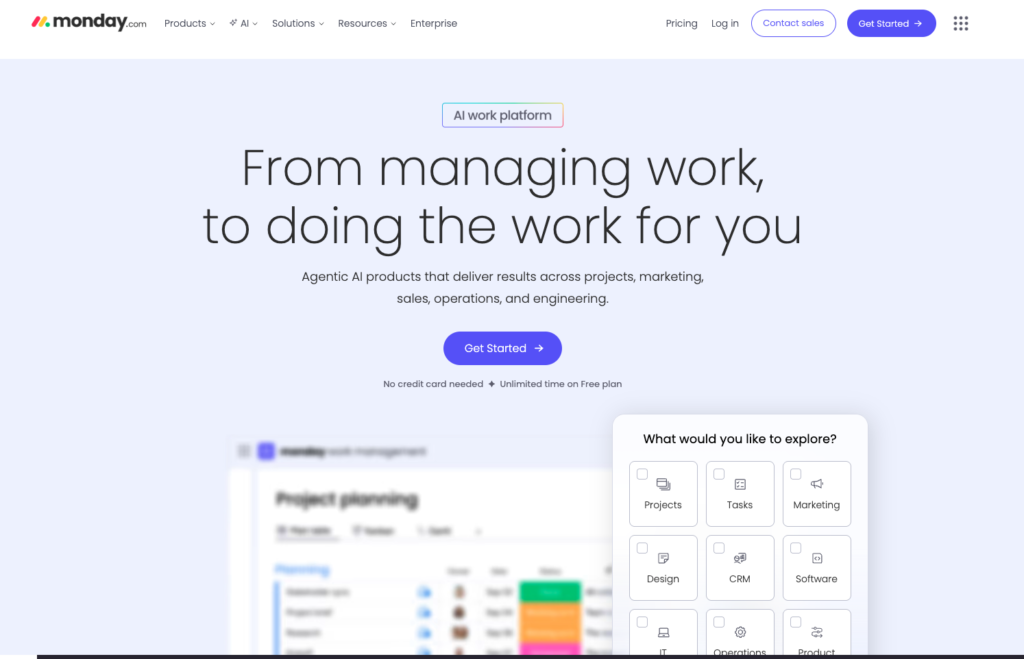
monday.com is not specific to construction, but it appears in construction project management software in Canada lists because it is adaptable. It can work as a coordination layer for internal tracking, especially for organizations that already have strong processes and want a configurable tool to support them.
Where it tends to fit well
- Teams with clear internal processes and strong discipline
- Lightweight tracking needs and internal coordination
- Businesses that want flexibility over the construction structure
⚠️ Tradeoffs to consider
- Costs can rise fast as seats grow, and advanced features often sit behind higher tiers
- Teams often need time to set up a ready workflow from scratch
- Automations and board dependencies can become fragile in complex setups
- Performance can degrade on large boards or heavy usage patterns

Buildern Deep Dive
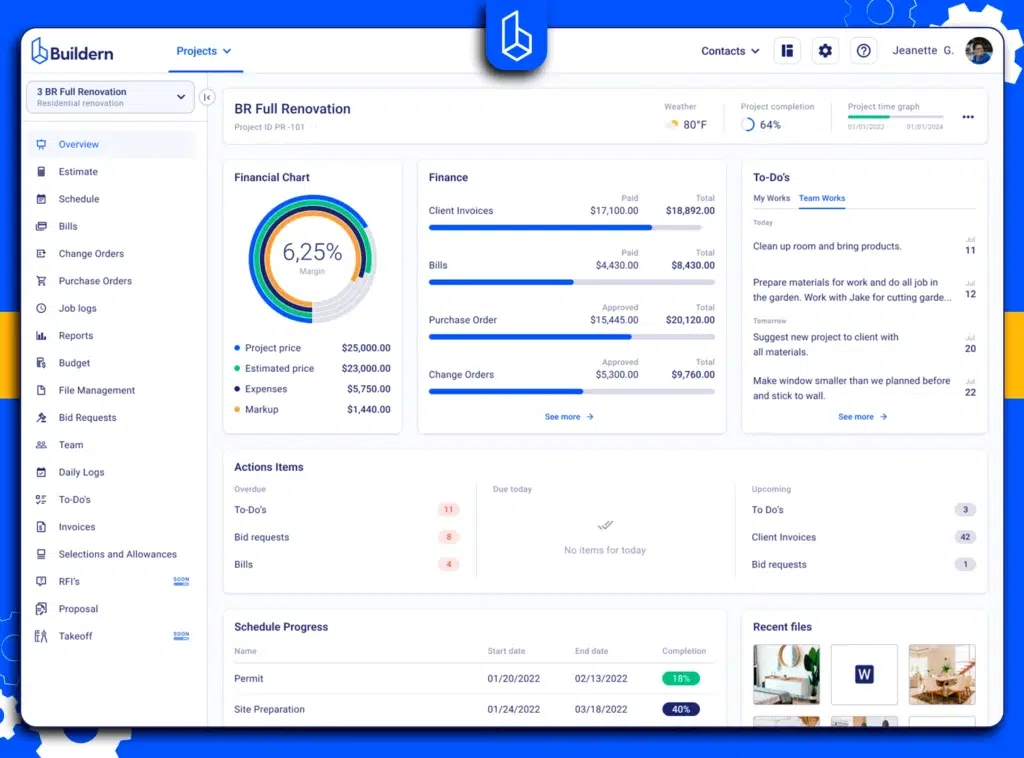
If you are evaluating Buildern specifically for construction project management in Canada, the key question is not feature count. It is workflow continuity. Buildern is positioned to keep planning, execution, reporting, documents, and client visibility connected to the same project record, so project managers spend less time reconciling tools and more time controlling delivery.
Read More On Construction Manager vs Project Manager:
What Buildern Covers for Day-to-Day Project Delivery
Buildern’s project management positioning centres on the core operations that drive job execution: scheduling and task control, daily reporting, document access, communication, and client visibility. The intent is to reduce the usual gaps between site updates, office planning, and stakeholder communication by keeping those workflows under one system.
In practice, this matters most in three moments:
- Schedule shifts, and the team needs a clear path from change to action.
- Field updates stay inconsistent, so status becomes guesswork.
- Clients ask for progress, selections, and next steps, and you need a reliable source of truth.
Scheduling And Task Control That Holds Up When Plans Change
Most teams start with a schedule and then lose it once reality hits. Buildern is a better fit if you need construction scheduling to stay operational, not just visual. The evaluation point here is simple: can your team adjust the plan, assign ownership, and keep the updated schedule visible without rebuilding it in a separate spreadsheet or pushing changes manually across channels?
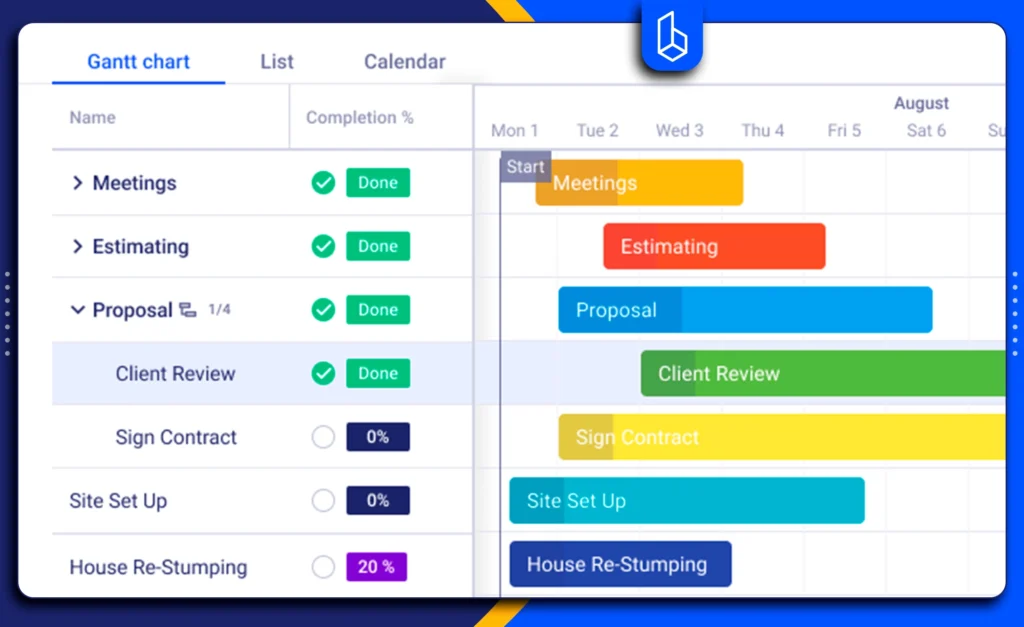
If your priority is faster coordination, assess how scheduling connects to tasks, accountability, and day-to-day execution. A platform can only improve delivery if the schedule stays usable after the first disruption.
Daily Reports That Improve Visibility Without Adding Admin Work
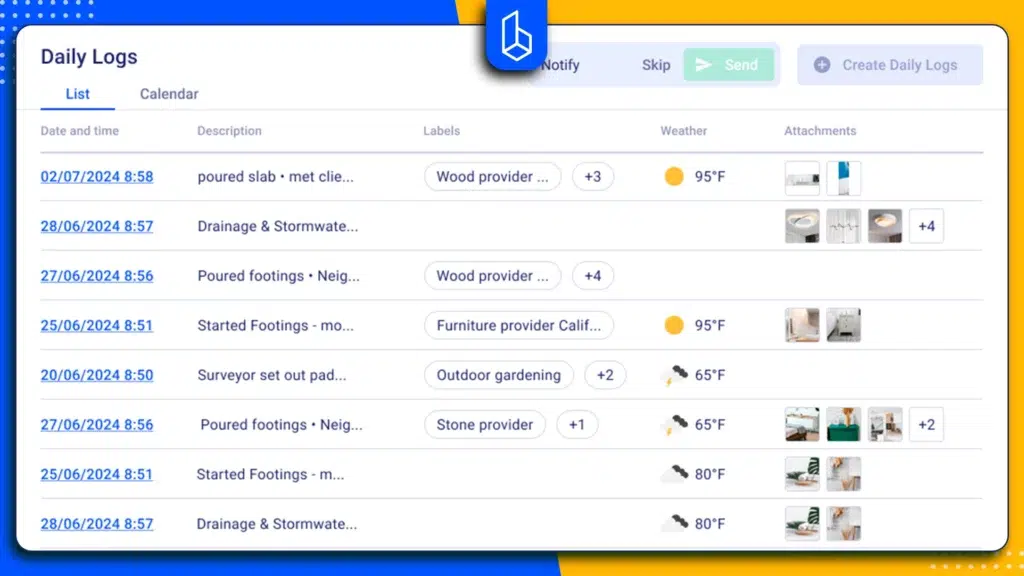
Daily reporting is a practical adoption test. If the system makes site reporting feel heavy, people avoid it, and the PM ends up chasing updates. Buildern’s daily reporting capability should be assessed on how quickly field teams can capture progress, photos, and issues in a consistent format, and how easily project managers can review status without translating raw notes into a separate report.
You might also find useful:
For many contractors, the value is not only documentation. It reduces uncertainty. Consistent daily reporting closes the gap between what is planned and what is actually happening.
Client Visibility Through A Portal, Not Through One-Off Updates
Client communication often becomes fragmented because updates live in emails, messages, and separate files. Buildern includes a client portal approach, which is relevant if you want client visibility to be structured, repeatable, and tied to the project record.
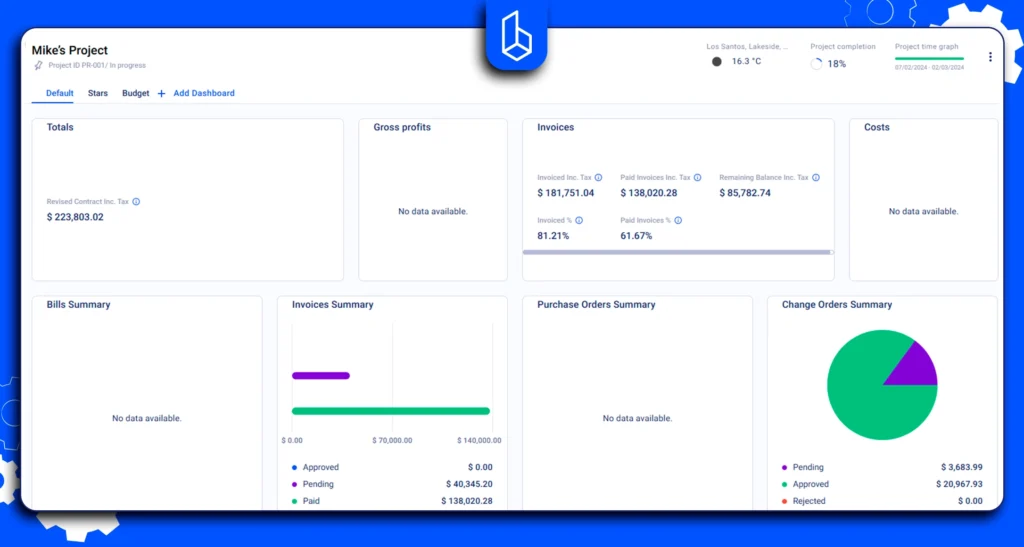
In a selection process, this is especially important if your team manages high-touch clients, approvals, or selections and needs a consistent way to share progress and reduce back and forth.
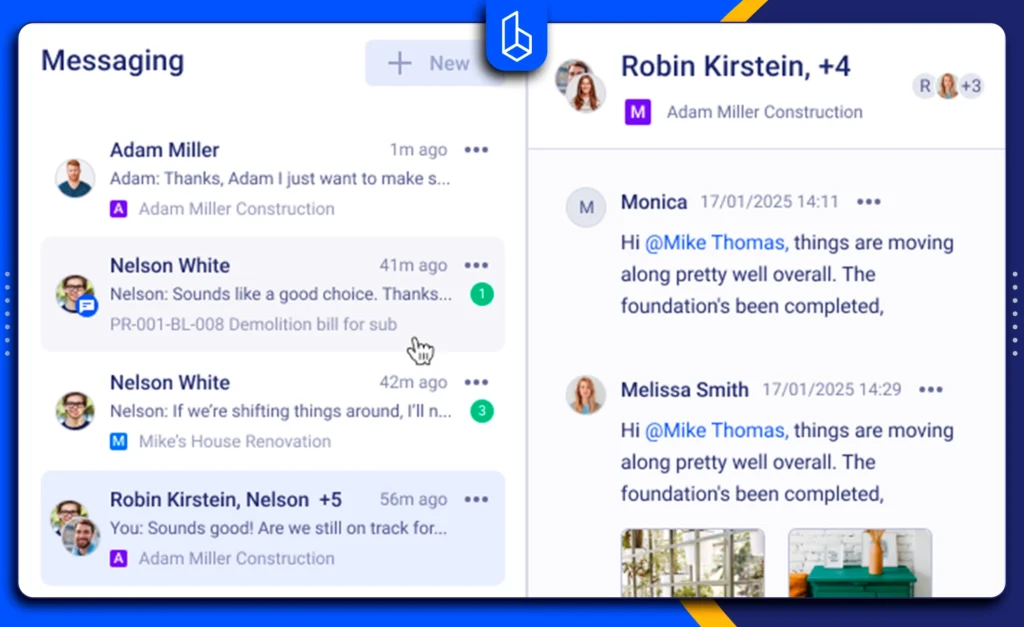
Communication That Stays Connected To Context
Construction communication fails when context is missing. When decisions live in separate threads, handoffs slow down, and accountability weakens. Buildern should be evaluated on how well it keeps messages, approvals, and clarifications tied to the relevant project item, so teams can follow decision history without searching across tools.
How Buildern Typically Compares Against The Main Alternatives
A clean way to compare Buildern is by platform category, not by a generic feature checklist.
- Against enterprise suites (Procore, Autodesk Build, CMiC): These tools can be a strong fit for organizations that need formal governance, deep portfolio oversight, and enterprise standardization. Buildern is easier to position for teams that want faster day-to-day delivery control, simpler adoption, and a connected workflow without the same implementation weight.
- Against residential-focused platforms (Buildertrend): Buildertrend is frequently shortlisted for residential teams that prioritise homeowner communication. Buildern can be positioned around delivery continuity and structured project records that connect planning, reporting, documents, and communication, especially when the team also wants broader operational workflows available inside the same system.
- Against field-focused tools (Fieldwire): Fieldwire is effective for job site coordination. You can frame Buildern as the broader system that connects site execution to scheduling, reporting, documents, and client visibility under one record, rather than treating field coordination as a standalone layer.
- Against general work management (monday.com): monday.com can work when a team has strong processes and wants a flexible tracker. Buildern is the stronger fit when you want a specific structure for construction, so teams do not need to build workflows from scratch or enforce everything manually.
Who Buildern Is A Strong Fit For
Buildern tends to be a strong match if you recognise these conditions:
- You manage multiple active projects and need a reliable status without chasing updates
- You want daily reporting to become consistent and usable, not optional
- You need a structured way to share progress with clients and reduce back-and-forth
- You want project delivery workflows connected in one system rather than spread across tools
If your priority is to improve control without adding process overhead, Buildern is worth shortlisting. You can review the full product details here: construction project management software.
5 Common Mistakes When Choosing Construction Project Management Software In Canada
Most selection mistakes are not about picking a “bad” tool. They happen when teams choose software based on a demo flow instead of daily execution pressure. These are the most common failure points that show up after rollout.
Mistake 1: Treating Task Tracking As Project Management
A board of tasks is not a project delivery system. If the tool cannot keep scheduling, reporting, documents, and communication connected, the team ends up rebuilding coordination in spreadsheets and messages.
Mistake 2: Buying For The Office And Hoping The Field Adopts It
If site teams cannot update progress quickly, the system will not reflect reality. Adoption depends on mobile usability and how fast daily reporting and photo capture feel in practice.
Mistake 3: Confusing File Storage With Document Control
Uploading PDFs is not enough. If the platform does not protect version clarity and make the current set easy to find on site, the risk of rework increases.
Mistake 4: Ignoring Client Communication Until It Becomes A Problem
Many teams only think about client visibility after projects are underway. If owners and clients need consistent updates, approvals, selections, or progress reporting, build that requirement into the evaluation, not as an afterthought.
Related Reading:
Mistake 5: Underestimating Onboarding And Permissions
The most common rollout failure is not the features. It is a configuration. Confirm role permissions, workflow ownership, and onboarding effort early so the tool scales across multiple active projects without creating new admin work.
What Is The Difference Between Construction Management Software And Construction Project Management Software?
Construction project management software runs job delivery: scheduling, tasks, daily reports, documents, communication, and project status. Construction management software is broader and can include estimating, financial workflows, and operations. Many vendors blur the terms, so judge the platform by what it supports. For a deeper breakdown, see Project Management vs Construction Management.
How Much Does Construction Project Management Software Cost In Canada?
Pricing varies by team size and feature scope. Enterprise tools are usually quote-based and expensive at scale. SMB tools are often tiered subscriptions. Shortlist 2 to 3 options and confirm seat-based pricing, inclusions, and paid add-ons.
What Features Matter Most For Small Canadian Contractors?
For smaller teams, the highest impact features are the ones that reduce coordination without adding process: scheduling that stays usable, fast daily reporting with photos, document version clarity, and a clear way to communicate updates and decisions. If client updates are a recurring issue, a client portal or structured reporting is also high value.
Can Construction PM Software Replace Spreadsheets?
Yes, if the platform handles scheduling updates, task ownership, and consistent daily reporting. If the tool only tracks tasks without real schedule control or structured field updates, teams usually keep spreadsheets in parallel.
Do I Need A Separate Tool For Daily Reports?
Not necessarily. Many construction platforms include daily reporting. The key requirement is adoption: if the daily report workflow is fast on mobile and structured enough to be useful, a separate daily reporting tool is usually not needed.
How Do I Shortlist The Right Option Quickly?
Start with your delivery drawback. If it is schedule control, prioritize PM depth. If it is field visibility, prioritize daily reporting and mobile usability. If it is client communication, prioritize structured updates and a client portal. Then, validate document control and reporting so the tool can scale across multiple active projects.