


It usually happens that the general contractor’s workflow outgrows his expectations. The tools used for a constantly growing construction management workflow can change as well.
In this case, it’s logical for you to start searching for a new tool to meet your extra needs. If you’re navigating construction project management with BuildBook and find it’s falling short, there are other options on the market.
As a relatively simple software solution, BuildBook offers a platform for builders, aiming to streamline communication and organization. It offers features like job costing, scheduling, and sending proposals, allowing project members to stay connected and informed.
In this review, we will consider some BuildBook alternatives that can help contractors better manage and maintain control over more complex projects.
Table of Contents
- BuildBook Overview in 2026
- What Are the Best BuildBook Alternatives?
- Summing Up the Best Buildbook Alternatives

BuildBook Overview in 2026
BuildBook is software mainly for custom home builders and home remodelers. It starts helping the contractor at preconstruction staging, providing estimating and sales proposal features. However, it lacks a native takeoff tool; in this case, takeoff is done manually or with third-party apps.
Besides, contractors can manage scheduled tasks, track budgets, and send invoices from a single dashboard. But there are some serious limitations when it comes to the financial management side of the construction process.
There are no AI billing or similar tools to make invoicing easier. The software does not natively support other accounting platforms like Xero, which can be a drawback for companies using different financial systems. Additionally, it lacks more formal construction workflows such as RFIs and submittals.
Overall, BuildBook is best suited for contractors who prioritize ease of use and client communication over more complex workflows.
What Do Clients Say?
BuildBook has a somewhat unusual review footprint. It is discussed in contractor communities forums, but there is a lack of verified reviews as of 2026 on major platforms like Capterra and Software Advice.
Looking at available user feedback from previous years, a few consistent patterns appear.
One of the most common concerns is stability. Some users report running into bugs and glitches during daily use, which can interrupt workflows and create frustration over time.
Pricing is another point that comes up. While BuildBook is often positioned as a simple, modern solution, some users feel that the cost, especially at higher tiers.
There is also a recurring theme around how the platform is perceived. Many users appreciate BuildBook for what it does well. For example, they say it has a clean interface and strong client communication. However, the users feel the software leans more toward being a communication tool rather than a fully developed project management system.

Contractors mention that it does not provide deeper functionality, greater stability, or more advanced project management capabilities.
What Are the Best Buildbook Alternatives?
While nearly all software reviews emphasize its simplicity, BuildBook needs more advanced capabilities and customization for large-scale projects. Now, let’s see how we can choose the best.
The main evaluation criteria of this list are how these tools can meet the expectations of residential and commercial contractors having projects of a bigger scope than BuildBook can serve. The list mainly includes comprehensive construction management software with a broader toolkit than BuildBook. They, however, vary in pricing, feature variety, and focus on the particular part of the construction project.
Buildern

Buildern is the best option for residential (including small businesses) and commercial general contractors who need tools, from preconstruction to communication.
At the same time, this project management software shows that deep functionality does not mean complexity. The users praise its clean UI, together with a smooth workflow allowing, for example, estimate items to flow seamlessly from one stage to the next. Thus, an estimate can easily turn into a proposal and then into a signed contract, and later into an active project.
Key Features
- End-to-end workflow that connects bidding, estimating, proposals, and subcontracts in one place with no need to re-enter data.
- Real-time budget and financial tracking with integrated estimates, change orders, invoices, and payments. Buildern supports Schedule of Value invoicing for commercial jobs and a two-way sync with QuickBooks and Xero.
- Built-in project management tools, including scheduling, RFIs, and submittals, to maintain clear documentation throughout the project lifecycle.
- Client and team collaboration tools, including messaging, client portals, and role-based access.
- Mobile-friendly field management that enables teams to log daily reports, track progress, upload photos, and stay connected on-site from any device.
Pricing
Starting at $225 per month/billed annually with free access for field workers, clients, subs, and vendors.
Ranking
- G2 Rating: 5.0 out of 5
- Capterra Rating: 4.9 out of 5
Procore
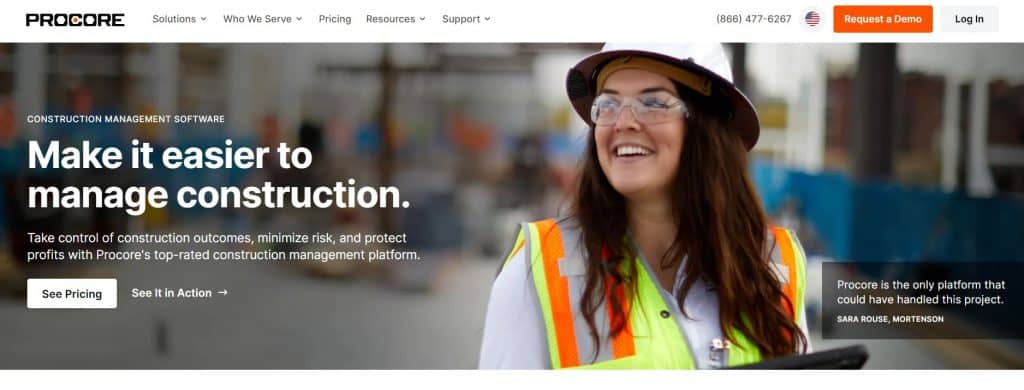
Procore is a cloud-based construction management software platform best for large commercial projects and enterprises. It provides tools and features to help construction professionals collaborate, manage projects, and track progress.
As one of the BuildBook alternatives it is used mainly by contractors who need functionality for large number of projects; however, it’s also significantly more expensive than other construction management tools.
Key Features
- Project Management: Allows teams to create and manage project schedules, track tasks, and monitor project progress. It also provides tools for document management, allowing for easy sharing, version control, and collaboration on project-related documents.
- Financial Management: The platform helps with budgeting, cost tracking, and financial reporting. It allows users to manage change orders, invoices, and payments.
- Field Management: Procore’s mobile app enables field teams to access project information, document work, and provide updates from the construction site. This feature enhances communication between the field and the office.
- BIM Integration: Procore supports Building Information Modeling (BIM) integration, allowing users to work with 3D models and visualize the project digitally.
Pricing
There is no transparent pricing for Procore tools. The user has to fill in the form, mention the type of projects, the average annual construction volume, and other information to ask for a quote. The pricing is based on the business volume, which means the price may climb as your business grows.
Ranking
G2 4.6/5
Capterra 4.5/5
Recommended Reading
- Top 10+ Procore Alternatives to Boost Construction Efficiency
- 8 Buildxact Alternatives and Competitors to Try: Build Smarter, Not Harder!
- 11 Construction Scheduling Software Platforms Reviewed
HouzzPro

Houzz Pro is software for design professionals, residential contractors, and remodelers. It combines project management tools with marketing and client acquisition features.
As an alternative to BuildBook, it is for businesses focused on residential projects, client-facing features, and design tools. However, it lacks features for more complex and commercial projects.
Key Features
- Marketing and Lead Generation: Integration with the Houzz platform to help contractors showcase their work and attract leads.
- Project Management: Allows users to create schedules, manage tasks, and communicate with clients and team members.
- Financial Management: Provides some tools but lacks deep financial features (syncs with QuickBooks only).
- Client Collaboration: Offers branded client dashboards to track project updates in real time.
Pricing
The prices are not available on the HouzzPro website, and the user has to book a demo to proceed to getting a quote.
Ranking
G2 4.5/5
Capterra 4.3/5
Fieldwire

Fieldwire is the best choice when searching for job management software for the site.
Its primary objective is to unify project managers and foremen within a single platform, facilitating efficient task and assignment tracking. It is clearly more limited when it comes to financial management and comprehensive project workflows.
Key Features
- Project Management: Allows teams to organize tasks, assign responsibilities, monitor schedules, and track progress directly from the field.
- Plan Management: Enables users to upload drawings, mark them up, and keep plans up to date with version control.
- Field Collaboration: Provides communication tools, including comments, notifications, and file sharing.
- Documentation: Field teams can generate daily reports, inspection reports, and punch lists.
- Mobile Access: Fieldwire’s mobile app is a core feature, allowing on-site teams to access tasks and logs.
Pricing
All basic features are included in the Pro plan for $39 per month. However, the features mentioned in this plan are obviously much less than in the previously reviewed tools (no estimating, takeoff, etc.)
Ranking
Capterra 4.6/5
G2 4.5/5
Buildertrend

Buildertrend is for residential contractors, remodelers, and specialty contractors. It combines project management, financial tools, and client communication features.
Overall, it has a comprehensive toolkit, however, in contrast to other BuildBook alternatives and the software itself, users report that the interface can be overwhelming for smaller teams. Besides, certain advanced features may require additional setup, and pricing can also be higher than competitors.
Key Features
- Project Management: Teams create schedules, track tasks, and manage project timelines. Users can upload and share plans, create punch lists, and manage RFIs.
- Financial Management: Provides tools for estimates, bids, change orders, invoices, and payments.
- Field Management: Field teams can log daily reports, track progress, upload photos, and access plans from any device.
- Lead and Sales Management: Includes CRM tools for managing leads, sending proposals, and tracking potential projects from initial inquiry to signed contract.
Pricing
The pricing plans are not publicly available. Just as in case of Procore, exact costs are shared with a client after filling in a questionnaire and vary depending on business size and features needs.
Ranking
Capterra 4.5/5
G2 4.3/5
Summing Up the Best BuildBook Alternatives
When considering BuildBook alternatives, the priority for many construction professionals is to find a platform that balances many features and simple interface.
Some tools focus on the field managements, some are also for designers and architects, the most effective solutions for general contractors are those that can solve issues related to the back office and the field.
Such a comprehensive platform should ideally eliminate the need to jump between
spreadsheets and apps by allowing data to flow from the initial estimate through to final invoicing.
So, the choice depends if a contractor needs just several features or an all-in-one software to handle tasks starting from preconstruction stage up to the project closeout.


