Construction Project Management Software in Australia (2026 Guide for Builders)


Reviewed in May 2026
Managing a construction project is challenging, but with the right construction management software tools, project planning can be kept under control.
For Australian builders, “under control” means spending less time on manual work and more time actually building. Every day, project managers are re-entering the same data across multiple tools and chasing up documents that should have synced automatically.
Choosing construction project management software is a part of the job to stay profitable and competitive.
In this guide, I will review the 9 best construction project management software in Australia, focusing on tools that support real-world building workflows.
Table of Contents
- Project Management Software Benefits
- What Important Features Australian Builders Are Looking For?
- How I Choose Construction Project Management Software in Australia for This List
- Short Checklist for Construction Project Management Software in Australia
- Final Thoughts

Project Management Software Benefits
Construction management software doesn’t replace your experience; it supports it. The goal isn’t to “do less work,” but to reduce manual entry and keep every part of the project visible.
What makes construction project management software in Australia stand out for me is that they have features designed for construction. Unlike generic SaaS project management software, which focuses on task lists and deadlines, construction tools are designed to manage budgets, subcontractors, materials, and compliance all in one platform.
For instance, a commercial contractor is managing the renovation of a multi-story office building. Multiple subcontractors, including electricians, plumbers, HVAC specialists, and carpenters, need to complete their tasks in a specific sequence. With a software tool, a project manager can assign each task, attach the latest drawings, set deadlines, and track progress in real time.
In this case, the project management software has to solve several tasks at once and help:
- Create realistic schedules and spot delays before they escalate
- Keep office teams, site teams, and subcontractors aligned
- Track budgets, variations, and progress claims in one platform
- Reduce miscommunication with clients and trades
- Protect margins by linking tasks directly to costs
These benefits work for any project and any country, but let’s be more specific about Australia.
What Important Features Are Australian Builders Looking For?
For Australian builders, effective project management goes beyond scheduling tasks or assigning responsibilities, as construction projects are closely tied to contracts and costs.
In practice, the most valuable project management tools for Australian builders are those that support local financial workflows, compliance requirements, and construction-specific cost tracking.
Let me list some of them:
- Xero Integration: Most builders in Australia use the Xero accounting platform, and it’s essential for project management tools to have it to sync costs and invoices and reduce manual data entry.
- Proper GST Handling: It is equally important for Australian builders to have support for GST-inclusive and exclusive pricing across progress claims, variations, and reports.
- Variation and Retention Management: Having a system that tracks approved variations alongside updated budgets and schedules is essential. At the same time, clear retention tracking allows builders to see how much money is being held.
- Cost codes: Construction project management software in Australia should support cost codes that match Australian estimating practices.
- Document Flow: When copying the document, e.g., a purchase order to bill, it is simple and is done with a click.
In the complex construction workflow, every even minor detail matters. It’s easy to understand that variations are essentially change orders. However, when a project management tool uses Australian terms, it makes working much easier, so the wording matters as well.
Now we’ll discuss which software is the best match for these requirements.
How I Choose Construction Project Management Software for This List
When picking the software for this list, I focus not only on the key features for Aussie builders but also on the depth of functionality.
I highlighted several small but important factors for each software:
- Australian compliance and accounting fit: I checked if the software handles GST and whether it integrates with Xero natively. For Australian builders, this isn’t optional.
- End-to-end workflow, not just task lists: I looked at whether the software connects estimating, scheduling, budgeting, and financials in one flow. There are tools that force you to re-enter data or buy third-party tools, but this creates additional complications.
- Pricing transparency. One tool can be more expensive than the other, but for users, it’s also important how the price is built, whether it is publicly listed, if some advanced features come at a separate price, and how much it will grow when scaling the team.
- Ease of adoption: Some tools may be too complicated for non-technical users, and it may take months of onboarding, which is hardly affordable for teams.
- Target audience: Finally, I consider which type of builder or project the tool is best suited for. Some platforms are ideal for small residential projects, while others excel for commercial, fitout, or infrastructure work.
Buildern
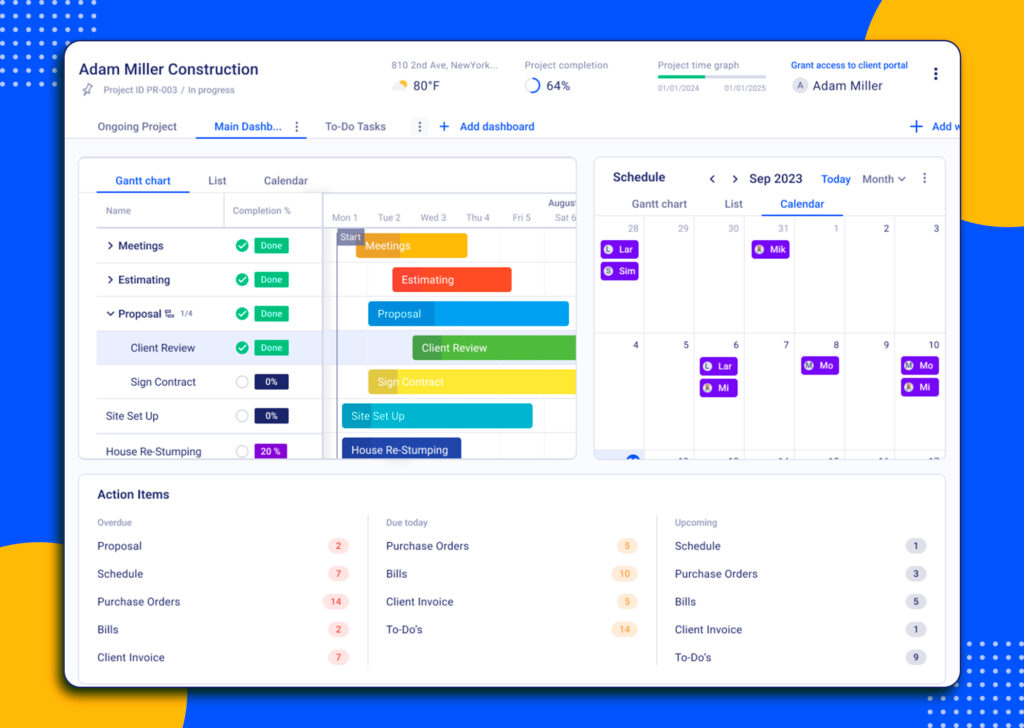
Why Buildern? It’s an all-in-one tool best for the Australian builders who need a comprehensive solution to deal with project management, preconstruction, and the financial part of the project.
Buildern is an all‑in‑one construction project management platform built for residential and commercial builders in Australia and beyond. It helps builders keep every stage of construction under control, starting from preconstruction and up to communication.
Key Project Management Features
For contractors, it’s important not just to have scheduling and task management tools, but to have them integrated with financial tracking and communication features.
Instead of using multiple platforms, I rely on our tool to handle all key project management features in one place:
Task Assignments Across Teams: I can assign responsibilities to office staff, field crews, and subcontractors. The assignments are connected to project budgets, subcontractor costs, and progress claims, making it easier to see both who is responsible for what and how it affects the overall financials.
Document Control: The contractors can have plans, specs, revisions, and client selections in one organized space. Buildern links these documents to budgets, change orders, and cost codes.
Variations: Buildern makes managing variations simple. They are all clearly documented and automatically sync with project budgets and schedules. This ensures your team and clients always see the financial and timeline impact of any change.
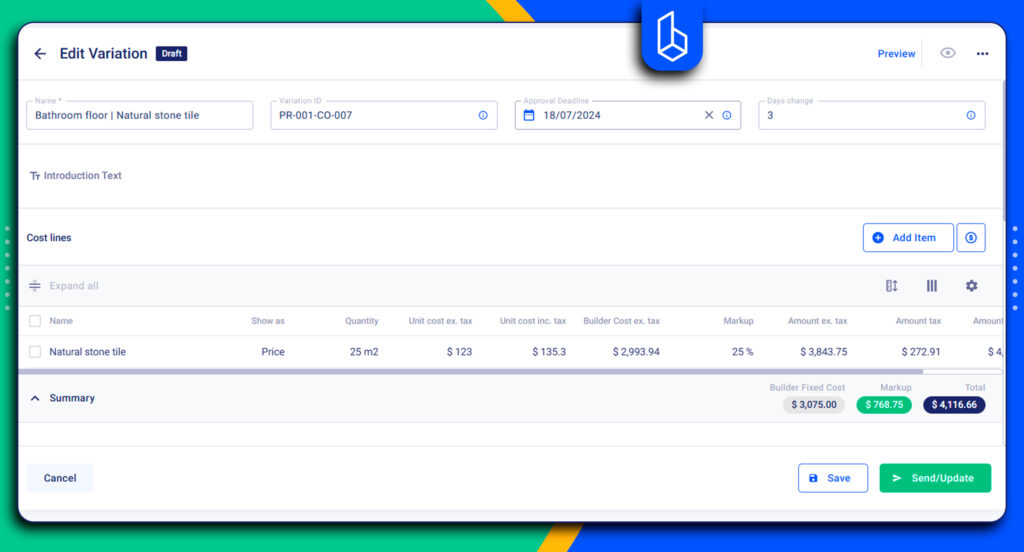
Reporting: You can capture daily site activity, including labor, equipment, progress, and incidents. Buildern links these reports to budgets, schedules, and team communication, ensuring everyone stays informed and issues are addressed quickly.
Australian‑Specific Features
Buildern is designed to meet the unique needs of Australian builders. It has features that meet local workflows and regulations.
For instance, Xero integration provides a two-way sync, ensuring invoices and costs stay accurately aligned with your accounting system.

GST handling is built in, supporting both GST-inclusive and GST-exclusive pricing across progress claims and billing, which is essential for compliance in Australian construction projects. Builders can also manage progress claims, variations, and retention tracking seamlessly.
Besides, the software lets you set a retention percentage once at the start of a project, and it automatically applies that holdback to every invoice, including variations.
Pros
- All-in-one (Pre-construction + PM + Financials)
- Budgeting, financial tracking, and job costing
- Change order management
- GST handling
- Xero two-way sync
- Easy-to-use mobile app for site teams
- In-built messaging and communication tools
Cons
- While Buildern works well for builders, subcontractors, and mid-sized commercial teams, it’s not yet for heavy civil or large infrastructure environments.
Pricing
Buildern offers 3 flexible pricing plans: “Starter” plan for $315 AUD when paid annually, “Professional” for $522 AUD when billed annually, and “Enterprise” offering custom prices for big teams. The pricing is transparent, and a detailed breakdown of what you get for a particular price is available.
“What we like most about Buildern is how it combines capability with simplicity. The platform has all the core functions you’d expect from a high-end construction management software—budget tracking, change orders, subcontractor coordination, progress documentation, and communication tools—but it’s laid out in a way that’s intuitive and easy for our team to adopt. It allows our smaller team to operate like a much larger one without getting bogged down in unnecessary complexity. The interface is clean, the support team is responsive, and implementation was smooth.” Brent. B.
Procore

Why Procore? It’s known in the construction industry as a comprehensive platform for large companies.
Procore is a cloud-based construction management platform covering the full project lifecycle.
Key Project Management Features:
- Project scheduling and task management
- RFIs, submittals, and change order management
- Budgeting and financial tracking
- Reporting dashboards and analytics
- Integrations with accounting and ERP systems

Pros
- Comprehensive construction project management platform
- Strong document, RFI, and financial management tools
- A wide range of integrations and customization options (a big ecosystem)
Cons
- The tool is too expensive, especially when companies scale
- Custom pricing lacks transparency
- May feel overly complex for smaller contractors
- Some advanced features require additional setup and onboarding
After reviewing user feedback across G2 and Capterra, one concern appeared consistently: pricing. Many contractors mention that the platform becomes expensive quickly as companies scale projects, add modules, or require more advanced financial workflows. Several smaller builders also noted that the cost can be difficult to justify.
“The centralized project documentation and the cloud base. I like how easy it is to receive view and sign change orders for projects. The lay out of the app is also very super user friendly. It makes it very easy to communicate to and from the contractor.” Natalie Y
“The price is very high, which makes it more suitable for large projects or big companies. I’ve also noticed that the mobile app consumes a lot of battery and data, which is sometimes problematic on isolated job sites.” Patrick K.
Wunderbuild
Why Wunderbuild? It’s among the software used for residential and small construction companies.
Wunderbuild is a project management platform that also handles lead and tender management, estimating, and scheduling. The goal is to reduce reliance on multiple apps and provide an online workspace where teams can collaborate and track progress in real time.
Key Project Management Features:
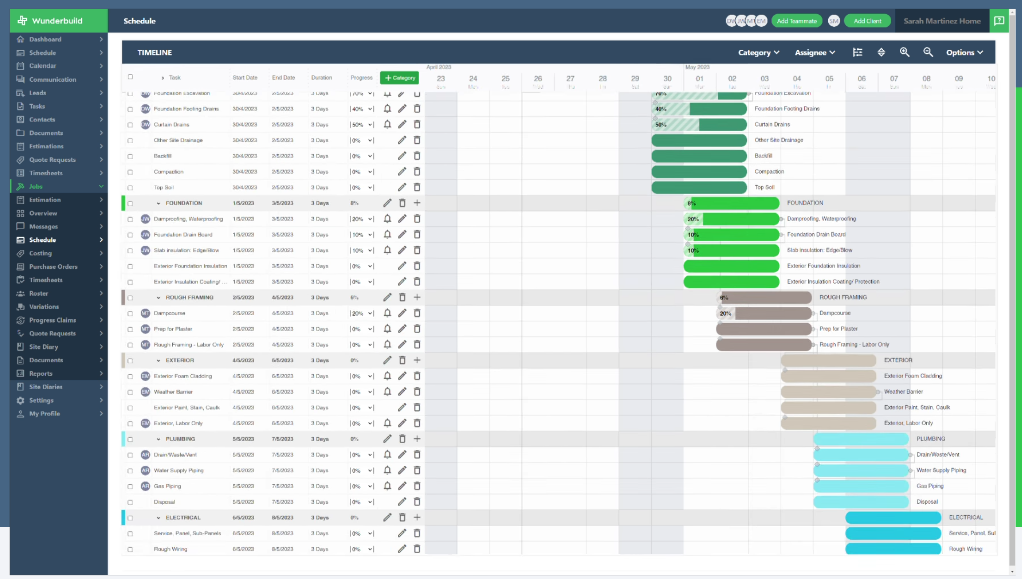
- Project planning and scheduling with task organisation and milestones
- Lead, tender, and estimating tools
- Budget and cost management with financial tracking and integration with Xero.
It works well for everyday residential workflows, though it may lack the depth required for large-scale commercial construction.
Pros
- Strong governance focus
- Structured risk and issue tracking
- Financial impact visibility
Cons
- Not supporting detailed field workflows, daily operations
- Advanced features come at custom pricing
- Steeper learning, especially for non-technical users
- Less focus on mobile field use
Pricing
Wunderbuild pricing is tiered by project count. The number of features included in pricing plans is the same. The price only varies based on the number of projects you run.
“Simple to navigate and powerful enough to cover our current projects.” Mike
“The training videos and you tube channel could be updated and have more content to help with onboarding.” Adam
ClickHome
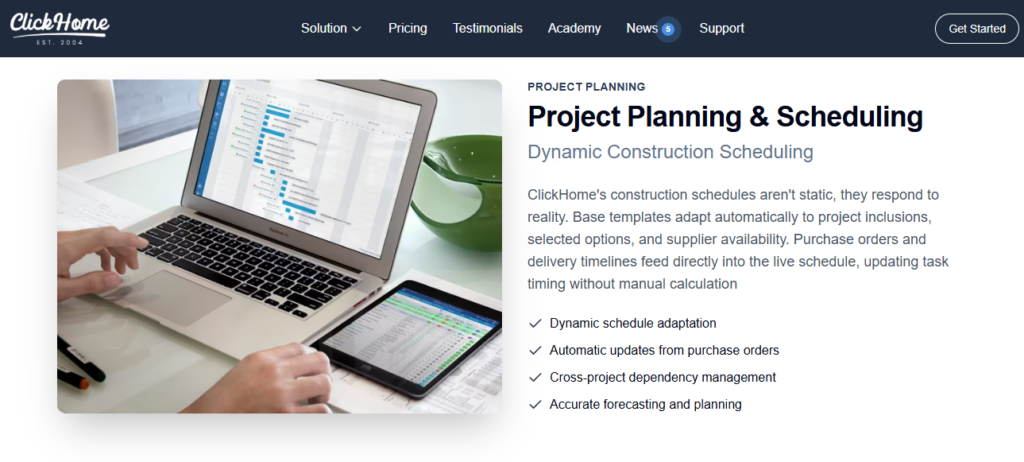
Why ClickHome? It works for residential builders who want a single system to manage leads and projects.
ClickHome is a purpose-built construction software platform designed around the needs of residential builders. It covers the full building lifecycle from initial leads and tendering through trade coordination and handover workflows.
Key Project Management Features:
- Plan builds, dependencies, and adjusted timelines
- Storing permits, plans, and site documents in one place.
- Management of subcontractors, sending call-ups

ClickHome is designed for Australian construction standards. The reviews suggest, however, that ClickHome has a dated and less intuitive interface compared with modern SaaS apps. Besides, the learning curve can be steep for teams new to digital project management tools.
Pros
- Full lifecycle coverage for residential builders
- Built specifically for Australian construction standards
- Effective subcontractor coordination
- Centralised document and permit storage
Cons
- Dated and less intuitive interface compared to modern SaaS platforms
- Limited flexibility outside residential construction
- Mobile experience is not as modern or streamlined as newer competitors
Pricing
ClickHome offers tiered pricing based on per-job access, with each package designed for builders at different stages of growth and complexity.
“ClickHome brings all parts of construction management into one place, making it easy to track jobs, communicate with the team, and update clients. Real-time updates keep everyone on the same page, reducing delays and mistakes. It improves efficiency, streamlines communication, and helps deliver projects on time.”
“Some parts of ClickHome’s interface feel outdated and not very intuitive, so new users can take time to learn it. Certain changes require extra steps, and occasional slow loading can disrupt work. The main downside is the learning curve, which can be overwhelming for teams new to digital project management.” Mohd J.
Buildlogic
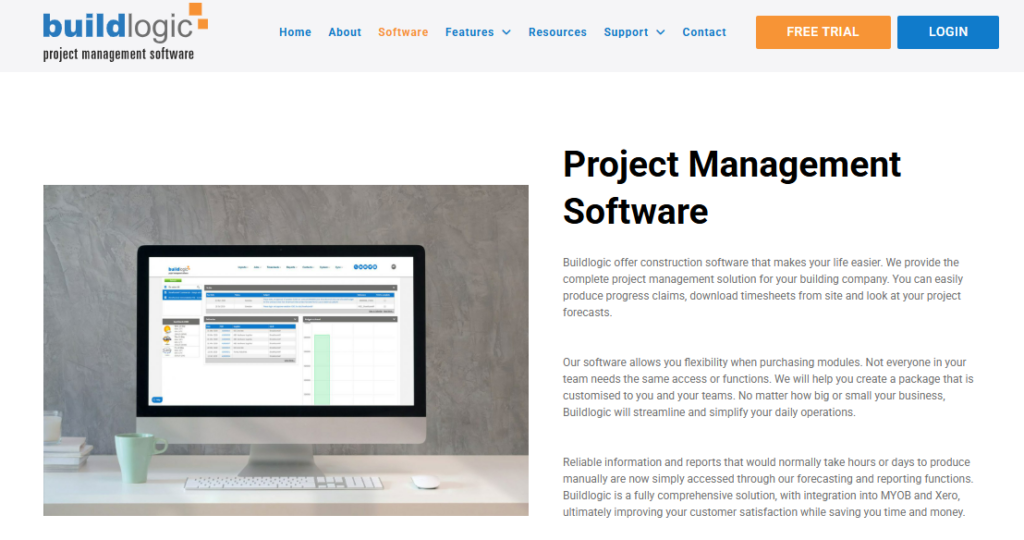
Why Buildlogic? It’s a local tool for residential, commercial builders and industrial construction workers.
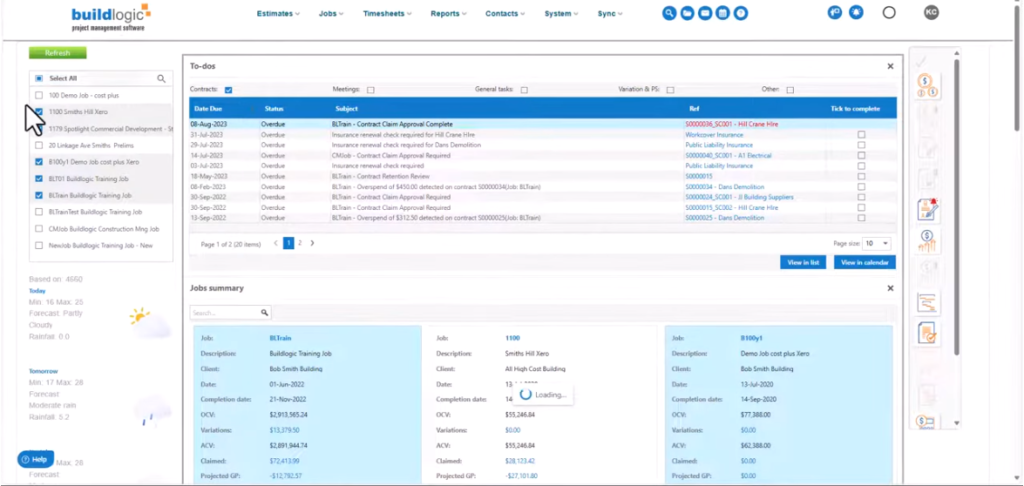
It is a construction management tool offering project planning and mobile on-site features in one platform. The product is built around flexibility for users to mix and match modules that fit their workflows and project needs.
Key Features:
- Project planning and Gantt-based scheduling
- Budget, cash flow, and cost tracking per project
- Centralised document and contractor management
BuildLogic does not focus on a more unified construction workflow with deeper integration between project management and financials. It offers a more modular, role-based setup.
Pros
- Project planning with Gantt-based scheduling
- Budget, cash flow, and cost tracking per project
- Centralised document and contractor management
Cons
- Not a fully unified workflow between project management and financials
- Limited integration across modules
- Advanced features may require selective module adoption
- Pricing not publicly available, may require custom quotes
Pricing
The prices are not available. Users can request a quote or schedule a demo.
Reviews:
Unlike the other tools featured here, Buildlogic doesn’t have a significant presence on major software review platforms, so we were unable to include a real-user review of the tool.
Nexvia
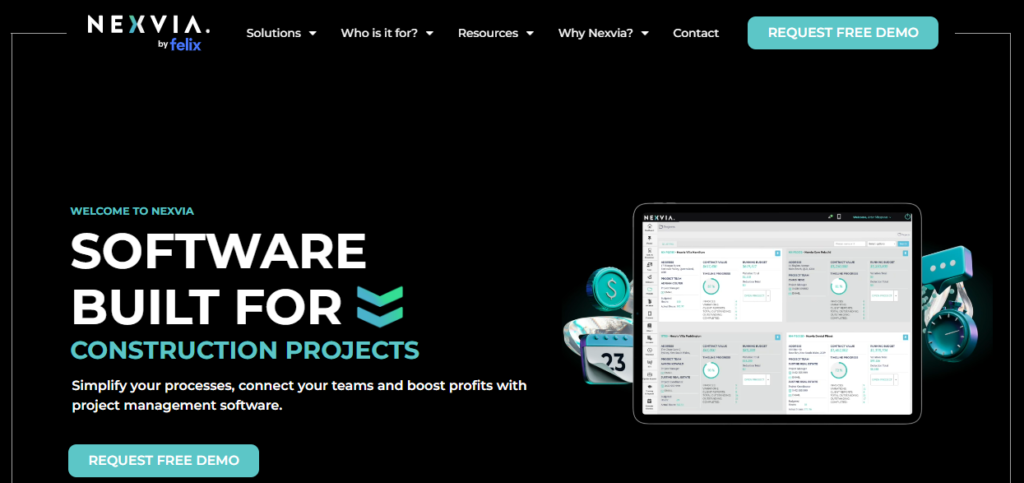
Why Nexvia? It’s a local tool for residential builders, but it also positions itself as a tool offering features specifically for interior fitout and shopfitting projects.
This project management tool is a part of the Australian Nexvia company’s broader construction software ecosystem, with a focus on retail, specialty, and commercial builders. It works best as an extension of Nexvia’s estimating- and accounting-driven processes.
Key Features:
- Project tracking is linked directly to budgets and job costs
- Centralised document storage for plans and project files
- Integration with Nexvia estimating
Nexvia’s project management tools are practical for teams that prioritise financial control. However, it may feel limited for builders looking for advanced scheduling, field collaboration, or visual planning tools.
Pros
- Built for Australian construction workflows and compliance
- Strong document control and project administration features
- Progress claims and invoicing support
Cons
- Not as feature‑rich for deep financial reporting or job costing
- Interface may feel dated compared with modern SaaS platforms
- Advanced capabilities may require setup and training support
Pricing
Nexvia does not offer a free version or free trial of its software. Users must contact the vendor or request a demo to explore the platform before purchasing.
“Tthe live financial and project tracking means we always know where a job stands. It’s simple for the team to use, works well on site and in the office, and has helped us keep tighter control over costs and margins.” Andrew
“Sometimes our team uses the same project. When we use the same line item, it clashed and takes time to refresh. That is only Cons for Nexvia.”
Buildxact
Why Buildxact? One of the tools for residential builders with Australian workflows.
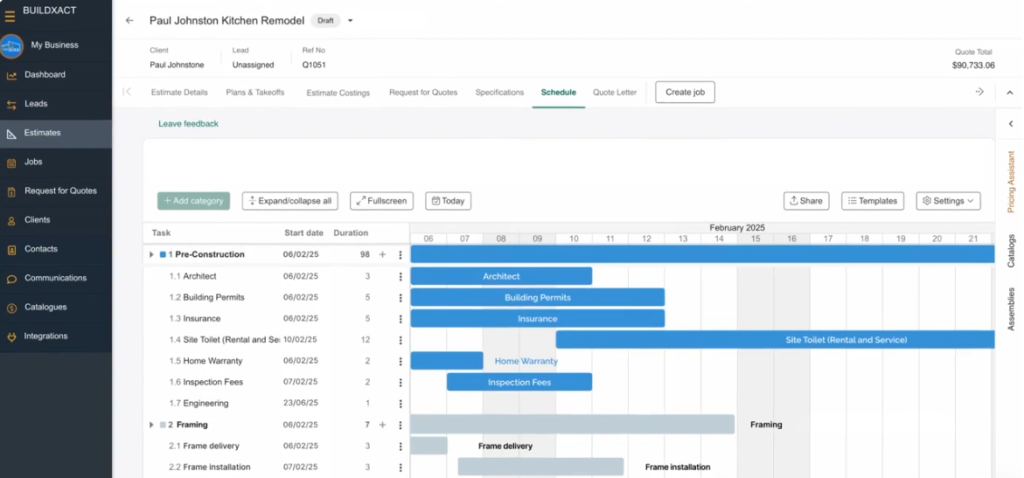
Buildxact is an estimating and project management platform. It helps with managing takeoffs, quoting, scheduling, and job costing.
Key project management features
- Job scheduling and task management
- Budgeting and job costing
- Purchase orders and supplier integrations
- Xero and accounting integrations
Pros
- Interface for small and mid-sized residential builders
- Not bad estimating and takeoff capabilities
- Helpful supplier price integrations
Cons
- Scheduling and Gantt chart tools can feel limited for complex projects (according to our customer insights)
- Purchase order workflows may require additional work in accounting software like Xero
- Some users report browser performance and navigation frustrations
- Multi-user pricing can become expensive as teams grow
Pricing
There are 3 plans starting from the “Foundation” plan at $199 billed monthly. However, there are some features like change orders, schedules, or client portals that are not included in the “foundation” plan and are considered a “pro” feature.
Reviews
“I like how organised it helps me stay with all the different leads and live projects. My clients like the client face portal to look at the site diary.” Chris P.“
It can feel restrictive when working on highly detailed or non standard estimates. Initial setup of cost data takes time, and occasional slowdowns happen with larger projects. The pricing may also be a bit high for smaller estimating teams.” Dario W.
Premier Construction Software
Why Premier? It’s an ERP for large companies managing complex cost structures and long project timelines.
Premier Construction Software is an ERP-style platform that combines project management with accounting, contract control, and financial reporting. Premier CS supports GST, progress claims, and variation tracking needed for Australian builders.
Key Project Management Features:
- Project cost tracking with budget vs actual visibility
- Contract, variation, and commitment management
- Centralised project reporting and dashboards
Premier CS focuses on commercial control and financial accuracy. It’s a more useful tool for office-based project management than daily site coordination.

Pros
- ERP-style platform combining project management and accounting
- Strong cost tracking with budget vs actual visibility
- Supports Australian GST, progress claims, and variation tracking
Cons
- Primarily office-focused, less suited for daily site coordination
- High cost due to subscription plus significant implementation fees
- Steeper learning curve because of advanced ERP-style features
Pricing
Pricing plans start at $349 AUD/month per user and include financials and basic job costing. However, the company also has an implementation fee of at least $15,000 AUD. The tier that includes project management starts at $249 AUD per month, but the implementation fee is $25,000 AUD.
“Processing of Subcontracts is fast and easy. Forecasting has made life simple for job costing and WIP reporting.” Chrissy T.
“Premier’s PM Module still has some room for growth on the Submittal and RFI side.”
PlanRadar
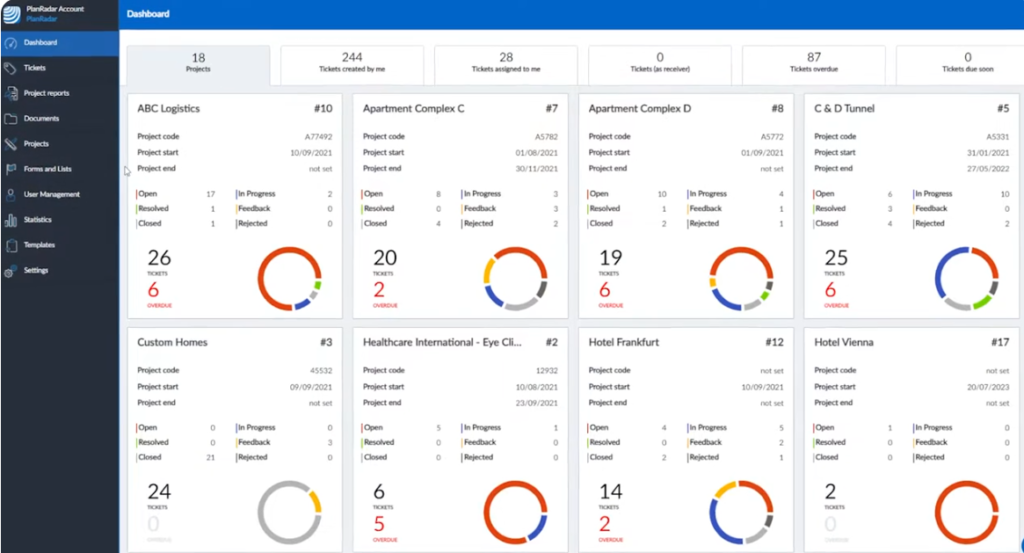
Why PlanRadar? It’s for construction and engineering teams that need structured site reporting, issue tracking, and quality control.
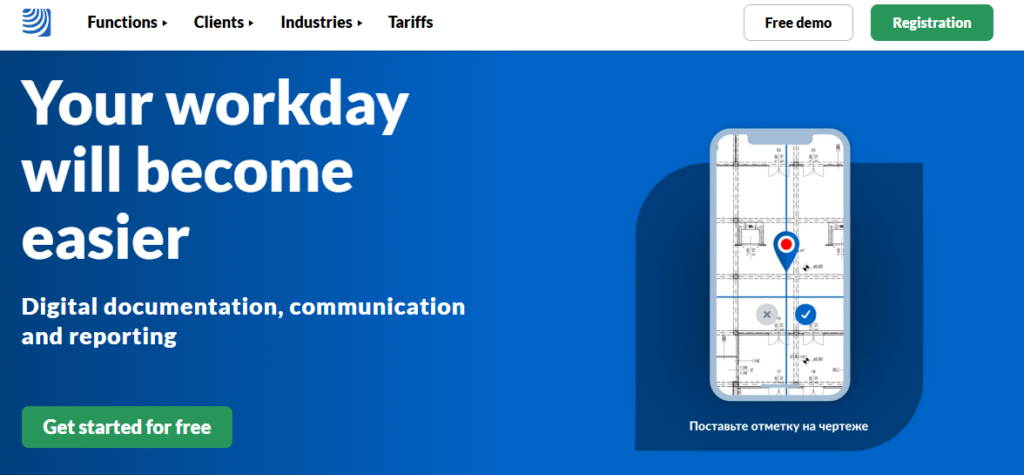
PlanRadar is both a construction and real estate management platform focused on documenting, tracking, and resolving issues directly on plans and drawings. It is widely used for defect management, inspections, RFIs, and punch lists.
Key Project Management Features:
- Issue and defect tracking linked directly to drawings
- Site inspections, checklists, and quality assurance workflows
- Photo documentation and report generation
PlanRadar helps teams standardise site reporting and reduce manual paperwork, but it is not designed to manage budgets, estimating, or full construction workflows.
Pros
- Structured site reporting for construction and engineering teams
- Supports inspections, checklists, and quality assurance workflows
- Photo documentation and automated report generation
Cons
- Not designed for budgeting, estimating, or full construction management
- Limited project lifecycle management beyond site documentation
- Primarily focused on field reporting rather than office-based project control
Pricing
PlanRadar uses subscription-based pricing per user, with plans typically starting from around $42 AUD per user/month (billed annually). Pricing varies based on feature access, storage limits, and reporting needs.
“Plan radar has features that allows to custom create a defect checklist, include photos of the defects and mark the location on the plan.” Satheesh
“The platform can feel a bit overwhelming at first because of the number of features and configuration options. It also takes some time to customize workflows, especially for new users.” Azamat
Short Checklist for Construction Project Management Software in Australia
Australian builders should focus on software that matches the way they run construction projects. When comparing platforms, I keep these factors in mind:
1. Match the software to the project type
Residential builders often need strong scheduling, trade coordination, and variation tracking. Meanwhile, commercial and infrastructure teams benefit more from cost control and contract management.
2. Look beyond task management
Construction projects require more than task lists. The right software should connect schedules to budgets, variations, and subcontractor costs so the financial impact is always visible.
3. Consider usability
Even powerful software fails if teams don’t use it. Look for intuitive interfaces, mobile access for site teams, and workflows that match Australian construction terminology.
4. Understand pricing and scalability
Some platforms charge per user, others per project, and some require large implementation fees. Choose a platform that fits your current workload and can scale as your business grows.
The table below compares some points I mentioned above:
| Software | Best For | Project Management Strength | Australian Specific Features | Pricing Style |
| Buildern | Residential and commercial builders who need an end-to-end tool | Every aspect of project management, plus budgeting, variations, communication | GST handling, Xero sync, progress claims, retention | Tired plans |
| Procore | Large commercial builders | Project management and integrations | GST, Xero integration | Volume-based pricing |
| Wunderbuild | Small residential builders | Planning, estimating, | Xero integration | Per project |
| ClickHome | Residential builders | Trade scheduling & compliance | AU residential workflows | Per job |
| BuildLogic | Role-based teams | Modular project planning | AU cost tracking | Custom quote |
| Nexvia | Commercial, fitout & shopfitting | Budget-linked project tracking | AU workflows | Custom quote |
| Buildxact | Small residential builders | Estimating and takeoff + PM | AU workflow | Starting from $199 + addons |
| Premier CS | Commercial PMs | Cost and contract control | GST, progress claims | Subscription+ implementation fees |
| PlanRadar | Construction and engineering teams | Defects, inspections, QA | AU construction reporting | Per user |
Final Thoughts
Construction projects in Australia come with their own set of challenges. However, all contractors, no matter where they work, need two important points: not to derail schedules and not to overrun budgets.
When choosing the right tool, focus on project management software that can make all of this a lot easier. It’s better to have an all-in-one platform without the need for third-party integrations and add-ons.
Choose a platform that fits how your team works, and is easy for both office and site staff to stay synced.
Which Software is Best for Construction Project Management in Australia?
The type of software to choose depends on the project. If a contractor is running small residential projects, a long list of features is most likely unnecessary. The essential point is to have schedule management, task management, a variation tool, and a reliable mobile app.
What Features Should Australian Builders Look for?
Australian builders should look for software that supports the local construction workflow. It’s better to have tools to manage progress claims, variations, and retention. When it comes to accounting, Xero integration is a must.
How Much Does Construction Project Management Software Cost?
Construction project management software costs vary depending on features, user counts, and deployment style. Monthly subscriptions can start from modest per‑user or per‑project rates. Most platforms offer custom quotes for big teams and may even include implementation fees.
Which Project Management Software Is Best for Residential Builders?
Residential builders need a platform with intuitive project overview dashboards and construction-specific project management tools. It’s better to choose a platform for project management together with closely connected features like budgeting, variations, subcontractor coordination, and communication in one place.
![Construction Estimating Software for Small Businesses: 7 Tools Compared [2026 Update]](https://buildern.com/resources/wp-content/uploads/2025/12/BLOG_COVER_Best-Construction-Estimating-Software-for-Small-Businesses-2026-768x501.jpg)