Construction Job Scheduling Software: A Better Way to Run the Weekly Plan


I’ve been on too many projects where the weekly plan looked perfect, but by mid-week, everything was misaligned. Dates shifted, trades overlapped, and nobody was sure what actually needed to get done.
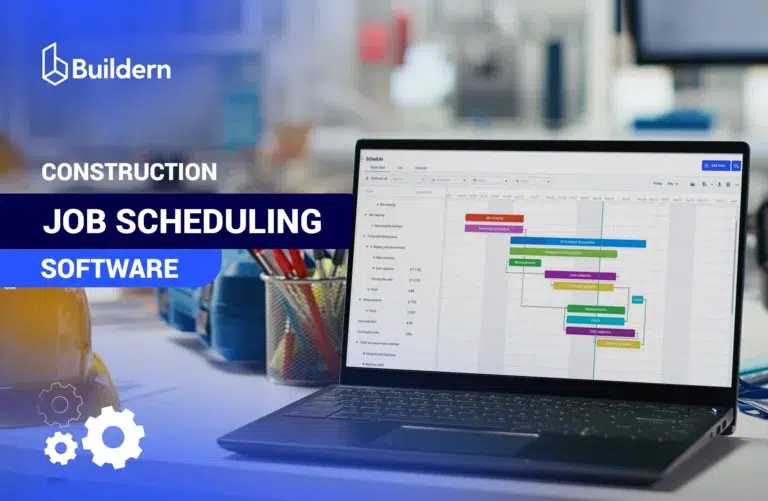
Modern construction job scheduling software, especially platforms enhanced with real-time updates and AI-assisted logic, changes the game. It’s more viewed as a schedule management rather than a simple view. When the weekly plan becomes a live, shared source of truth across the office and field, accountability improves, and downtime shrinks.
My goal with this guide is practical: explain why weekly planning doesn’t work, what capabilities truly matter, and how different tools stack up in the real world of running jobs.
Table of Contents
- Why Weekly Construction Planning Still Breaks Down
- Key Features Every Construction Job Scheduling Software Must Support
- Top Construction Job Scheduling Software for Weekly Planning
- How to Implement a Weekly Work Plan in Your Workflow

Why Weekly Construction Planning Still Breaks Down
Even with digital tools, weekly planning remains a major source of delays and misunderstandings on most projects. Surveys show that nearly 9 in 10 construction professionals report involvement in at least one delayed project annually, with poor planning and information gaps among the top causes.
Software names alone don’t solve this. To choose scheduling tools that actually work, it helps to understand why weekly planning still fails.
Misalignment Between Schedule and Weekly Work
The master schedule reflects overall sequencing and deliverables, but weekly work is where the job actually gets built. Traditional construction scheduling systems often treat the schedule as fixed once created. In reality:
- Materials don’t always arrive on schedule
- Crew availability shifts mid-week
- Weather and unforeseen site conditions alter execution
A weekly plan that doesn’t adjust to these realities becomes a snapshot of intent, not a tool for driving progress. Monthly or milestone plans are too coarse to manage daily execution demands. Without dynamic planning that reflects field changes, teams revert to manual workarounds, creating confusion rather than clarity.
Such misalignment costs time and money because what’s planned in the office doesn’t match what crews do tomorrow, yet most old systems assume it should.
Communication Gaps Across Teams
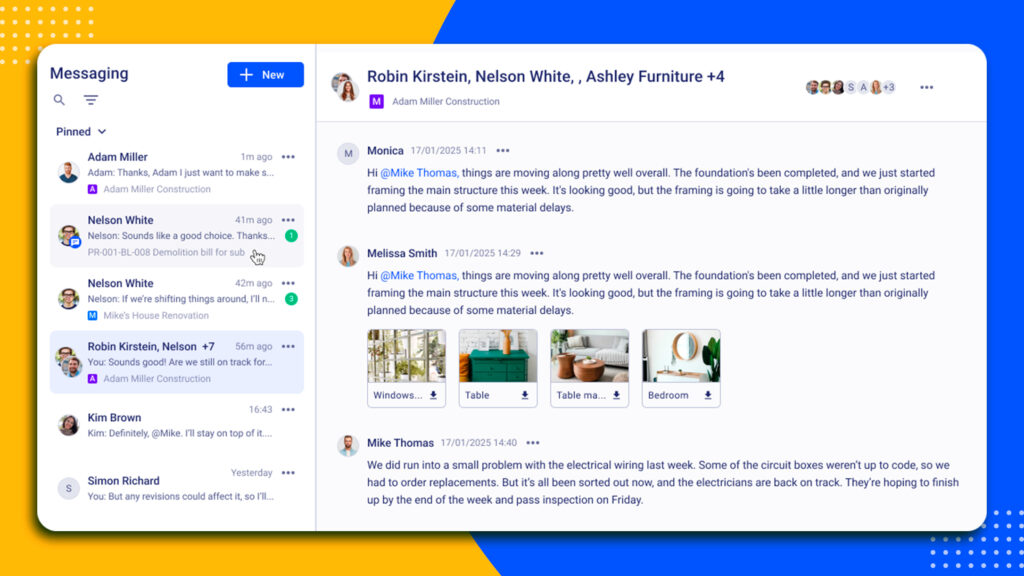
One persistent problem in weekly planning is a communication breakdown. The disconnection coming from foremen relying on printed versions, subcontractors working with PDFs from email threads, and the office updating the schedule online can quickly result in critical decisions.
The impact is real:
- Trades start tasks out of sequence
- Critical dependencies are missed
- Priorities conflict between crews and planners
Construction job scheduling software needs to bridge that gap. The goal is a single live plan accessible to everyone, including the office planners, field crews, and vendors, so that when something changes, everyone sees it in time.
Data Silos: Schedule, Timesheets, and Progress
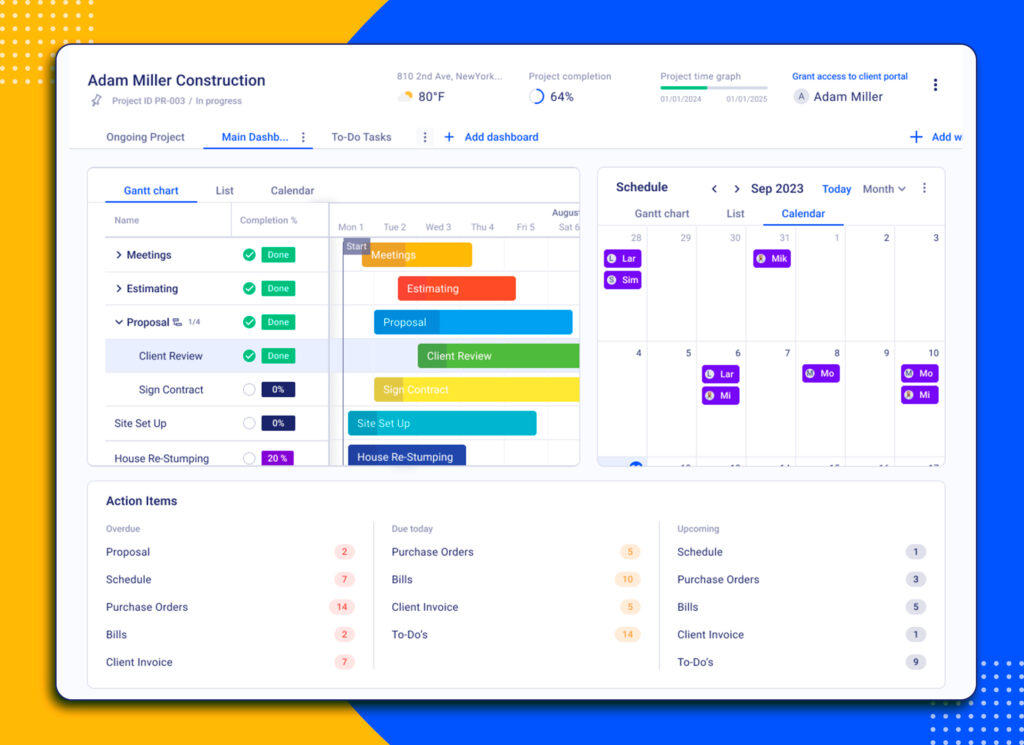
Schedules often exist in one system while timesheets, progress updates, and field reports live elsewhere. When these systems aren’t integrated in a single dashboard, weekly reporting becomes manual and error-prone.
Manual processes cause delay, resulting in:
- Field updates becoming compiled at week’s end instead of in real time
- Errors creeping in when re-entering the status into the schedule
- Decisions lagging behind the most recent jobsite conditions
The siloed approach makes it hard to use schedules for anything more than reference, not control. Better scheduling software unifies these data streams so progress feeds directly back into the plan, reducing manual reconciliation.
Key Features Every Construction Job Scheduling Software Must Support
Most construction scheduling tools look similar in demos. They show timelines, drag-and-drop tasks, and polished dashboards. The difference appears once the project hits the first issue. Weather shifts. A subcontractor falls behind. Materials arrive late.
Weekly planning is where schedules either hold or unravel. The right software does more than display tasks. It connects planning to execution, progress, and accountability.
Below are the core capabilities every serious construction job scheduling software must support.
Real-Time Schedule Updates
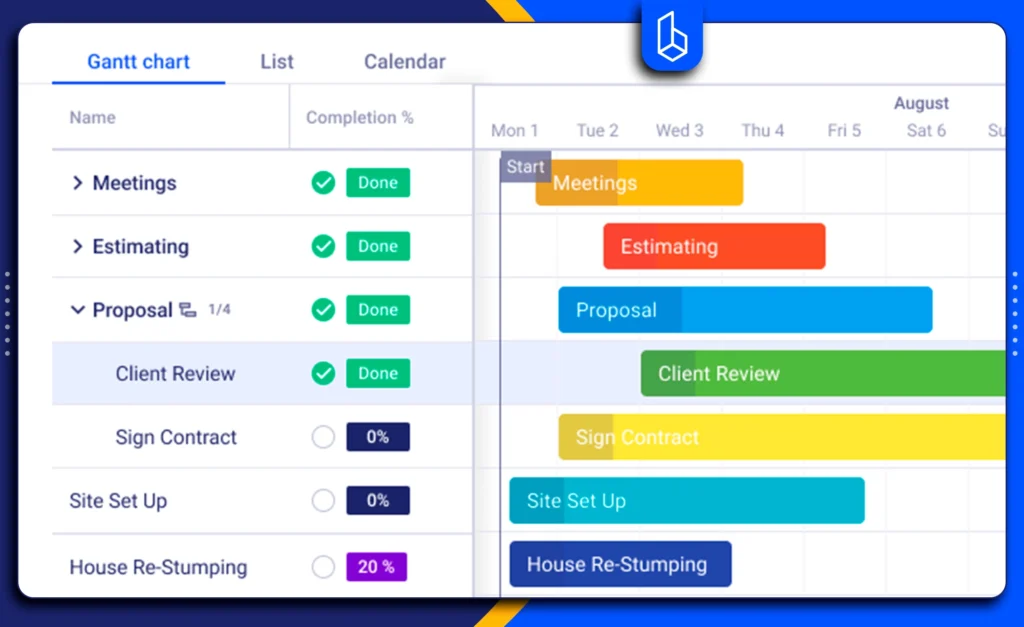
Construction moves quickly. When one task shifts, the rest of the sequence must adjust with it.
Scheduling software should automatically reflect changes across dependent activities and update completion forecasts without forcing teams to rebuild the entire timeline. Static schedules create blind spots. Dynamic ones preserve control.
Weekly Lookahead Planning
The master schedule defines direction, while the weekly lookahead defines execution.
Strong software makes it easy to filter upcoming tasks, assign responsibility at the crew or trade level, and clarify what must happen this week. If teams cannot clearly see short-term priorities, long-term plans lose operational value.
Mobile Field Access
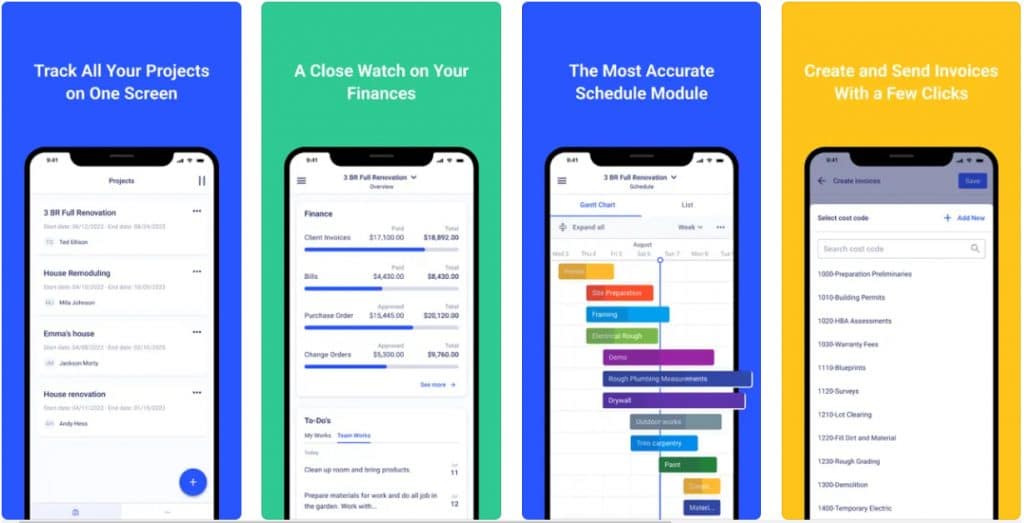
A schedule that lives only in the office is disconnected from site reality.
Field teams should be able to view updates, mark progress, and flag constraints directly from mobile devices. When updates happen on site, coordination improves, and the lag between planning and execution shrinks.
Resource Coordination
Time is only one variable. Labor availability, equipment access, and trade sequencing determine whether a schedule is workable.
Scheduling tools must provide visibility into who is assigned where and whether overlaps create risk. Without resource alignment, even well-structured timelines collapse under pressure.
Integration With Reporting and Cost Tracking
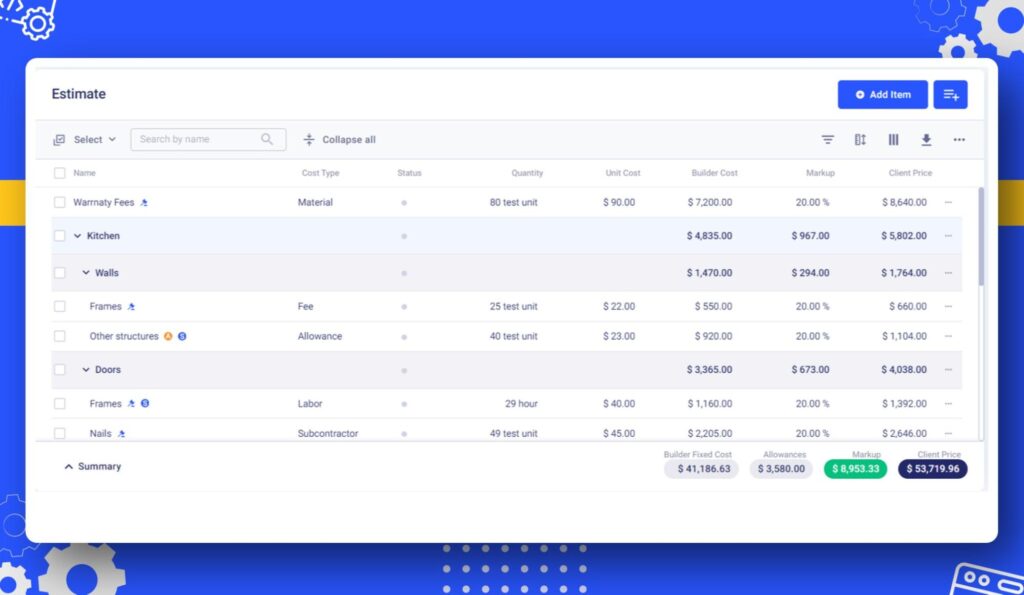
A schedule is a forecast. Reporting shows performance.
Effective platforms connect planned tasks with actual progress and labor tracking. This allows teams to compare plan versus reality and adjust weekly strategy accordingly.
The objective shouldn’t be producing a better-looking Gantt chart, but to run a controlled, measurable week.
Top Construction Job Scheduling Software for Weekly Planning
Scheduling tools come in many shapes, from field-first visual planners to full-blown CPM engines. What matters most for weekly planning is not just what they claim to do, but what they deliver when field realities shift.
Below are several tools that can easily support weekly planning in 2026, with strengths and limitations based on real product capabilities and market positioning.
1. Buildern
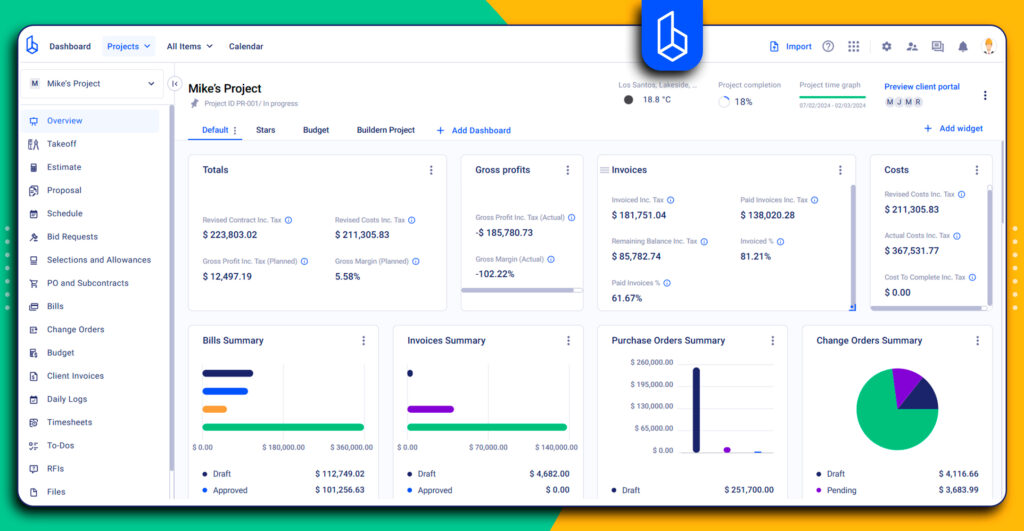
Best for teams that want weekly planning woven into estimating, budgeting, and field reporting in a unified system.
Weekly Planning Strengths
- Integrates weekly scheduling with project tasks and budgets
- Uses AI scheduling logic to generate or adjust weekly plans based on project data, crew availability, and progress trends
- Live updates from field teams align the office and site
- Supports mobile access for crew reporting
- Reduces manual entry by connecting charts to real-world progress
- Manages task dependencies to prevent downstream delays
- Highlights critical path activities so high-risk items stay visible
- Sends smart notifications when schedule changes impact trades or milestones
Some Limitations
- Best suited for residential and small-to-mid commercial projects
- Advanced enterprise-level customisation requires detailed planning and onboarding with the team
Buildern AI: The Smarter Way to Create Weekly Schedules
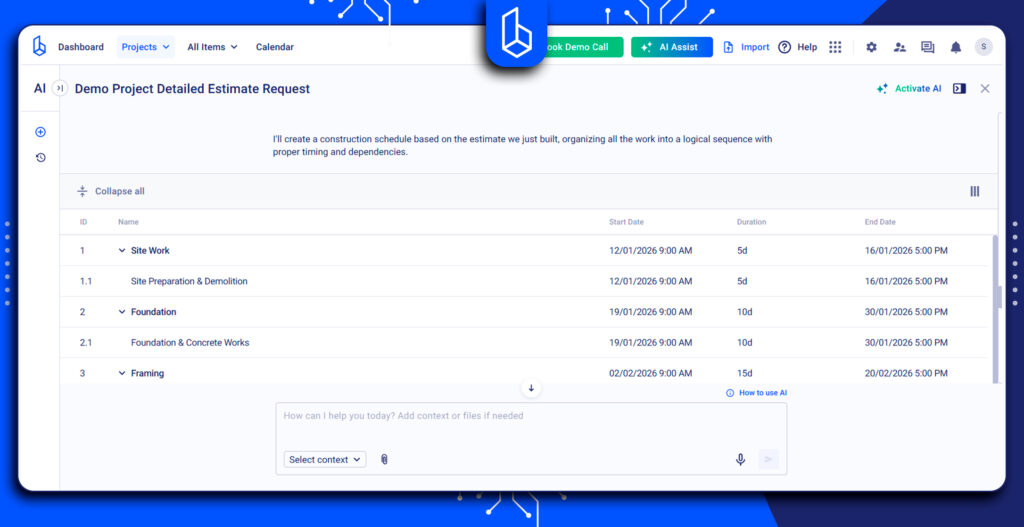
Buildern’s construction project management AI software assists weekly planning by generating schedules from timelines with minimal manual setup. It can:
- Produce weekly blocks directly from the master plan
- Incorporate progress data to adjust tasks
- Factor in manpower shifts, delays, and site conditions
This reduces manual scheduling work and helps teams manage execution with real-world visibility.
2. Planera

Best for teams looking for modern, visual, collaborative scheduling that eliminates the complexity of legacy tools.
Weekly Planning Strengths
- Drag-and-drop visual interface for planning and updates
- Real-time collaboration keeps the office and field aligned
- Can replace legacy tools like Primavera P6 or Microsoft Project
- Helps teams identify risks and constraints early
Typical Limitations
- Requires team buy-in to avoid divergence of versions
- Cost and setup may be higher for small teams compared with simple tools
- Not deeply integrated with financials without additional systems
3. Shape
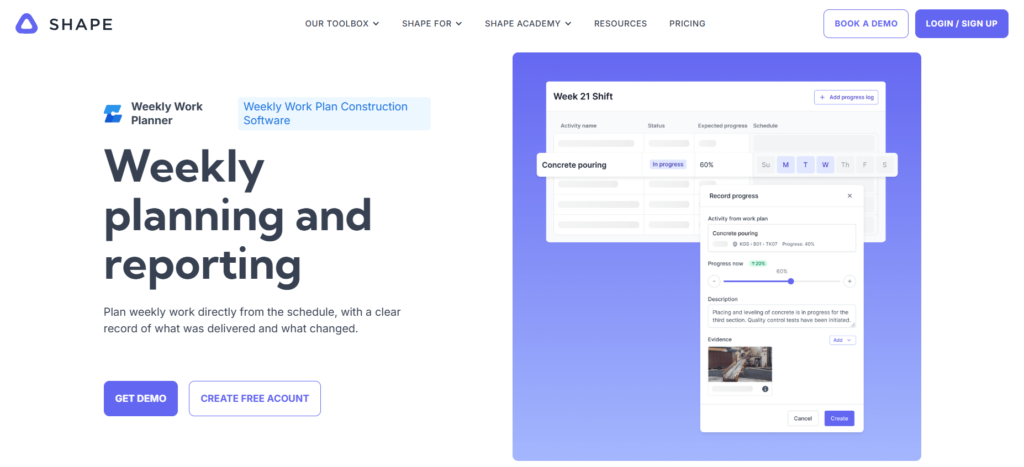
Best for Field-centric crews and planners focused specifically on weekly targets and execution.
Weekly Planning Strengths
- Weekly plan pulls tasks directly from the baseline schedule
- Daily progress updates link to the plan
- Delays and variances are flagged in real time
- Built-in checklists confirm readiness before work starts
Typical Limitations
- Focused on weekly and short-term planning; master schedule integration may require extra tools
- Less budget or financial linkage than integrated PM systems
- Best as part of a broader suite rather than a standalone for the full lifecycle
4. Foundation Scheduling Module

Best for contractors already using Foundation accounting and project software.
Weekly Planning Strengths
- Scheduling integrated with accounting and resource tracking
- Drag-and-drop Gantt charts for quick timeline adjustments
- Real-time visibility into labour and equipment allocation
Typical Limitations
- Interface may feel dated compared with newer platforms
- Less advanced collaboration tools than cloud-first competitors
- Weekly focus is solid but not deeply specialised beyond the project context
5. Project Plan 365
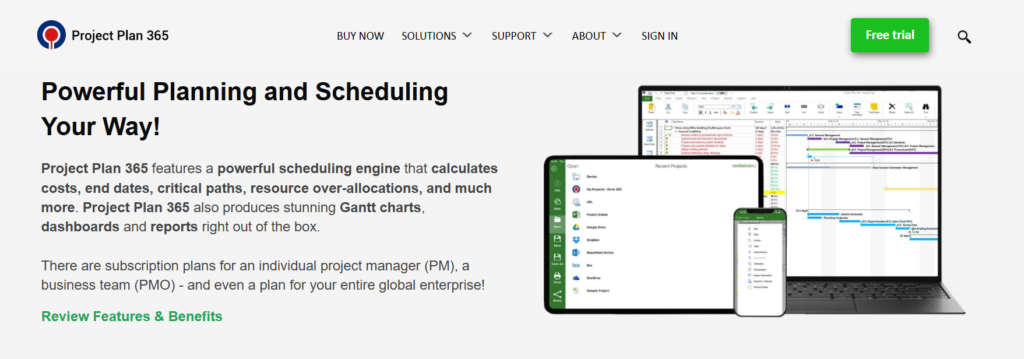
Best for teams needing scheduling tools compatible with Microsoft Project workflows.
Weekly Planning Strengths
- Powerful scheduling engine with resource and critical path calculation
- Cloud-enabled access with file sharing and integrations
- Strong visualization with Gantt charts and dashboards
Typical Limitations
- Less field-centric than construction-specific solutions
- Minimal real-time field update capability
- Needs complementary tools for daily progress reporting and collaboration
6. Rational Plan

Best for smaller teams seeking a straightforward scheduling solution.
Weekly Planning Strengths
- Project planning and tracking with resource allocation
- Suited for desktop and multi-user environments
- Simple interface for basic scheduling
Typical Limitations
- Not built specifically for construction workflows
- Field updates and mobile access are limited
- Needs additional tools for real-time collaboration
7. Asta Powerproject

Best for large commercial or infrastructure contractors needing deep scheduling capabilities.
Weekly Planning Strengths
- Construction-focused scheduling tools and resource management
- Intuitive Gantt charts with scenario planning
- Supports planning at scale across multiple projects
- Can be used with mobile viewers for stakeholders
Typical Limitations
- Steeper learning curve for smaller teams
- Higher cost and configuration than lighter scheduling tools
- Weekly planning strength depends on how it’s deployed in broader workflows
How to Implement a Weekly Work Plan in Your Workflow
Good software only helps if the workflow around it supports execution. Weekly construction project planning succeeds when anchored in repeatable steps that connect office intentions to field reality.
1. Kickoff: Translate Master Schedule into Weekly Blocks
Start by breaking down the master schedule into weekly commitments that reflect:
- Task sequences that make sense in a real work order,
- Material and equipment availability,
- Crew and subcontractor capacity.
This translation is where practical planning begins.
2. Field Updates: Crew Reports Progress Daily
Field crews should update progress daily, not just at week’s end. When progress enters the system promptly, ideally via mobile device,s the schedule becomes a live reflection of what’s actually happening on site.
3. Review Meeting: Weekly Plan Session With Foremen
Hold a formal weekly plan review session with foremen and key stakeholders. Discuss what worked last week, what didn’t, and confirm the coming week’s tasks. This reinforces accountability and keeps the team aligned.
4. Metrics: Compare Plan vs Actual
At the end of each week, evaluate:
- Tasks planned vs completed
- Variances in duration
- Bottlenecks and delays
These metrics help refine future plans and improve predictability over time
Conclusion
Weekly planning is where projects live, breathe, and either succeed or fail. The right construction job scheduling software connects schedules with real field data, supports collaboration, and adapts when conditions change.
The right tools must go beyond static plans and offer real-time updates, seamless field access, and integration across teams. When software reflects how work actually gets done day by day, weekly planning stops being a liability and becomes a discipline that improves delivery, reduces surprises, and strengthens accountability.
How often should weekly schedules be updated?
Daily updates are ideal. Weekly planning becomes accurate only when progress is reported quickly and consistently.
Can scheduling software predict issues before they happen?
Some tools (especially those using live data and pattern recognition) can highlight risk patterns, but final judgment and adjustments still rely on human oversight.
Is scheduling software worth it for small contractors?
Yes. Even small teams with subcontractors benefit from structured weekly planning and shared visibility.
Does scheduling software replace the master schedule?
No. Scheduling systems complement master plans. Weekly planning and master timelines work together for effective execution.