General Contractor Software: 6 Picks to Run Jobs, Manage Subs, and Control Costs



I’ve tested enough general contractor software solutions to know that most tools fail because they don’t line up with how jobs actually run once construction starts.
Estimates get approved, and budgets get set, until reality hits. Once work begins, the scope rarely stays fixed. Subcontractor sequencing tightens, material timing becomes fluid, and cost pressure builds in ways that are easy to miss early. If your construction project management software only works at one stage of the job, it quietly creates rework everywhere else.
This guide looks at general contractor software through three lenses I’ve learned to care about the hard way:
- Workflow continuity from estimating through close-out
- Cost control that responds during the job, not after it’s over
- Subcontractor coordination that reduces risk, not just email volume
I’m not evaluating tools based on feature checklists or marketing claims. I’m looking at whether they help a GC keep estimates, budgets, subs, billing, and decisions aligned as conditions change on site.
Some platforms do this well. Others look strong on paper but fall apart once real jobs start stacking up.
Table of Contents
- What General Contractors Actually Need Software to Do
- Evaluation Criteria Used in This Guide
- 6 General Contractor Software Reviewed
- Common Gaps to Watch for When Choosing GC Software
What General Contractors Actually Need Software to Do
Most general contractor software solutions are sold as a productivity upgrade. In practice, most are used as risk management tools. The value isn’t saving a few admin hours but preventing small disconnects from turning into margin loss, disputes, or cash flow problems.
The core needs are consistent across most GCs, regardless of company size.
Connect Estimating, Budgeting, and Execution Without Rework
Disconnected estimates are one of the fastest ways costs drift without anyone noticing.
In many setups, estimating lives in one tool, budgeting in another, and job tracking somewhere else entirely. Once the estimate is approved, it becomes a static document. Any adjustment during the job requires manual updates, exports, or workarounds, and as a result, delays decisions.
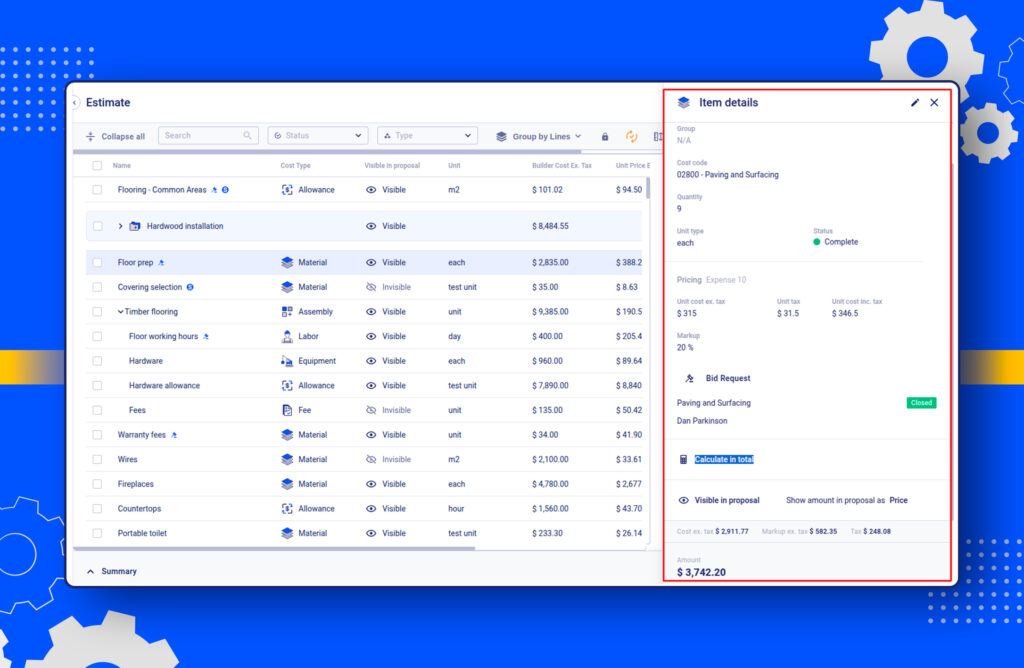
When budgets update in real time as scope or quantities change, decision-making improves immediately. You’re no longer guessing whether a change “should be fine.” What matters here is whether the estimate stays connected to the job once construction starts.
Coordinate Subcontractors Without Email Chaos
Most GC risk lives in subcontractor handoffs.
Missed scope details, outdated drawings, unclear change approvals, and billing mismatches usually come from fragmented communication, not bad subcontractors. As communication spreads across emails and attachments, information loses structure. Files move without ownership, and teams act on outdated inputs. Effective coordination depends on:
- Clear scope visibility per trade
- Centralised change tracking
- Controlled document access tied to the job stage
With a portal for subcontractors and vendors acting as a single source of truth, coordination improves, and disputes decline. Without that structure, the risk falls on the GC.
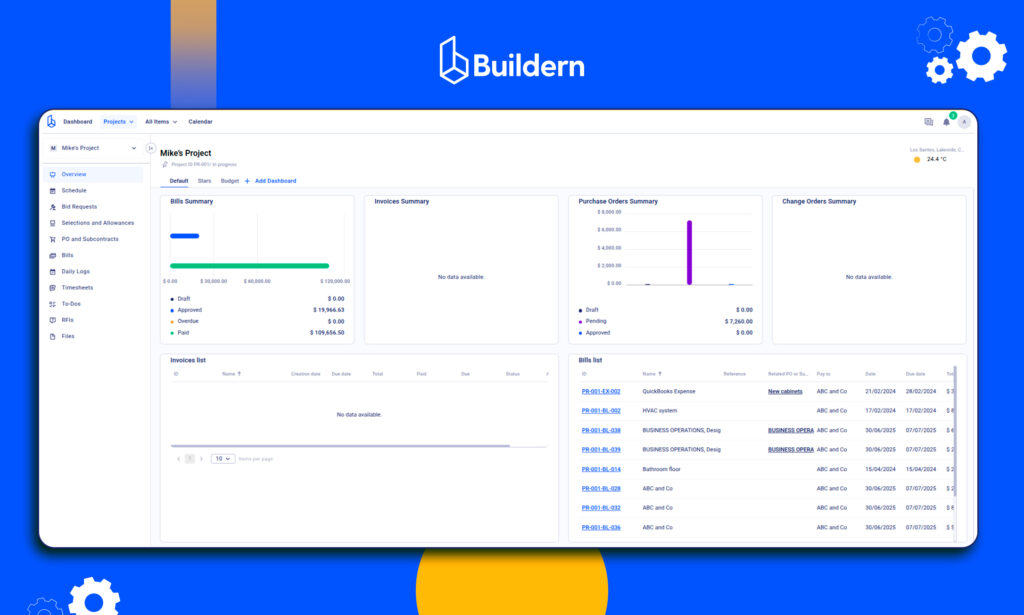
Control Costs as Conditions Change, Not After the Damage Is Done
Fixed-price contracts create pressure to lock numbers early. Site conditions rarely cooperate.
Many platforms offer reporting, but reporting is retrospective by nature. It tells you what already happened. Cost reporting requires visibility while the job is still moving.
The difference shows up when weather delays a phase, a material price shifts, or a scope clarification turns into extra labour. Software should surface those changes while there’s still time to respond, not weeks later in a report.
Billing Structures That Match Contract Types
Billing is where operational gaps turn into financial risk.
Fixed-price, cost-plus, and progress billing all behave differently. When software forces every job into the same logic, cash flow problems follow.
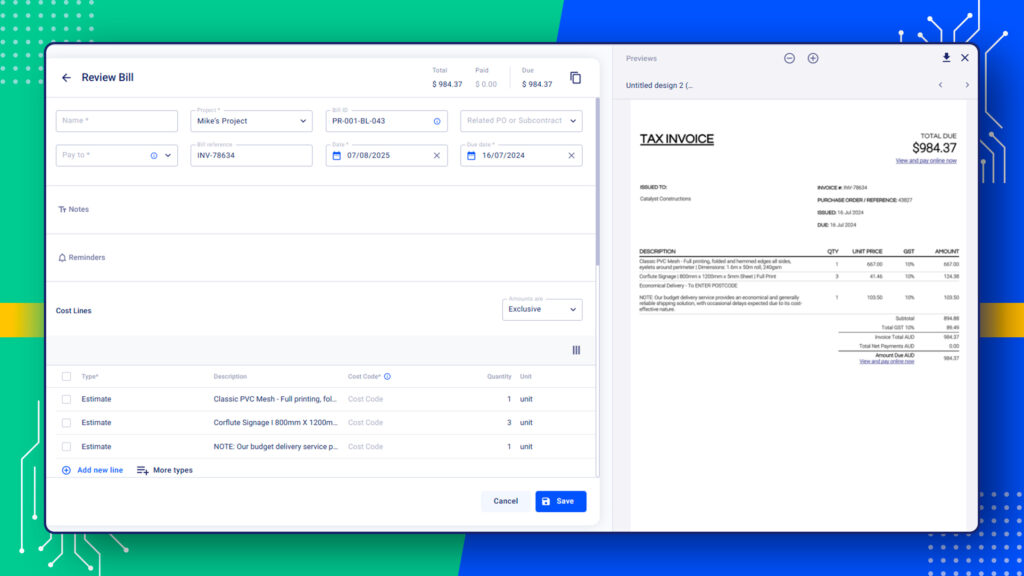
Misaligned billing creates:
- Delayed invoicing
- Disputes over progress claims
- Manual adjustments that don’t reconcile cleanly
General contractor software needs to reflect how the contract is written, not force the contract to adapt to the tool.
Evaluation Criteria Used in This Guide
To keep this guide practical, I used the same evaluation lens across every platform reviewed. Each tool was assessed based on how it performs once jobs are active, subcontractors are involved, and costs start moving.
Here’s what I paid attention to.
#1 Workflow Continuity Across the Job Lifecycle
The first question is simple:
“Does the software carry information forward, or does it force rework at every phase?”
Strong GC software keeps estimating, budgeting, scheduling, and billing tied together. When scope changes, those changes should flow through the system without requiring exports, duplicate entries, or manual reconciliation.
If a platform treats preconstruction as a separate world from execution, it creates blind spots the moment the job starts.
#2 Cost Visibility During the Job, Not Just After
Reporting alone doesn’t protect construction profit margins.
I looked for systems that show cost impact as decisions are made, not weeks later. That includes:
- Real-time budget updates
- Visibility into committed vs actual costs
- Early signals when labour or material assumptions start breaking
Software that only produces clean reports at month-end is too late to be useful in construction projects.
#3 Subcontractor Coordination and Accountability
Subcontractors are where most operational risk concentrates.
Each platform was evaluated on how well it supports:
- Trade-level scope clarity
- Controlled document access
- Change communication tied directly to the job
- Clean handoff between the site, office, and accounting
Tools that rely heavily on email or external file sharing tend to push coordination risk back onto the GC.
#4 Billing Alignment With Contract Structures
Not all billing is the same, and software that assumes it is creates problems.
I assessed how each platform handles:
- Fixed-price contracts
- Cost-plus arrangements
- Progress billing and draw schedules
The key test was whether billing reflects how the contract is written, or whether teams have to work around the system to get client invoices out accurately and on time.
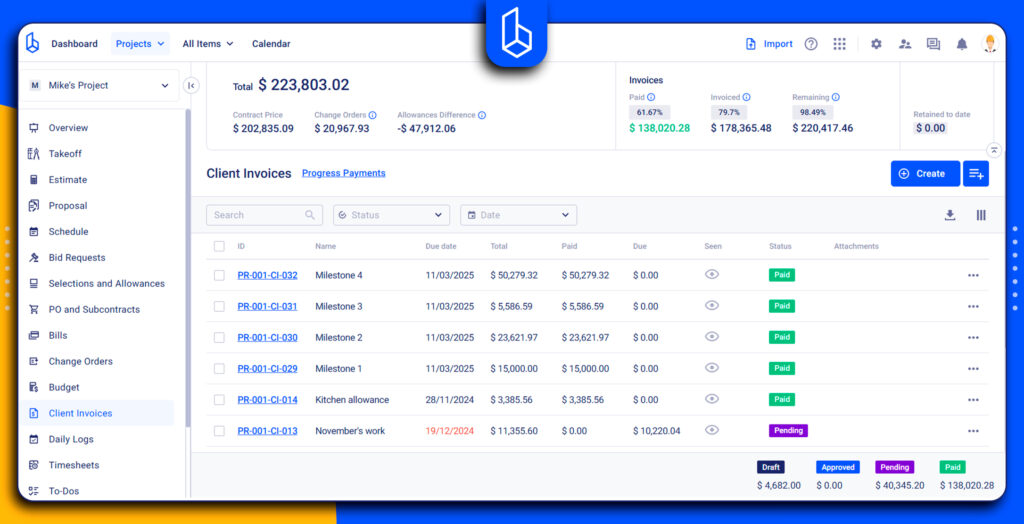
#5 Practical Fit for Real GC Operations
Finally, I looked at how each tool fits into day-to-day GC work.
That includes:
- Learning curve for project teams
- How much admin work does the system introduce or remove
- Whether it supports decision-making on the site and in the office
Powerful software that slows teams down or requires heavy process redesign often fails in practice, even if it looks impressive in theory.
6 General Contractor Software Reviewed
Every platform below was reviewed using the same criteria outlined earlier. The goal is to show how each one behaves once projects are live, subcontractors are involved, and cost pressure is real.
Some tools excel at planning but weaken during execution. Others offer strong financial controls but lack operational context. A few manage to connect both sides reasonably well.
I’ll walk through each platform using the same structure so the differences are clear and comparable.
1. Buildern
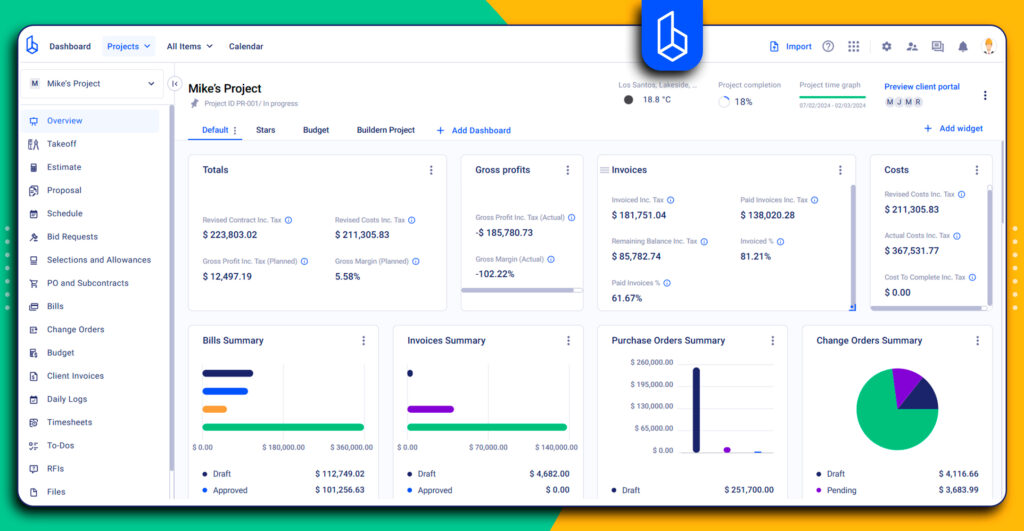
Best Fit For
General contractors who need estimating, budgeting, subcontractor coordination, and financial control to operate as a single, continuous system. Buildern is best suited for residential and mixed-use GCs working under fixed-price or margin-sensitive contracts, where cost drift and coordination gaps carry immediate financial risk.
Strengths in Real GC Workflows
In day-to-day use:
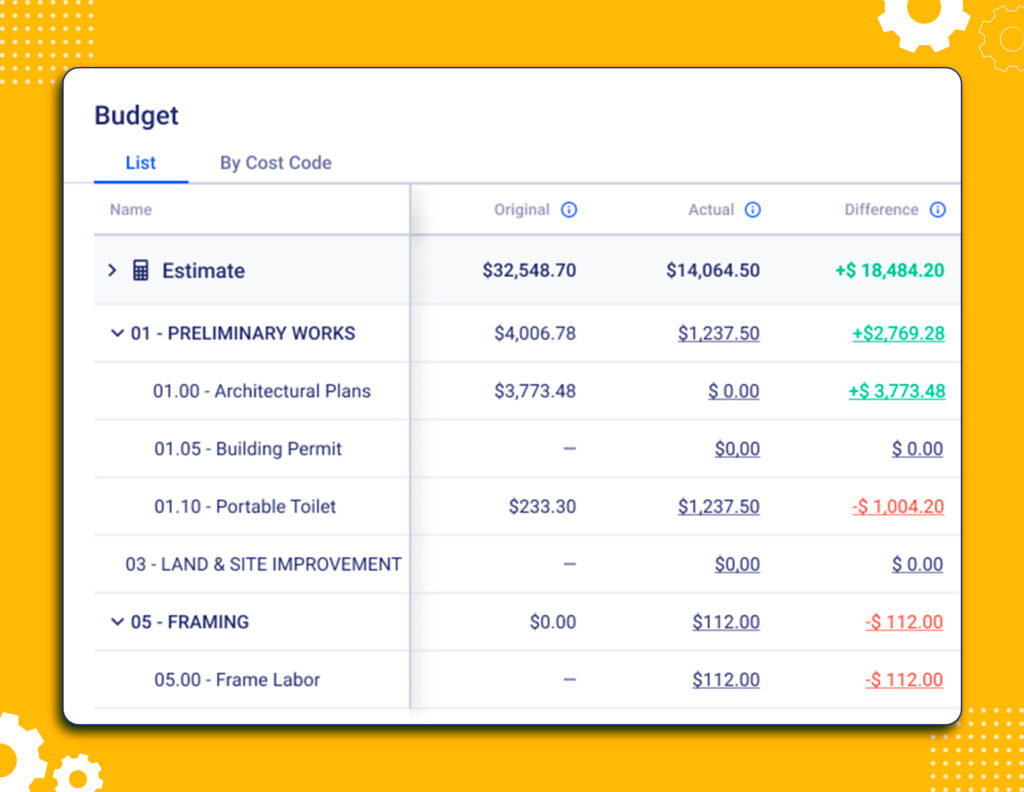
- Estimates transition directly into active budgets without re-entry or parallel tracking
- Cost codes, phases, and commitments stay aligned as scope and selections change
- Subcontractor scopes, approvals, and documents remain tied to the correct job stage
- Budget variance and cost pressure become visible before they surface in accounting reports
- Billing and change workflows update financial projections without manual reconciliation
- Project teams operate from a shared data structure instead of emails, spreadsheets, and disconnected tools
Buildern is structured around the idea that construction data should remain connected as a job evolves. Instead of treating estimating, budgeting, scheduling, and billing as separate phases, the platform is designed to keep them linked throughout the project lifecycle.
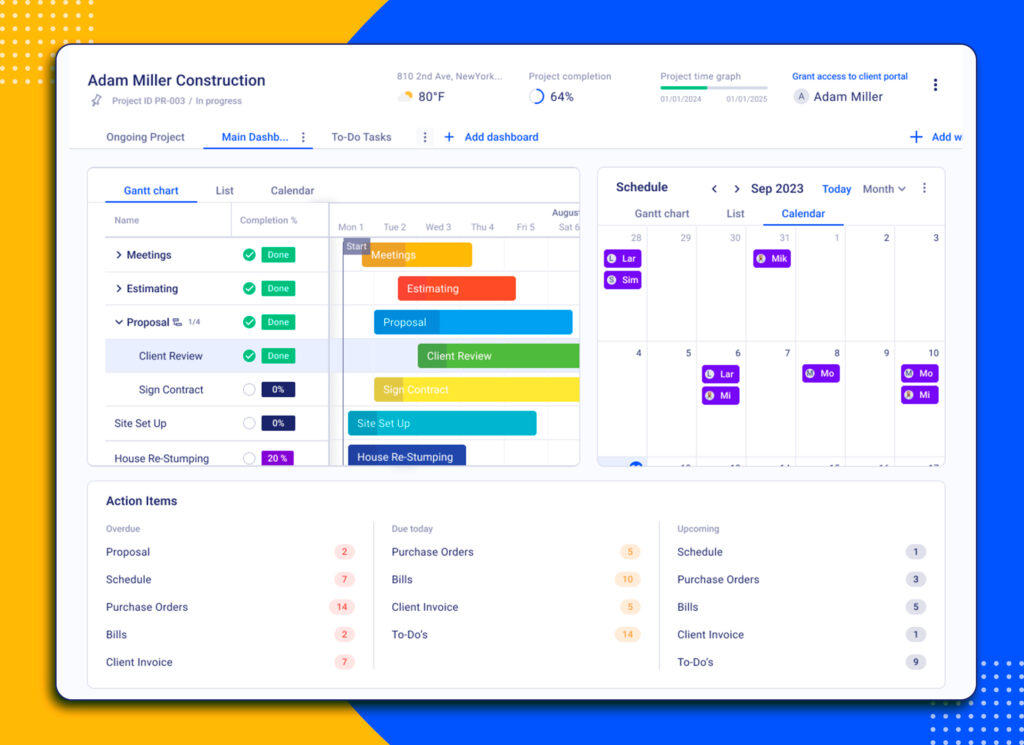
One of its defining strengths is how estimating feeds directly into live budget structures. Estimates do not remain static reference documents. They become the baseline for cost tracking, forecasting, and change management.
As scope adjustments occur, downstream impacts are reflected across budgets, schedules, and billing logic, reducing manual reconciliation.
Artificial Intelligence for General Contractors
AI-assisted workflows are applied narrowly and practically. Rather than automating decisions, AI construction software is used to reduce friction in areas where GCs typically lose time or visibility. This includes identifying cost inconsistencies, supporting estimate reuse with cleaner historical data, and reducing manual effort in billing and documentation workflows. The result is faster execution without removing human oversight.
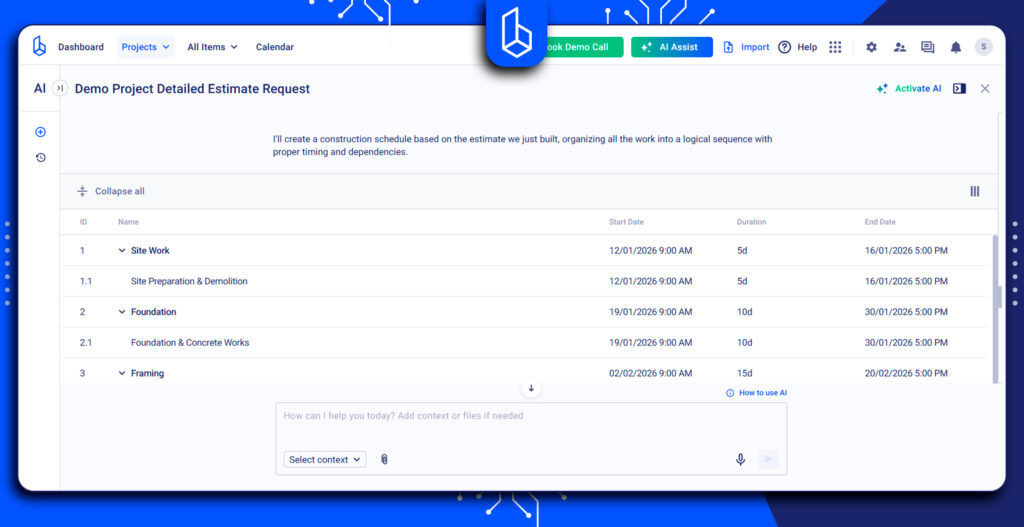
These AI-supported workflows extend beyond estimating and billing. Site activity, selections, change approvals, and documentation are captured with fewer errors and reflected back into cost and schedule visibility, reducing the gap between field conditions and financial data.
Where It Falls Short
Buildern prioritizes structure and discipline, which requires upfront setup and thoughtful configuration. Teams accustomed to loosely connected tools or spreadsheet-driven workflows may face an adjustment period as processes become more defined.
That transition is typically shortened through initial onboarding and implementation support, where a dedicated team helps general contractors understand how estimating, cost control, and execution workflows fit together in practice.
This guidance accelerates adoption by clarifying the nuances of construction project management within the system, rather than leaving teams to interpret workflows on their own.

2. Knowify

Best Fit For
Trade-heavy general contractors and specialty contractors who need job costing discipline and accounting alignment, especially those already anchored in QuickBooks.
Strengths in Real GC Workflows
Knowify’s strength is its financial structure. It handles job costing, time tracking, and expense allocation reliably, which helps contractors understand where money is actually being made or lost.
In day-to-day use:
- Job costs stay closely tied to accounting records
- Labour and expense tracking feeds directly into project profitability
- Change orders update cost tracking without breaking accounting logic
- Works well for contractors managing multiple smaller jobs concurrently
Where It Falls Short
Knowify is less effective in operational project execution. Scheduling, document control, and subcontractor coordination are not deeply integrated into workflows. Many teams still rely on external tools for scheduling and communication, which reintroduces fragmentation.
It also assumes comfort with accounting-first systems, which can slow adoption for field-focused teams.
3. RedTeam

Best Fit For
Commercial general contractors who need formal process control, strong documentation, and contract-driven workflows.
Strengths in Real GC Workflows
RedTeam is built around formal construction management processes. It performs well where contract administration, RFIs, submittals, and compliance tracking are central to risk management.
Operationally, it supports:
- Preconstruction workflows
- Document and correspondence tracking
- Clear audit trails for approvals and changes
- Alignment with contract requirements
For firms managing multiple stakeholders and contractual complexity, RedTeam provides order and traceability.
Where It Falls Short
RedTeam can feel heavy for smaller teams. Setup and configuration require time, and daily use may introduce administrative overhead that residential or mixed-use GCs find burdensome.
Cost control exists, but financial insights often lag behind operational decisions rather than guiding them in real time.
3. Procore
Best Fit For
Large-scale general contractors managing complex stakeholder networks, high project volume, and strict reporting requirements.
Strengths in Real GC Workflows
Procore’s breadth is its defining trait. It covers nearly every phase of the construction lifecycle and supports large, distributed teams. Some of the key operational strengths include:
- Document management and version control
- Subcontractor collaboration tools
- Reporting and compliance capabilities
For large organisations, Procore becomes a central coordination layer.
Where It Falls Short
Procore’s scale comes with cost. Implementation effort, licensing structure, and training demands can overwhelm smaller teams. Financial data often lives adjacent to operations rather than driving them, which means cost issues may surface after momentum is already lost.
For many residential GCs, the overhead outweighs the benefits.
4. Sage 100 Contractor
Best Fit For
General contractors who need deep accounting control and operate within traditional construction finance frameworks.
Strengths in Real GC Workflows
Sage 100 Contractor is finance-first. It provides detailed cost accounting, payroll handling, and reporting that appeals to firms with strong internal accounting departments.
It supports:
- Job cost breakdowns
- Payroll and compliance handling
- Long-standing accounting reliability
Where It Falls Short
Operational workflows feel dated. According to online reviews, scheduling, collaboration, and real-time coordination are limited compared to modern cloud platforms. Many teams compensate with spreadsheets and email, which weakens workflow continuity.
It also lacks the flexibility and accessibility expected by field teams today.
5. Buildr
Best Fit For
Residential and small commercial builders looking for estimating and project tracking without heavy enterprise overhead.
Strengths in Real GC Workflows
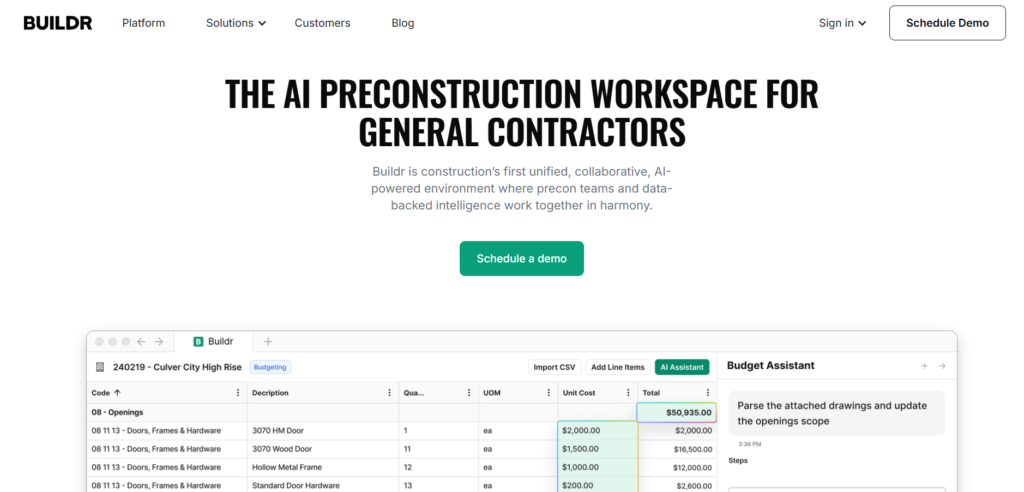
Buildr focuses on simplicity. Basic estimating, budgeting, and project tracking are approachable, which reduces onboarding friction.
In practice:
- Estimates move into project budgets without excessive setup
- Builders gain clearer visibility than spreadsheets provide
Where It Falls Short
As project volume grows, limitations appear. Cost control, subcontractor coordination, and billing flexibility are not as robust as those of more structured general contractor software may have. Teams may outgrow Buildr as complexity increases.
6. Built Technologies
Best Fit For
General contractors and developers focused on construction finance and lender coordination.
Strengths in Real GC Workflows
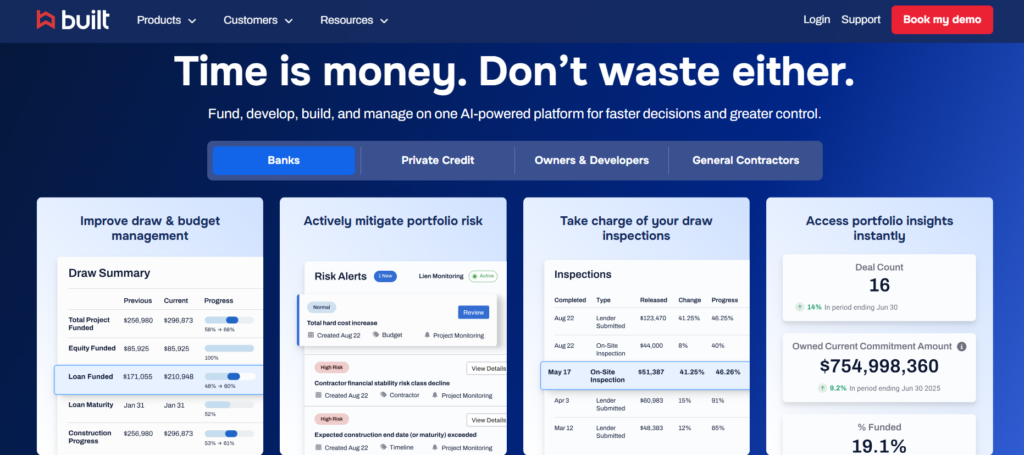
Built Technologies excels in draw management, lender reporting, and financial transparency between owners, contractors, and financiers.
You may find it useful for:
- Draw schedules and approval workflows
- Visibility into funding status
- Reduced friction with lenders and investors
Where It Falls Short
Built is not a full project execution platform. Estimating, scheduling, and subcontractor management typically live elsewhere. Used alone, it solves financial reporting but not operational control.
Common Gaps to Watch for When Choosing GC Software
Most general contractor software platforms look complete at a glance. Demos highlight dashboards, integrations, and feature lists. The gaps usually appear later, once projects are active and pressure builds. These are the issues that tend to surface after contracts are signed and work is underway.
Tools That Stop at Preconstruction
Many platforms perform well during estimating and bidding, but lose relevance once construction begins. Estimates are treated as static documents rather than live cost baselines during preconstruction. This limitation is visible in lighter residential tools such as Buildr, which prioritize upfront estimating and basic project setup but offer fewer mechanisms for adapting budgets as conditions change.
As field conditions, subcontractor sequencing, and material timing shift, those changes fail to flow back into the budget structure.
When estimates are not carried forward into active cost control, cost drift starts quietly and compounds over time, leaving teams to manage exceptions manually.
Financial Visibility Without Operational Context
Accurate construction accounting alone does not equal cost control. Some tools report what has already been spent without explaining why costs are changing or where pressure is building. When financial data is disconnected from change orders, subcontractor commitments, schedule adjustments, and site activity, it becomes retrospective.
Accounting-first systems such as Sage 100 Contractor are often strong in cost reporting and compliance but rely on external tools or manual processes to provide operational context. As a result, project teams are forced into reactive management instead of making controlled decisions as conditions evolve.
Subcontractor Management Treated as an Add-On
In many platforms, subcontractor coordination is reduced to document sharing and basic communication. Bid scopes, commitments, change approvals, and billing often live in separate tools or email threads.
Without structured visibility by trade, general contractors carry the risk of scope gaps, version confusion, and payment disputes. Software that does not treat subcontractor management as a core workflow, rather than a side feature, leaves GCs absorbing coordination failures that could have been prevented.
Conclusion
Switching from spreadsheets or fragmented tools only works if the software matches how jobs actually run. To sum up today’s findings, general contractors looking for a solid software solution should prioritise:
- Workflow continuity from estimate to closeout
- Real-time cost visibility tied to execution
- Subcontractor coordination inside the system, not across inboxes
- Billing structures aligned with contract reality
When systems reflect real job flow, control improves naturally, and margins stop leaking quietly.