7 Best Construction Management Tools in Australia: A Guide for 2026


Construction software is no longer an optional addition to business, especially for an Australian construction company. The moment projects started feeling harder to control, construction project management software became a part of the workflow.
Construction management used to be about keeping schedules and documents in order. In 2026, that’s no longer enough. Builders need clear financial visibility, better cost control, and simple ways to manage compliance.
That’s where construction management software earns its place. Not the biggest name on the market, but the right one for how you actually build.
In my guide, I will list software to find the best construction management tool used by Australian builders that supports better control, clearer communication, and more confident decision-making. Let’s break down the tools that actually fit how Australian builders work in 2026.
Table of Contents
- Why Australian Builders Need a Construction Management Tool?
- Construction Management Tool Checklist for Australia
- Evaluation Principles
- Top Construction Management Tool for Australian Contractors
- Comparison Table: Which Tool Fits Your Business Model?
- How to Choose the Right Construction Management Tool?

Why Australian Builders Need a Construction Management Tool?
In 2026, the Australian construction industry is no longer about “emails and PDFs.” The construction sector is facing a capacity crisis, with over 300,000 workers short and material costs rising since the pandemic.
Thus, a construction management tool is not a luxury, but a survival mechanism now. With site supervisors and trades in short supply, software acts as a “workforce multiplier”. It automates scheduling, reporting, and administrative tasks so your limited team can focus on building.
Besides, it keeps your finances under control. Builders can track budgets and get real-time insights into cash flow across multiple projects.
Communication also becomes simpler. Teams, subcontractors, and clients can access the right information when they need it.
The best subbies in 2026 only work with builders who pay on time and have organized sites. If your software makes their life easier (e.g., dedicated portal, mobile-friendly interface), you’ll always be their first phone call.
Recommended reading:
Just as software helps retain your best subcontractors, it also strengthens relationships with clients. Homeowners and developers are choosing builders who can prove their financial stability. A professional client portal with live photos and budget updates builds the trust needed to win tenders.
Construction Management Tool Checklist for Australia
Choosing the right construction management tool for Australia isn’t about ticking boxes. It’s better to pick tools in terms of finding a platform that truly fits the way local builders work.
For example, a tool that handles progress claims and variations perfectly in the US might not support Australian GST rules, which can create extra work and compliance risks. Similarly, for me, it’s essential that the software can easily integrate with the accounting software I use for my business.
Here’s what matters most for the Aussie builders:
- Financial Control: Builders need to manage variations, approvals, and retentions clearly, with visibility into cash flow across projects. So, these features are a must.
- GST Support: Support for GST and local reporting requirements is non-negotiable.
- Xero Integration: The software should generate compliant invoices and sync seamlessly with Xero, an accounting platform that is mainly used by Australian builders.
- Project Flexibility: Builders often handle residential, commercial, and developer-led projects simultaneously. The software must adapt to different workflows, contract types, and reporting needs while allowing role-based access for teams, subbies, and clients.
- Cost Tracking and Estimating: Australian builders need cost codes that match local estimating practices. Tracking costs by category and linking them to budgets, schedules, and variations ensures projects stay profitable from start to finish.
Recommended reading:
Evaluation Principles
To determine which construction management can be on this list, I started with the reputable review platforms, such as G2, Software Advice, and Capterra. Besides, a score for each tool is available after review of the software.
I considered several factors:
- Regional Compliance: Platforms that offer local compliance and easily adapt to regional requirements, like supporting GST.
- Feature Depth vs. Usability: Tools range from software focused on simplicity to full-featured platforms designed for comprehensive project control.
- Target Audience Suitability: Not every tool works for every contractor. Part of the criteria was identifying whether a platform is best suited for mid-sized teams or larger enterprises.
Below is the list and comparison of construction management tools preferred by the Australian builders.
Top Construction Management Tools for Australian Contractors
#1 Buildern
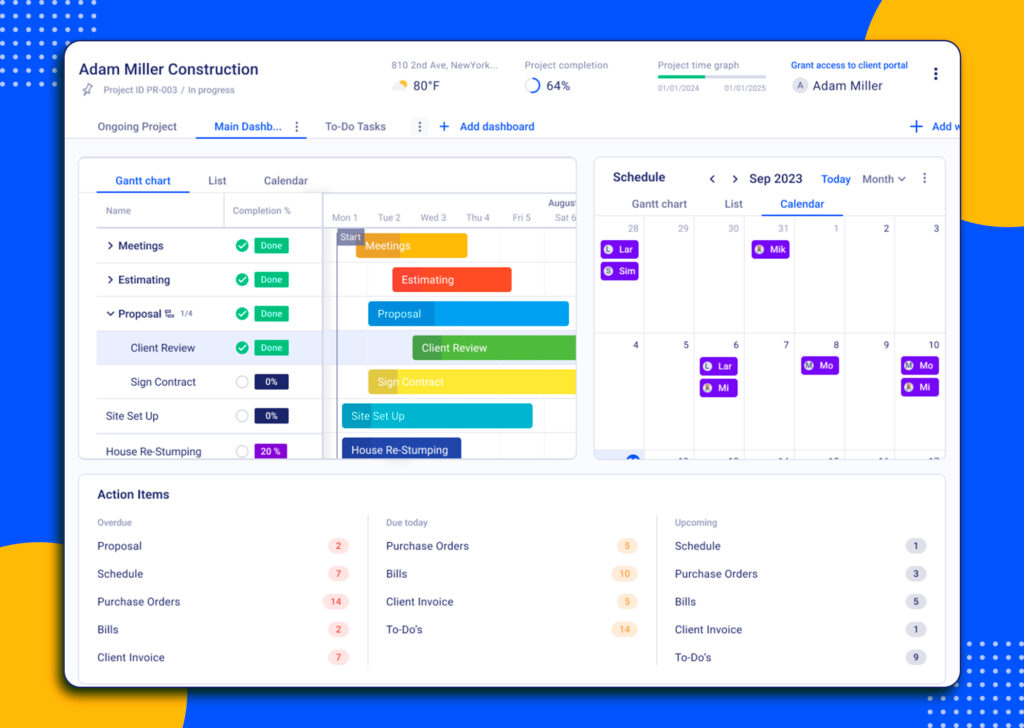
Buildern is a comprehensive construction management tool designed for both residential and commercial builders in Australia. It streamlines project management from pre-construction to completion, helping teams stay organized, on budget, and compliant with local regulations.
The software works for small general contractors, residential builders, remodelers, specialty trades, and commercial builders.
Besides, it has a focus on Australian workflows, accounting integrations, and real-time collaboration.
Preconstruction Features
Why does our software stand out? Buildern starts helping long before the actual construction starts with a strong pre-construction module. It is designed to make the planning and estimating phase faster, more accurate, and aligned with Australian construction practices.
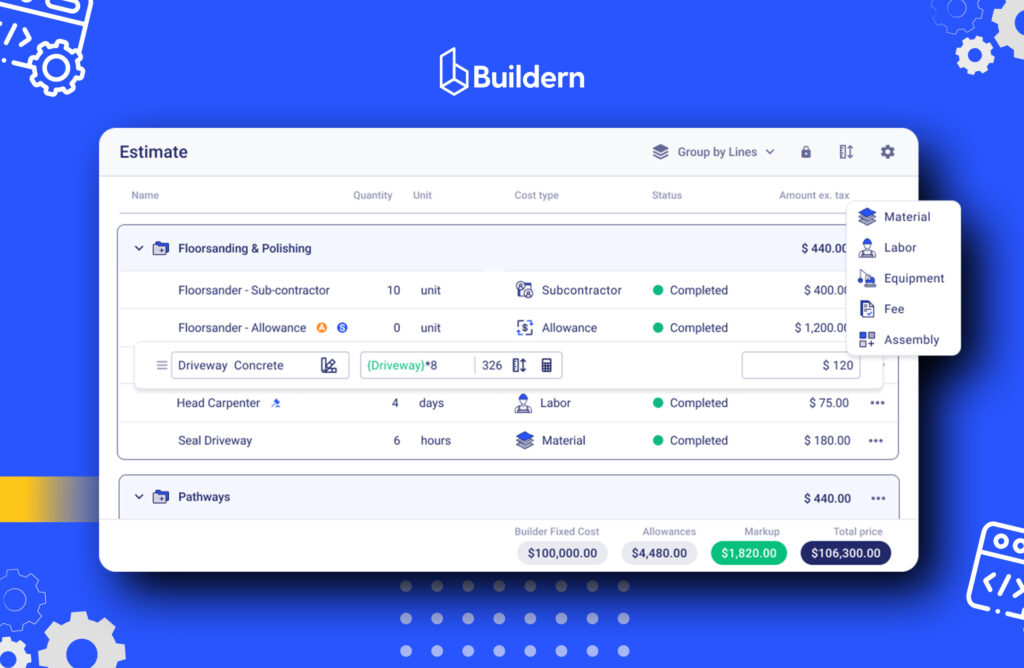
The software supports builders in creating detailed takeoffs, accurate cost estimates, and project budgets that link directly to schedules. Estimates can be directly linked to project budgets, variations, and schedules, providing a clear financial roadmap from the start of the project.
Besides, Buildern supports cost codes and estimating practices used by local builders, ensuring budgets and estimates reflect real-world Australian prices, GST, and contract structures.
Financial Management Features
A set of tools to control finances is built to give Australian builders full visibility into project finances. It all starts from the first estimate to the final invoice. Buildern centralises all financial data in one platform, helping teams stay in control of margins and cash flow.
When testing Xero integration, the 2-way sync is a standout. Unlike tools that only ‘push’ data, Buildern ‘pulls’ payment statuses back from Xero.
In addition, the software supports Australian GST requirements.
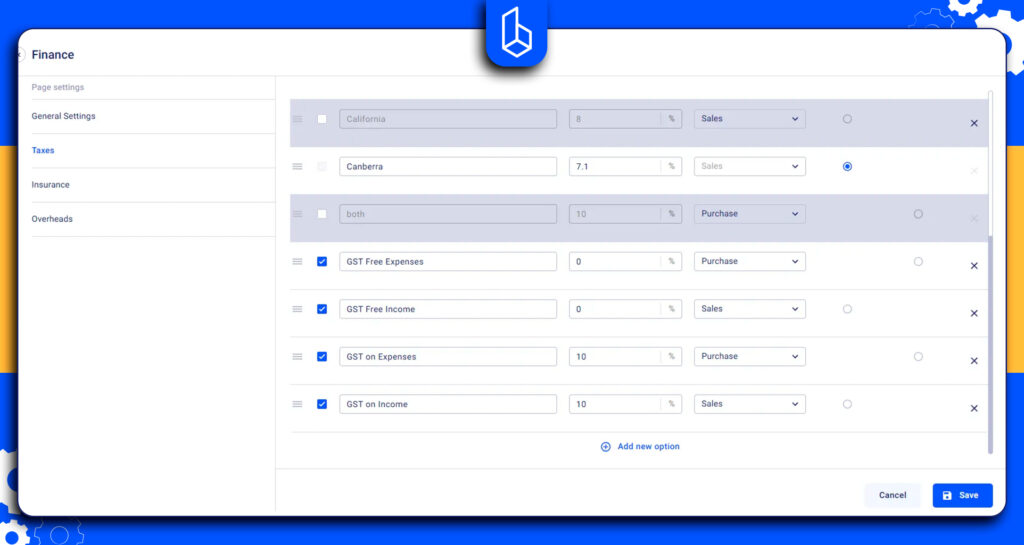
Builders can generate invoices, track payments, and manage progress claims directly within the system, ensuring smoother cash flow throughout the project lifecycle.
Project Management Features
At its core, Buildern centralizes all project information in one place, giving builders, site managers, and office teams a single source of truth. Project timelines, tasks, documents, and updates are always accessible, whether you’re on-site or in the office.
Scheduling and task management help teams stay on track without relying on spreadsheets or endless follow-ups. Builders can assign tasks, set deadlines, and track progress in real time, making it easier to manage subcontractors and keep projects moving.
Recommended reading:
Document management is another strong point. Plans, specifications, RFIs, and site photos are stored against each project, reducing the risk of teams working from outdated information.
Besides, subcontractor and client communication is also streamlined. Dedicated portals make it easy for subbies to receive instructions, submit progress updates, and stay informed.

Pricing
Buildern’s pricing is transparent with no hidden fees and no long list of “essential” features locked behind expensive upgrades. From the very first Starter plan, builders get access to dozens of core features at $315 AUD when billed annually.
Instead of charging extra for critical workflows, Buildern includes tools for project management, financial tracking, pre-construction, and collaboration right from the start. This makes it especially appealing for small to mid-sized Australian builders who need full functionality without enterprise-level pricing.
Rankings:
G2 4.9/5
Capterra 4.9/5
Software Advice 4.9/5
#2 Procore
Procore is widely used on large commercial and infrastructure projects. It positions itself as a tool covering project management, financials, quality and safety, and field collaboration.
The platform is designed to centralize communication between owners, contractors, and subcontractors, making it particularly popular with enterprises managing complex, multi-stakeholder projects. Procore performs well in document control, RFIs, submittals, drawings, and field reporting.
However, software is often better suited to large construction companies with dedicated admin teams. For small to mid-sized builders, especially in Australia, the platform can feel heavy, overly complex, and costly relative to day-to-day needs.
Many users report that while Procore is powerful, it requires significant onboarding, which takes too much time.
Pricing
Procore’s pricing is one of the most frequently cited concerns in user reviews. Costs are based on annual construction volume, not the number of users or projects. It means if the company’s revenue is growing during the year This pricing model often makes Procore expensive and unpredictable for growing builders.
Rankings
G2 4.6/5
Capterra 4.5/5
Software Advice 4.5/5
#3 mastt

Mastt is a platform designed for organisations that need clear financial and risk visibility across complex construction projects. It’s widely used by project owners, portfolio managers, and consulting teams who oversee capital works, infrastructure programs, and multi‑project portfolios.
Unlike some tools that focus on everyday site operations or task tracking, mastt focuses on centralising cost data, forecasting, contract control, and risk management.
Mastt’s strength is managing high‑value jobs, particularly where cash flow oversight, compliance, and forecast accuracy are priorities. However, mastt is generally less focused on everyday site supervision, task scheduling, and on‑field communication.
Pricing
Mastt uses a per‑project pricing model, which makes costs scalable based on your workload. It may feel less predictable than flat annual pricing if your active project count changes.
Rankings
G2 4.4/5
Capterra 4.7/5
Software Advice 4.7/5
#4 Houzz Pro

Houzz Pro is a business management platform aimed at contractors, remodelers, and design professionals. It combines project organisation with client communication and marketing tools.
Estimating, invoicing, online payments, and basic financial reporting are included in core plans. However, for Australian builders, Houzz Pro can work as a client engagement and lead‑generation platform as much as a project tool.
The software offers takeoff, bid management, and estimating features. However, it can feel more like a general business tool with construction add‑ons rather than a purpose‑built project management platform.
Pricing
Houzz Pro’s pricing is tiered and subscription‑based. After a 30‑day free trial, the main “Pro” plan on the Australia site sits at around $210 AUD/month. However, takeoffs, daily logs, budgets, and bid management are included in the pro plan with a fee provided upon request.
Rankings
G2 4/5
Capterra 4.3/5
Software Advice 4.3/5
#5 Buildxact
It is a construction management and estimating platform built specifically for small to mid‑sized builders and trades. It brings together takeoffs, estimating, job costing, and simple project management in one cloud‑based system.
Buildxact is fully compliant with Australian GST rules and allows builders to track variations along the original budget. This platform is used for estimating and job costing workflows for residential and light commercial builds.
Yet, it does not provide a more comprehensive project and financial management suited to builders managing larger project portfolios and needing deeper reporting and compliance.
Pricing
Buildxact pricing is subscription‑based per user, and plans are published on their Australian site starting from $199.
Rankings
G2 4.5/5
Capterra 4.6/5
Software Advice 4.3/5
#6 Nexvia
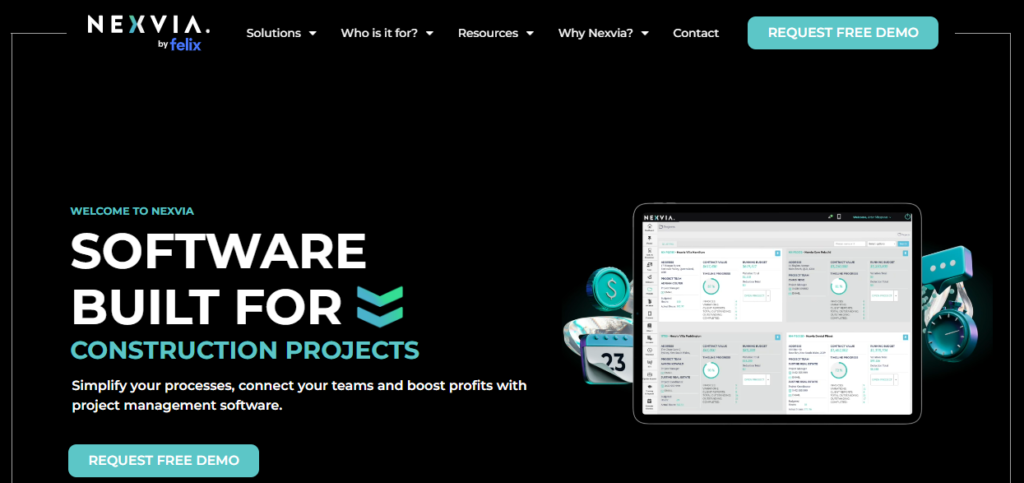
Nexvia is a construction cost‑management and project control platform. The software is mainly used by residential, speciality contractors, and in a narrower shopfitting niche.
The software features include cost planning, forecasting, and real‑time budget tracking. Nexvia is ideal if your primary need is financial precision and forecasting.
Nexvia can be a good choice for businesses managing multiple active projects or tight financial oversight, but it might be less useful for teams seeking full project execution and communication features in a single platform.
Pricing
There is no information about the pricing on its website. The only option is to request a demo and discuss the price with the team.
Rankings
Capterra 4.7/5
Software Advice 4.7/5
#7 ClickHome
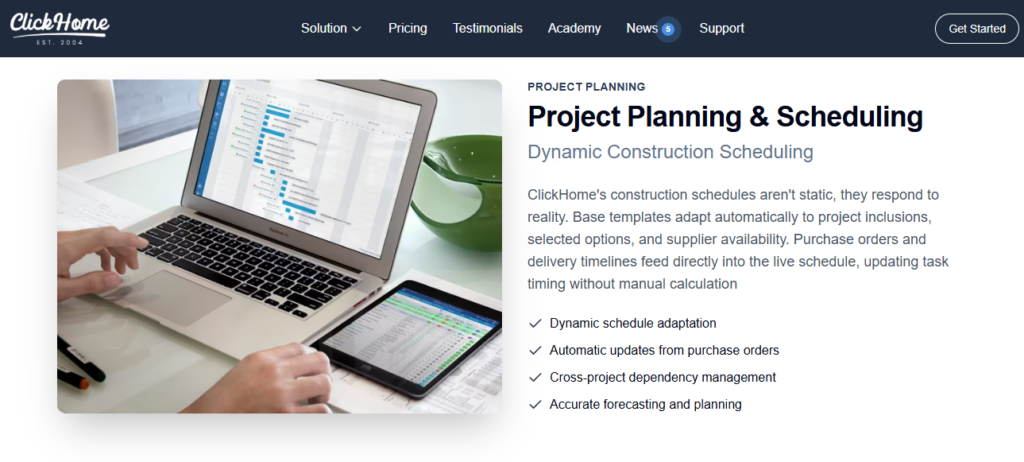
ClickHome helps builders run their operations from lead and sales tracking to pre‑construction and post‑handover maintenance.
In general, it is designed for Australian residential builders and mid‑size teams that want a construction management system to include sales, marketing, contracts, and pre‑construction.
Unlike other tools, it handles administrative work from leads to getting permits and managing inspections. This is the reason its highly detailed interface requires dedicated staff training.
Pricing
ClickHome’s pricing is tiered and is based on a “per-job” access model.
Rankings
G2 3.8/5
Only one review is available on other platforms.
Comparison Table: Which Tool Fits Your Business Model?
| Software | Best For | Financial Control | GST & Local Compliance | Pricing Transparency |
| Buildern | Residential and commercial builders managing end-to-end projects | Strong (budgets, variations, progress claims, cash flow) | Full GST, 2-way Xero sync, variations, retention | Very transparent with no training and setup fees |
| Procore | Large commercial builders, but too complex for small teams | Strong | GST, Xero integration | Not transparent, construction volume-based pricing |
| mastt | Owners and PMs handling big capital projects | Strong | Compliant with Australian workflow | Per-project pricing |
| Houzz Pro | Remodelers, designers | Basic-moderate | Partial compliance | Subscription-based |
| Buildxact | Small builders focusing on estimating | Strong | Aligned with Australian construction practices | Published plans |
| Nexvia | Speciality, commercial contractors, and shopfitting | Strong | Compliant with Australian workflow | Custom quote |
| ClickHome | Residential builders with sales & admin workflows | Moderate | Fits Australian builders | Per job |
How to Choose the Right Construction Management Tool?
With so many options on the market, it can be overwhelming to pick a construction management platform. That’s why I’ve focused on software that works specifically for Australian builders and contractors, supporting local compliance.
Each tool in this guide has strengths for different types of projects. Some are good at residential builds, others are better for commercial or developer-led projects. However, the most practical is a construction management tool that is designed for different types of contractors.
By understanding what each platform offers and matching it to your workflow, you can find the best tool for your solutions.

What Features Should Australian Builders Look For?
Builders need software with GST-compliant estimating, variation management, and mobile access. Integration with Australian accounting platforms like Xero is also critical to keep financial data accurate and reduce manual work.
Which Construction Management Tool Works Best for Small Businesses?
For small builders, choose software that combines project management, estimating, and financial management in one platform. Look for transparent pricing, mobile access, GST compliance, and easy collaboration with subbies and clients.
How Much Do Construction Management Tools Cost?
Pricing varies by software; some have different plans based on features, users, or projects. Per-project models may scale higher depending on active jobs or team size. Enterprise-level tiers have a custom price.