9 Best Construction Estimating Software in Australia (2026 Guide)



What’s draining your profits faster: overpriced materials or hours lost to inaccurate estimating?
Everyone who has tried to win a project without the fear of miscalculation is well aware of the problems of the preconstruction stage. One wrong number, one missed line item, and suddenly your margins disappear.
Construction estimating software can bring order to the chaos. But with so many options available, choosing the right software can feel like just another task on your to-do list. Moreover, you’d better choose a tool that will help build an estimate that actually reflects current Australian market conditions.
In my blog, I will review some of the best construction estimating software in Australia to choose the best tool that enables contractors to stay competitive in the market.
Table of Contents
- Why Use Construction Estimating Software in Australia?
- Quick Comparison Table
- Review of the Best Construction Estimating Software in Australia
- Final Thoughts

What Are the Benefits of Construction Estimating Software in Australia?
When doing estimating, it’s important to understand the realities of the Australian construction market. Anyone working in the industry knows how quickly things can shift.
Labor is getting more expensive, skilled workers are harder to find, and material prices seem to change every time you refresh your supplier list. That’s exactly why a strong estimate matters so much for me. Construction cost estimation should be accurate and done quickly so that clients do not have to wait for ages.
In these conditions, the estimating tool helps me produce accurate and transparent estimates. Using estimating software is the most reliable way to send requests for a quote.
What are the main benefits of construction estimating software in Australia?
- Generates accurate cost estimates – Creates detailed estimates that account for labor, materials, and equipment (including using the cost catalog for reliable pricing).
- Sends, tracks, and compares bids – Easily share estimates with clients and subcontractors, collect responses in one place, and compare multiple bids side by side to make informed decisions quickly.
- Track changes and cost updates – Update estimates when project scope, material prices, or labor rates change, keeping all numbers consistent.
- Integrate with project management and accounting – Sync estimates with scheduling, procurement, and financial modules.
The last point is especially critical for me. Modern software also needs to integrate with other parts of the construction process. For instance, in Australia, most contractors choose Xero for bookkeeping and financial management.
So, it’s important to pick software that has integration with the accounting software.
Quick Comparison Table
| Software | Best For | Key Strength | Pricing Range | Trial Available |
| Buildern | Residential, commercial builders, remodelers, | All-in-one AI estimating + project management + accounting + communication | From $250 per month | Yes |
| ProEst | Mid to large contractors | Comprehensive preconstruction + bid management | Not available, user has to ask for a quote | No |
| Houzz Pro | Interior designers, remodelers, and architects | Marketing + client tools + estimating | Not Available on Website | Yes |
| STACK | High-volume takeoff teams | Fast takeoff + real-time drawing collaboration | From $2,999 per year | Yes |
| RIB CostX | Quantity surveyors & BIM teams | 2D/3D takeoff + advanced cost control | Custom Pricing | No |
| Bluebeam Revu | Teams working with PDF plans | Markup + precise takeoff | $260 per user | Yes |
| Clear Estimates | Remodelers & small contractors | Pre-loaded cost database | From $79 per user | Yes |
| PlanSwift | Contractors needing detailed takeoff | Custom assemblies | $2,000 | Yes |
| Estimator 360 | Home builders | Estimates + proposals | $250 per month | Yes |
Review of the Best Construction Estimating Software in Australia
#1 Buildern
All-in-one platform with a powerful estimating module
Buildern is not just an estimating tool, but a full construction-management platform built and many others needed for residential and commercial contractors. Thus, it is a single source of truth for the entire project lifecycle.
This “all-in-one” nature is a significant advantage, as everything is integrated into one platform. That reduces manual errors and improves clarity across teams (office, field, subcontractor) for builders, contractors, and project managers in Australia and beyond. Besides estimating, it combines many features such as takeoff, bidding, and proposal generation.
How AI Estimating Works in Buildern?
Buildern brings all estimating steps into one unified workflow from takeoff to pricing to proposal creation.
With Buildern’s AI estimating, this workflow becomes noticeably faster and easier. AI can generate a useful baseline estimate in just seconds, based on information it pulls from takeoff measurements, uploaded spreadsheets, cost catalog data, or even previous project history. It also considers project characteristics such as project type, location, and area to create a more realistic cost structure.
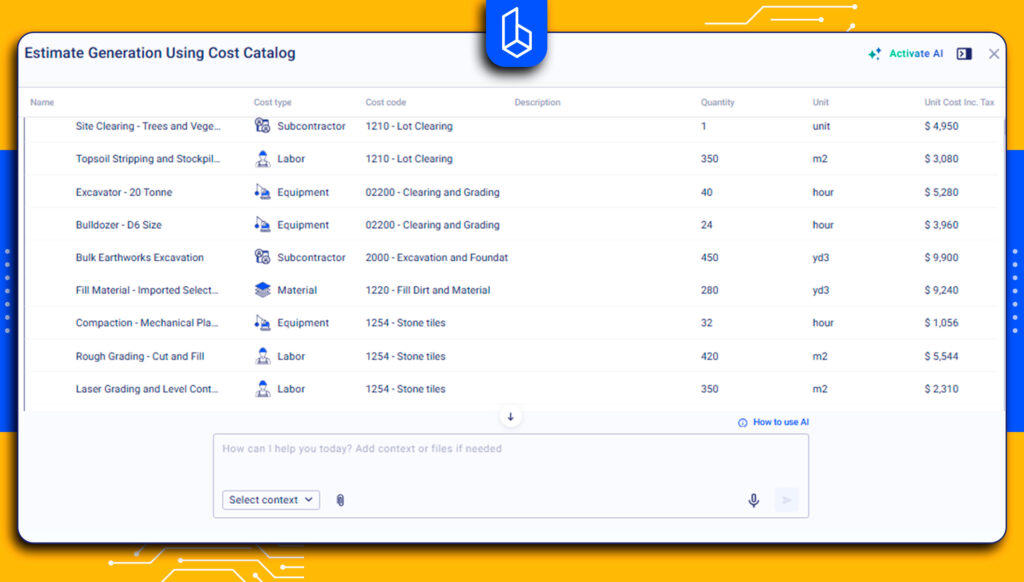
Every item in an estimate is tied to a cost code, which helps keep pricing consistent and highly detailed. Instead of broad categories, builders can assign specific cost codes, such as footings, framing, or any custom code they define.
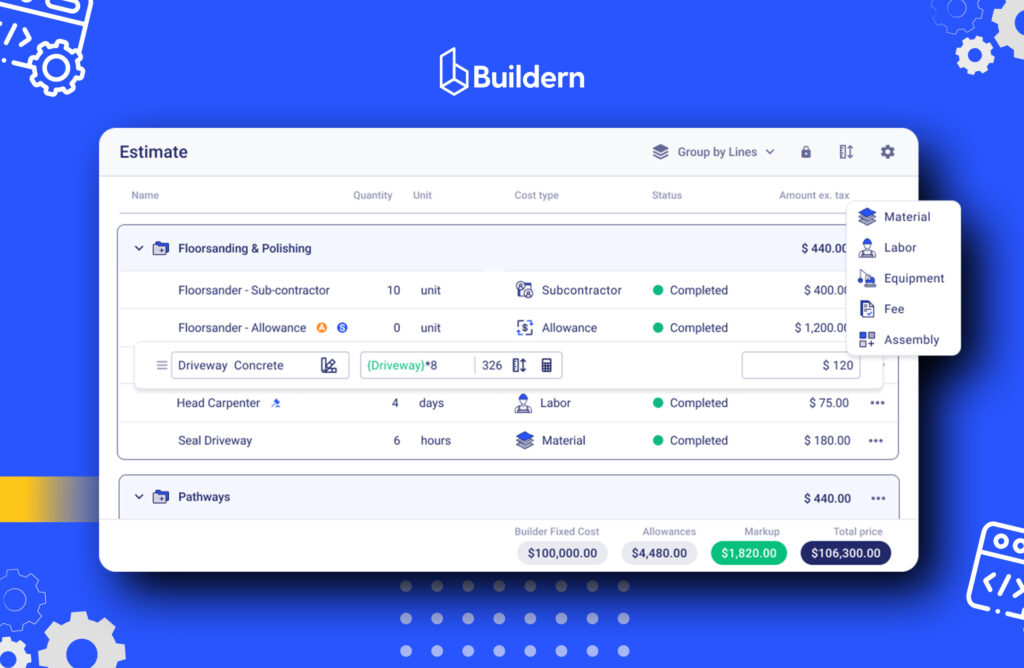
As this catalog is centralized, you can update prices once and have them automatically apply to all future estimates. This is especially useful in markets where material prices fluctuate, ensuring estimates stay accurate and up to date.
The quantities come from the takeoff that Buildern integrates. You can upload plans and drawings, measure quantities directly on the drawing, and automatically transfer those measurements into your estimate.
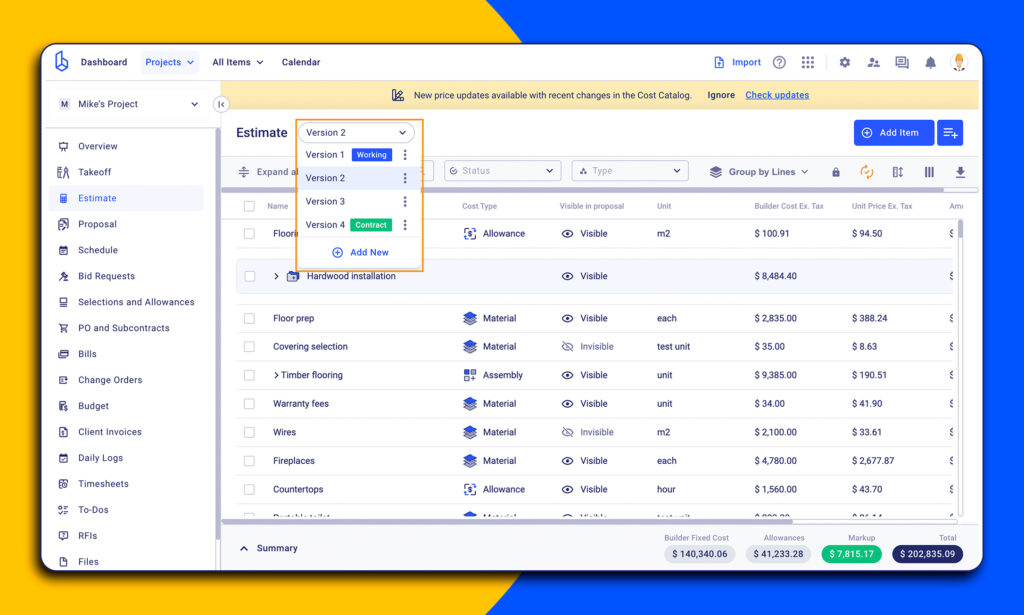
Buildern also supports template-based estimating, which means you can duplicate and adapt previous project estimates to create new ones. Besides, there is an estimate versioning feature helping builders to track multiple versions within one project.
The software includes requests for quotes and subcontractor management. From within the platform, you can send bid requests to subcontractors or vendors, track responses, and compare bids. Once a bid is approved, import that pricing into your estimate directly.
Buildern includes flexible general contractor markup settings for labor, materials, and equipment. Markups can be set at the item or project level. Markup rules apply automatically, reducing manual adjustments and keeping calculations transparent for both internal teams and clients.
Besides, Buildern fully supports the Australian GST, a tax on most goods, services, and other items sold or consumed in Australia. You can set a rate when starting a new project. Moreover, the settings can differ per project. The GST rate will automatically be added to your estimates, variations, client invoices, purchase order items, and bills.
Tools Beyond Estimating
While Buildern excels at estimating, its capabilities extend well beyond. One of the key features is proposal generation based on an estimate. It turns into a professional, customizable proposal in just a few clicks.
Another major advantage is financial management tools to run a construction project, including budgeting, accounting, and purchase orders. For example, Australian contractors can easily integrate their Xero workflows to sync financial data.
This comes together with advanced scheduling and communication features, when a contractor can track schedules, set dependencies, and also exchange messages within one platform.
Reviews:
“We’ve been using Buildern for a year now and it has genuinely enhanced our operational efficiency. It helped streamline communication between our internal team, clients, and subcontractors, and made our document and cost management far more consistent. Buildern strikes the balance that many platforms miss. It’s powerful enough to manage complex projects but simple enough that everyone on the job can use it effectively. It has allowed us to scale and stay organized without the overhead and learning curve that comes with systems like Procore. Overall, a great fit for a growing commercial construction company.”
#2 Houzz Pro

Houzz Pro offers a platform that combines estimating with project management. However, its focus is on helping interior designers, architects, and remodelers. The software is actively used in Australia, with local pricing features that allow users to add their own material and labour costs, customize markups, and include GST.
The software is famous for its integrated marketing tools, such as lead generation and email marketing. However, it’s not working for commercial and large projects. Besides, users complain about its high price and limited accounting and reporting functionalities.
Review:
I appreciate Houzz Pro’s capability to manage the full stack of relations within a construction project, especially in the residential realm.I find the experience with Houzz Pro to be inconsistent across different devices. Specifically, the functionality on our work iPads and other iOS-based apps, including mobile phones, is limited compared to what is available on the computer.
#3 ProEst

ProEst is a cloud-based estimating and takeoff platform built for contractors who want to handle most of their preconstruction workflow in one place. ProEst allows users to measure quantities directly on drawings, apply cost assemblies, adjust markup, and organise pricing by trade or project.
The workflow supports the full estimating cycle. Teams can create multiple estimate versions, compare scenarios, and manage bid-day data and subcontractor quotes inside the same project.
Still, ProEst remains focused on estimating and bid management. It does not replace full project-management, scheduling, or accounting systems, so many contractors pair it with other software once a project moves into delivery.
Review:
I really liked how ProEst makes estimate creation and quote management so straightforward. Staff management features and invoicing are also well organised. Some parts of quote management could be a bit more flexible, and occasionally the estimate creation templates feel limited.
#4 STACK
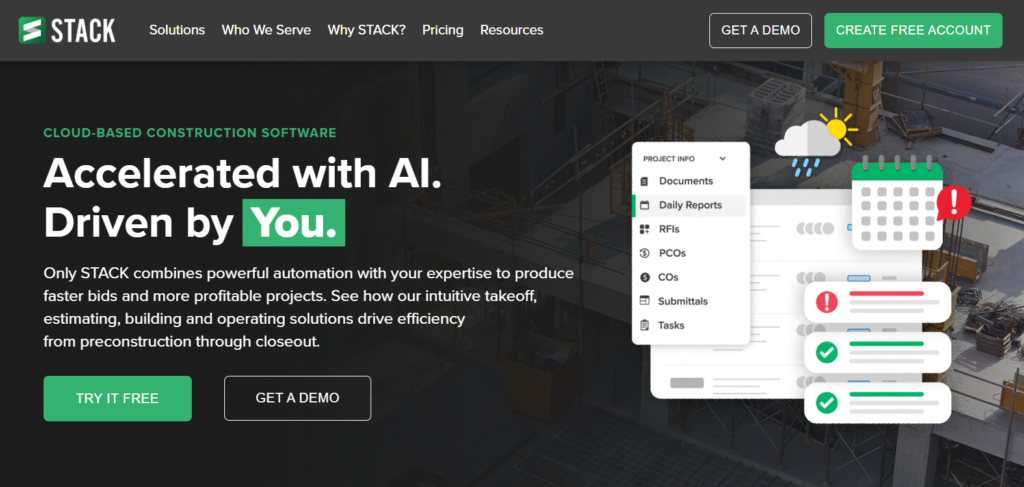
Stack is a cloud-based tool built for fast and accurate takeoffs and estimates. The interface is simple, and teams can collaborate on the same drawings in real time, which speeds up the early estimating phase.
The platform focuses mainly on takeoff work. It helps users mark up plans, calculate material quantities, and organise measurements by trade or area. For builders who handle a high volume of drawings, this makes preconstruction work much easier and more streamlined.
However, Stack remains a specialised tool. It does not include deeper budgeting, forecasting, or accounting features. Most contractors pair it with another estimating or project-management system to complete the financial side of their workflow and complain about a lack of a mobile version.
Review:
“We are still enjoying the software and the ease it does bring to our process. Customer support is always top notch and I look forward to the other enhancements to come. There is still not a mobile device app for the takeoff/estimate program. The website version on a mobile device is read only and is not a great experience at this time.”
#5 RIB CostX

RIB CostX is a comprehensive takeoff and estimating platform designed for quantity surveyors, BIM Managers, and contractors who need detailed measurement capabilities. The software supports both 2D and 3D takeoff, allowing users to work directly with native design files, including BIM models, CAD drawings, and PDFs.
One of the software’s strengths is its ability to handle complex projects with large drawing sets.
However, CostX comes with a steep learning curve. The interface is not as intuitive as some newer cloud-based alternatives, and the software requires significant training time before users become productive. Additionally, there’s no trial version available, which means contractors must purchase the software upfront to evaluate whether it fits their workflow.
Review:
“The main reason why I wanted to try CostX was for the ability to import native design files for 3D takeoff, 2D takeoff with the ability to switch on and off layers and to try the auto takeoff featuresThere is no trial of the software, to try it you have to buy it, and I have to say I’m disappointed. The user interface is REALLY un-intuitive, there is a huge learning curve, and it’s difficult to use. The system is slow, navigating around a drawing is very laggy.”
#6 Bluebeam Revu
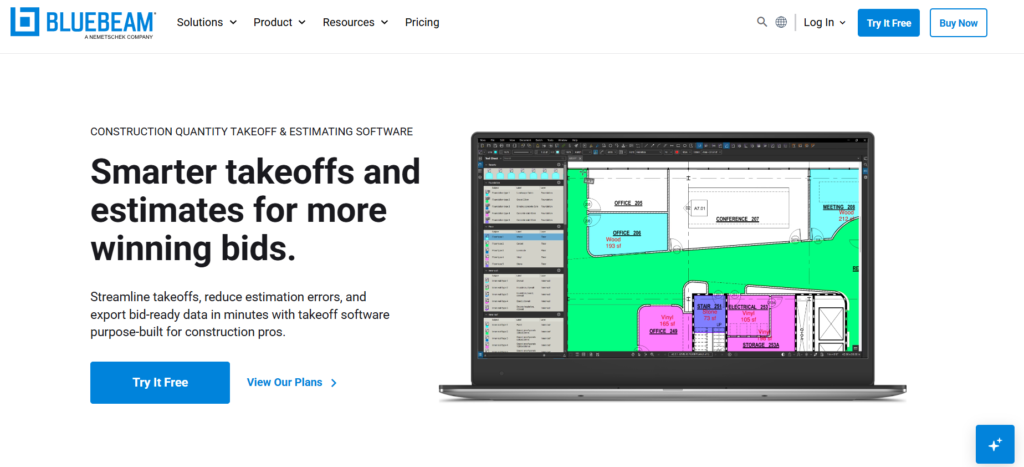
Bluebeam Revu is a markup and takeoff solution designed for teams that work heavily with PDF plans. Revu allows users to measure areas, lengths, and counts, apply custom formulas, and build organised tools for different trades.
The workflow is built around accurate plan review. Teams can leave comments, compare drawing versions, and track changes in real time.
Still, Revu is mostly focused on markup, quantity takeoffs, and document-based collaboration. It doesn’t include end-to-end estimating, full cost databases, or advanced financial planning tools. Many contractors use it alongside dedicated estimating or project-management software to handle bidding, budgets, or job costing.
Review:
It’s simple enough for quick markups, but powerful enough for advanced tasks like quantity takeoffs and overlay comparison. Some projects with massive drawings or complex markups can cause lag.
#7 Clear Estimates
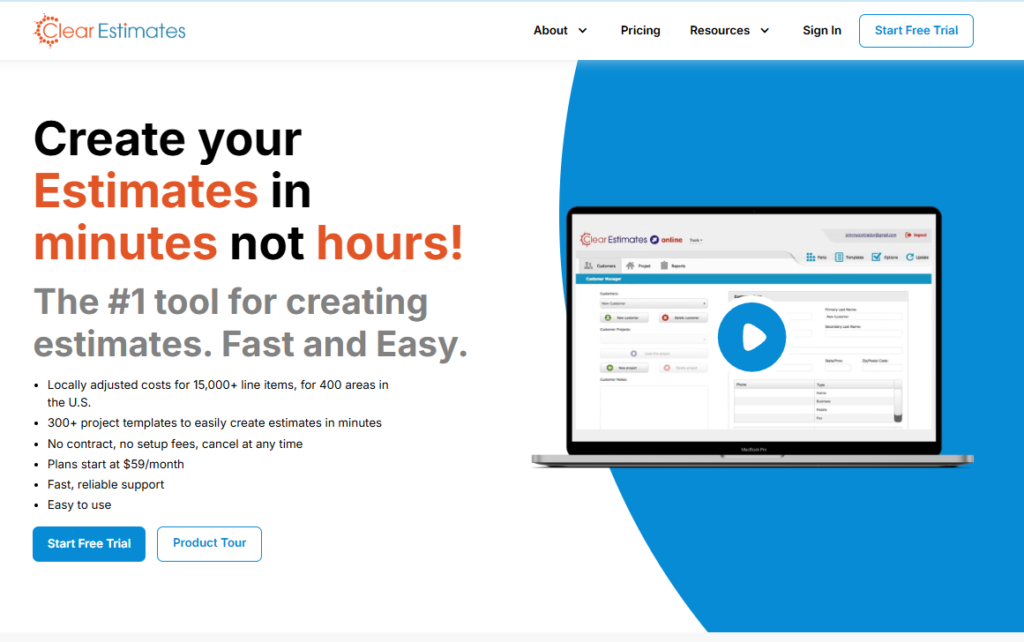
Clear Estimates focuses on helping remodelers, contractors, and small businesses quickly generate estimates and proposals. Typical jobs the software is used for are kitchens and bathroom remodeling or handyman-type projects.
Clear Estimates offers a rich pre-loaded cost database with thousands of line items (materials and labor) and region-specific pricing data. The platform supports template-based workflows.
On the downside, the software is primarily an estimating and proposal-generation tool. It does not offer integrated digital takeoff from plans or blueprints (i.e. you cannot upload drawings to auto-measure quantities).
Review
“The pre made parts are very close to the real cost, the templates are fairly extensive in both the number of types but also contents of each. Labor costs can be very innacurate, no way to easily share new templates between users, certain aspects oftge software can be clunky.”
#8 PlanSwift
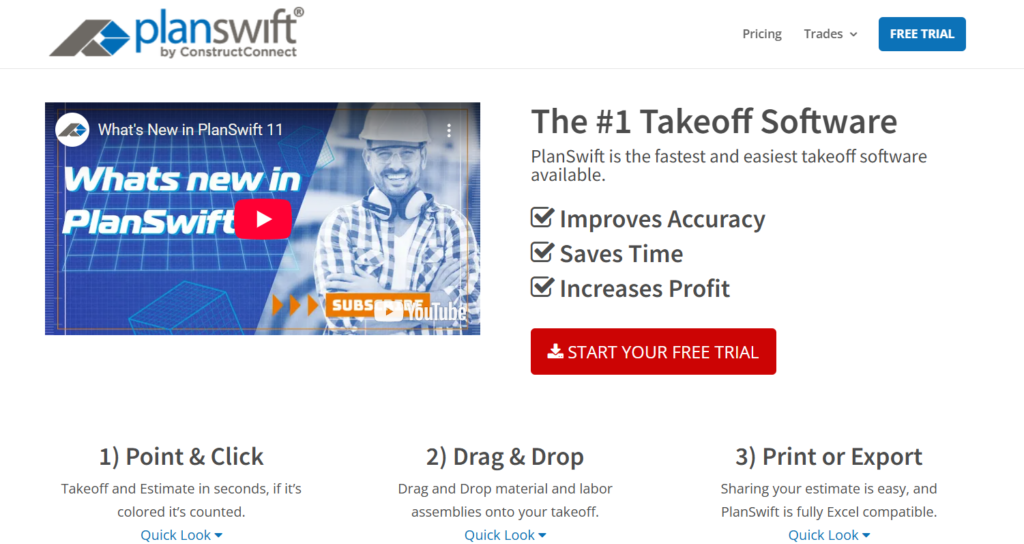
PlanSwift is a desktop-based tool offering digital takeoff and estimating built to help contractors and estimators measure quantities. Users can upload plans in PDF or CAD formats and perform detailed measurements. The software also allows users to apply custom assemblies and formulas so material and labor quantities can be calculated automatically as takeoff work progresses.
However, it remains primarily focused on takeoff and estimating rather than full project management. The desktop nature of the software also means it lacks the real-time collaboration and device flexibility that more cloud-native solutions provide.
Review:
“Easy to use, intuitive controls, and ability to total takeoff across pages makes this an essential tool for engineering takeoff.Planswift has shortcomings in its ability to handle different document types. Currently You can bring in pdf files directly, or import and have planswift convert them into tiffs.”
#9 Estimator 360
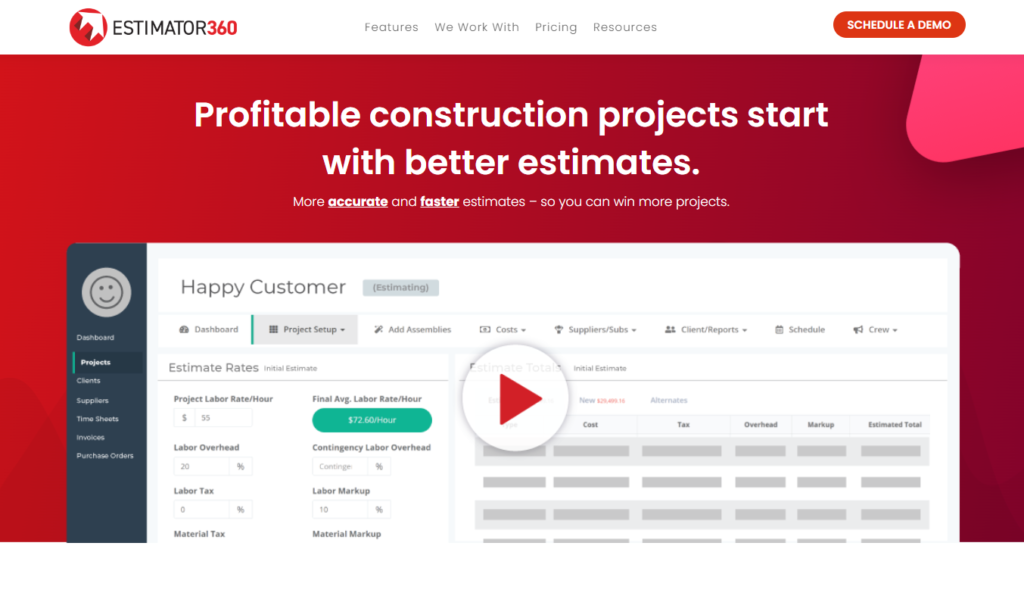
Estimator360 offers an end-to-end platform designed around construction estimating, which automatically drives the rest of the project management workflow. The software supports home builders, remodelers, modular businesses, and light commercial firms.
The estimating features automate complex construction calculations and generate detailed material lists, automated project schedules, contracts, and proposals instantly from the estimate.
There are no fresh reviews for 2025, but the users mainly complain about the lack of advanced features.
Evaluation Criteria for Australian Estimating Tools
The review above is mainly based on the real-time user reviews from platforms like G2 and Capterra. These reviews reflect how builders and contractors actually use the software day-to-day, including strengths, pain points, and ease of adoption.
Beyond user sentiment, I considered the estimating needs specific to Australian construction. It’s not only whether a tool simply offers digital takeoff or cost calculation. Key considerations include:
- Compliance with local financial workflow: What happens once an estimate is generated, and the project is won, and how it complies with the project management and accounting tools.
- Practical usability for real projects: The tool should manage complete construction workflows, not just material lists, so that estimates reflect true project costs and timelines.
Final Thoughts
Choosing construction estimating software in Australia can feel overwhelming at first, especially when each tool promises to save time and improve accuracy. But I always remind myself that the “best” software is not the one with the longest feature list but the one that actually fits the way I work.
When I look at estimating tools, I always consider a few key points, such as project complexity, if it can handle commercial or residential projects only.
In Australia, especially, with firms relying on tools like Xero, I strongly recommend choosing software that can sync data across estimating, purchasing, and accounting. This alone can eliminate hours of manual work and reduce costly errors.

What is the Best Estimating Software for Residential Builders in Australia?
The best software depends on your workflow, project size, and budget. For residential builders who want an all-in-one solution. Pick tools combining estimating with takeoff, project management, and accounting.
Is Software Using AI for Construction Estimating?
Yes, construction estimating software can use AI for estimating. Instead of building an estimate line by line, AI tools can analyse project details, such as plan measurements, cost catalogs, and past estimates, and generate a structured estimate within seconds.
How Much is Construction Estimating Software?
Construction estimating software can cost anywhere from $100 per month to over $20,000 per year, depending on the size of your team and the features you need. Most cloud-based tools charge per user, per month, while traditional desktop solutions often require a one-time license fee.