10 Buildertrend Alternatives Compared for 2026 | Updated Data


Are you looking for a Buildertrend alternative to explore the new depths of construction project management? While it is a popular software in the industry, it may not be the perfect fit for everyone.
As the construction market grows alarmingly, the demand for improved technology also rises. Some builders want a different pricing structure. Others need a simpler rollout, stronger estimating-to-budget workflows, better field adoption, or a platform that feels easier for a lean team to manage every day.
That’s why this guide compares 10 Buildertrend alternatives based on practical construction workflows, pricing transparency, setup effort, feature depth, public review patterns, and fit by business type. The goal is to help builders understand where each platform works best, where it may fall short, and which option deserves a closer look before scheduling a demo.
Who This Review Is For
This review is written for builders, remodelers, contractors, and construction teams, comparing Buildertrend with other construction management software options.
It will be most useful if your team is trying to solve one of these problems:
- Buildertrend feels too expensive for the way your team uses it
- Setup or adoption has become harder than expected
- Field and office teams are not using the platform consistently
- Estimating, budgets, change orders, and invoicing need a cleaner workflow
- Client communication works, but financial visibility still feels limited
- The business has outgrown simple tools, but does not want a heavy enterprise system
The tools below do not serve the same type of construction business. Some are better for residential builders, some fit roofing or specialty contractors, while others are built for enterprise project controls, capital programs, or field coordination.
How I’ve Evaluated Buildertrend Alternatives
A good Buildertrend alternative should be judged by more than the number of features on its website. Builders need to know how the software works across real project workflows, how hard it is to adopt, and whether the system gives the team better control without adding unnecessary admin work.
For this review, I’ve evaluated each tool across the areas that matter most to construction teams, comparing the software.
Workflow Fit
I’ve looked at whether each platform supports the workflows builders usually expect from Buildertrend alternatives, including estimating, scheduling, selections, change orders, purchase orders, invoicing, documents, communication, and job costing.
Business Type Fit
Not every tool is built for the same user. Some platforms work best for residential builders and remodelers. Others fit roofers, specialty contractors, commercial contractors, owners, or enterprise construction firms.
Ease of Adoption
Software can look strong in a demo and still fail during rollout. I looked at learning curve, setup effort, training needs, interface complexity, and whether field teams are likely to use the platform consistently.
Pricing and Total Cost
I’ve reviewed public pricing where available, along with quote-based pricing, user limits, annual billing, implementation effort, training, add-ons, and whether teams may need other systems around the platform.
Public Review Patterns
I’ve also looked closely at public feedback from sources such as G2, Capterra, Software Advice, TrustRadius, and other review platforms to identify repeated strengths and limitations. Individual reviews can vary, so the goal is to find patterns that buyers should verify during a demo.
Buildertrend Replacement Strength
Finally, I’ve looked at how realistic each tool is as a Buildertrend replacement. Some tools can replace a broad project management workflow. Others are better as specialized tools for field coordination, roofing, enterprise document control, or owner-side program management.
Why Builders Look for Buildertrend Alternatives
Buildertrend is a strong platform, and many contractors use it successfully for scheduling, communication, financial tracking, and client management. The reason builders compare alternatives is usually not that Buildertrend cannot manage construction work. It is possible that the fit may change as the business changes.
Public review patterns point to a few common reasons teams look elsewhere: pricing concerns, learning curve, setup effort, feature complexity, and the need for a workflow that better matches how their team estimates, schedules, communicates, and tracks job costs.
Another reason is that Buildertrend no longer presents a simple public pricing table on its main pricing page. Buyers are directed to request a custom quote, so teams should confirm current pricing, onboarding terms, feature access, and contract details directly with Buildertrend before comparing alternatives.

Buildertrend Alternatives Worth Considering
Before looking at the alternatives, it is worth clarifying one point: Buildertrend is not a weak platform. Many builders use it successfully for scheduling, communication, financial tracking, and client management.
The reason construction teams compare Buildertrend alternatives is usually fit. Pricing, learning curve, setup effort, feature complexity, and workflow preferences can all change as the business grows. Buildertrend also uses a custom quote model on its pricing page, so buyers should confirm current pricing, onboarding terms, feature access, and contract details before comparing it with other tools.
Buildern
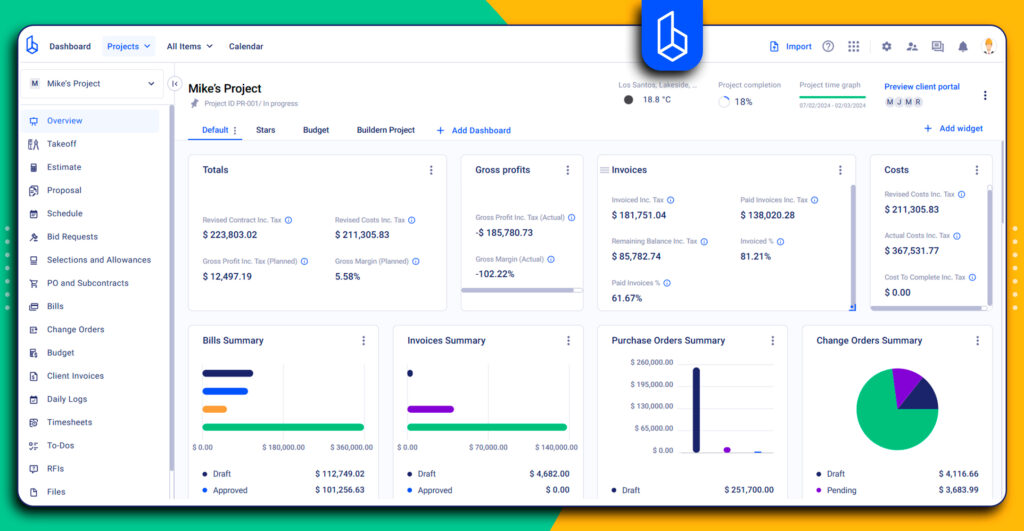
Best for: Small and mid-sized builders that want project management, estimating, financial workflows, and client communication connected in one construction-specific platform.
Buildern is a practical Buildertrend alternative for builders who want stronger workflow continuity across estimating, scheduling, selections, purchase orders, change orders, invoicing, accounting integrations, and project reporting. Its main advantage is that project and financial data can move through the job without being rebuilt in separate tools.
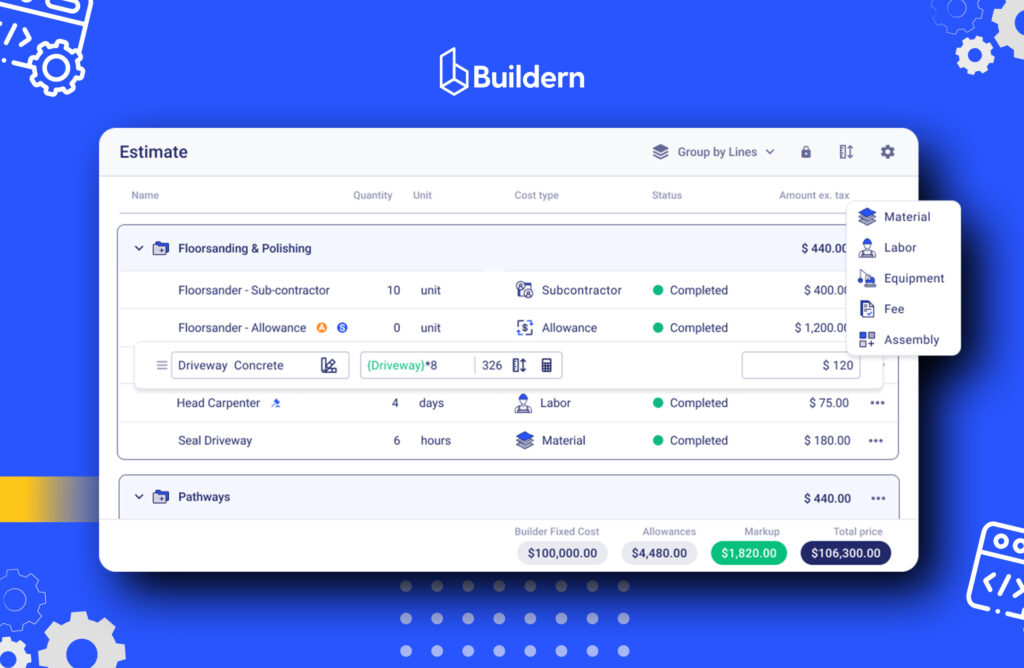
Compared with broader construction platforms, Buildern is easier to position for teams that want depth without enterprise complexity. It supports estimating from takeoffs, materials, labor, equipment, fees, subcontractors, allowances, and assemblies. Approved numbers can then connect with budgets, purchase orders, change orders, invoices, and job costing, which helps reduce duplicate entry between preconstruction and execution.
Buildern also gives builders practical scheduling tools, including a list, calendar, and Gantt views, with dependencies, milestones, and baselines.
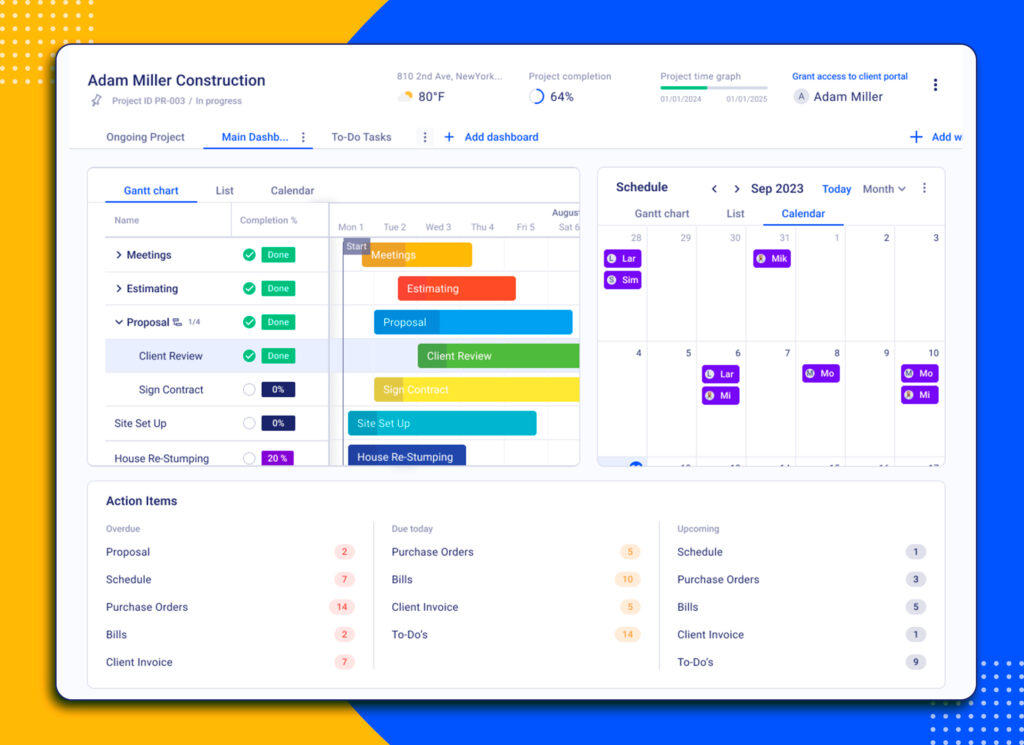
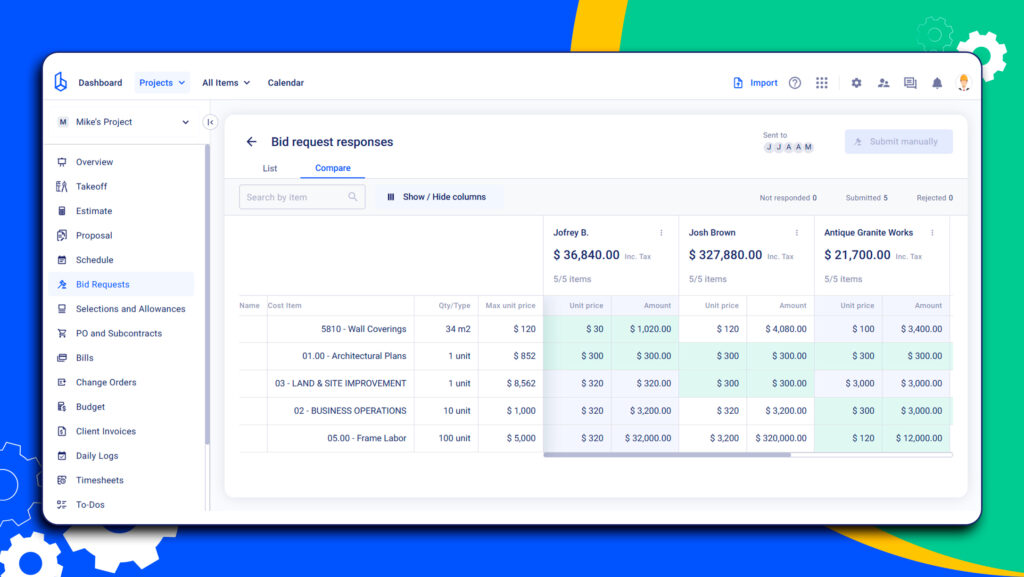
For residential and custom builders, selections and allowances can be shared with clients without forcing every client into a complicated login workflow. Bid requests and bid leveling are also handled inside the same project environment.
Pricing
Buildern starts at $225/month, billed annually. Teams can also use Buildern’s pricing calculator for a more specific estimate based on their needs.
What it does well
- Connects estimating, budgeting, purchase orders, change orders, invoicing, and job costing
- Supports takeoffs, assemblies, markups, allowances, subcontractors, and cost details inside estimates
- Offers scheduling through list, calendar, and Gantt views
- Helps manage selections and allowances for client-facing residential workflows
- Includes bid requests and side-by-side bid comparison
- Supports accounting workflows through integrations such as QuickBooks and Xero
- Gives small and mid-sized builders a broad construction system without the weight of an enterprise platform
Where it may fall short
Buildern is strongest when the business wants one connected system to support growth, not only a place to track basic tasks. Smaller projects with only a few tasks, limited documentation, or very simple invoicing may not use the full depth of the platform from day one.
For those teams, the value usually depends on whether they plan to centralize more of their workflow over time.
Public review snapshot
Buildern has a 4.9-star rating on G2, with 95% of reviewers giving it 5 stars. The majority of users consistently praise Buildern for ease of use, comprehensive project management capabilities, client communication, and responsive support, while some users note that certain features are still being refined as the software evolves.
One Capterra review calls it a “powerful yet simple construction management solution,” while another says it helped the user earn more after adopting it.
“It made me so much money”
I would tell anyone that this is a great software. It has made me earn more since I began using it than without it.
-Desiree W., Capterra
Best-fit verdict
Buildern is strongest for builders who want an alternative to Buildertrend that keeps estimating, scheduling, selections, change orders, purchase orders, invoicing, accounting integrations, and job costing connected. It is a better fit for teams looking for workflow continuity.
Procore

Best for: Larger contractors and growing construction firms that need broad project controls, financial tools, and enterprise-grade collaboration.
Pricing
Available upon request
Procore is a cloud-based construction management platform with tools for preconstruction, project management, financial management, quality, safety, documents, and field collaboration. It is one of the more established platforms in the market and is often used by larger construction firms that need a wide feature set across several departments.
Procore can be a strong Buildertrend alternative when a company needs more advanced project controls, quality and safety workflows, BIM coordination, or broader financial visibility. Its BIM tools support model viewing and coordination, which can help teams work with project data beyond standard documents and schedules.
Compared with Buildertrend, Procore is usually a better fit for larger or more complex construction operations. Buildertrend is more commonly associated with residential builders and remodelers, while Procore is built for broader contractor and enterprise use cases.
What it does well
- Broad construction project management feature set
- Strong document, RFI, submittal, quality, and safety workflows
- BIM and model coordination capabilities
- Financial management and reporting tools
- Strong fit for larger teams with more complex project controls
- Unlimited users, unlimited data, and support included in Procore’s pricing model, according to Procore’s pricing page
Where it may fall short
Procore can be too much for smaller contractors. The platform’s depth usually comes with a heavier rollout, more training, and more internal process discipline. Small teams should be realistic about implementation, adoption, and whether they need the full feature set.
Public review snapshot
Public reviews often praise Procore for project visibility, collaboration, and document control. Common concerns usually center on pricing, implementation effort, learning curve, and the amount of setup required to use the system well.
AccuLynx
Best for: Roofing contractors that need CRM, estimating, production tracking, job management, and integrations built around roofing workflows.
Pricing
Available upon request
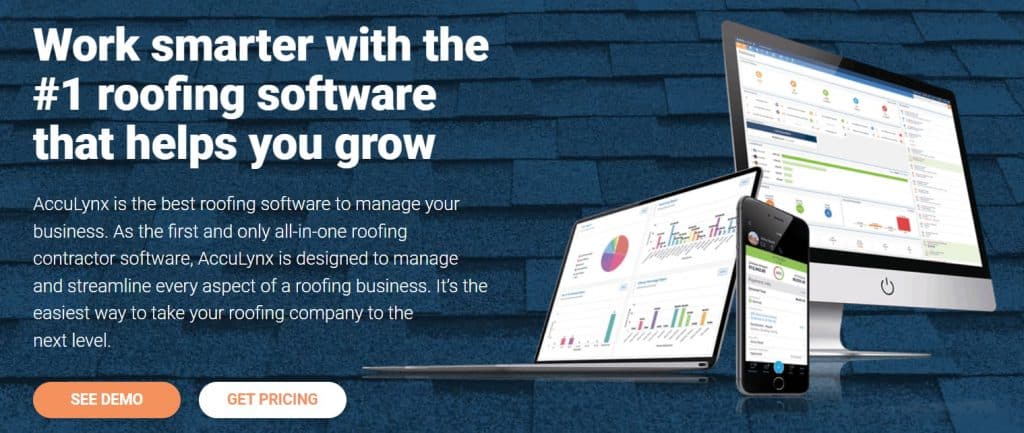
AccuLynx is cloud-based software designed specifically for roofing contractors to manage a wide range of roofing business operations. Integrating with QuickBooks, QuickMeasure, EagleView, and other software, AccuLynx streamlines the process of estimating, job tracking and management, customer relationship management (CRM), and more. The roofing CRM generally works with insurance restoration, retail roofing, residential, and commercial cases.
While AccuLynx is a powerful tool for managing roofing projects, it may not be suitable for construction firms looking for a more comprehensive solution for project management. One of the potential disadvantages of AccuLynx is that it is designed specifically for roofing contractors. Therefore, it may offer limited features for managing other tasks.
What it does well
- Roofing-specific CRM and job management
- Estimating and production workflows for roofing contractors
- Integrations with roofing-related tools
- Useful for insurance restoration and retail roofing
- Helps roofing teams keep sales, production, and job tracking in one system
Where it may fall short
AccuLynx is not built as a general construction management platform. Contractors who manage remodeling, custom homes, commercial projects, or mixed project types may still need other software for broader construction workflows.
Public review snapshot
Capterra review data points to AccuLynx’s scheduling and roofing workflow visibility as useful strengths, while some users mention the need for better app performance, stronger color coding, or smoother calendar integrations. Small roofing companies should also confirm current pricing packages directly with AccuLynx before comparing it with Buildertrend.
“Cost vs. ROI”
Overall Acculynx is a decent product but it comes at a cost. We appreciate the flexibility of creating estimates to fit our specific needs but the cost is too high. Acculynx is set up to handle the needs of a large organization but almost overwhelming for smaller companies.
-Chris B., Capterra
Oracle Aconex
Best for: Large-scale construction, engineering, and infrastructure projects that need strict document control and multi-party collaboration.
Pricing
Available upon request
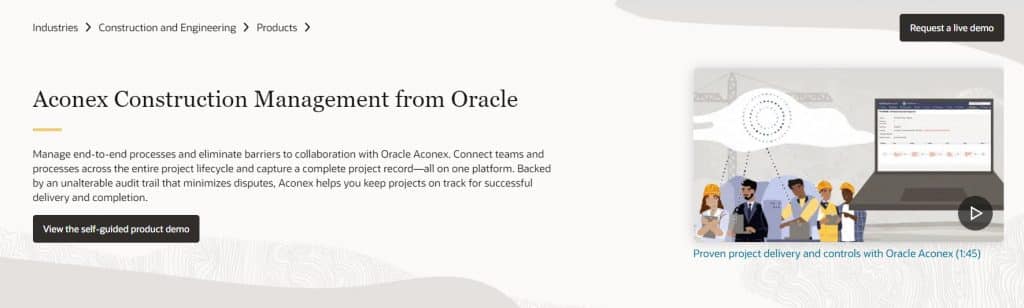
Oracle Aconex is another cloud-based Buildertrend alternative that meets construction and engineering project needs. With built-in model coordination, the software seamlessly connects teams, ensuring everyone has access to the latest data and project models.
Although Oracle Aconex and Buildertrend are construction project management software, both have unique features that the other lacks. As for functionality, Oracle Aconex is a complex tool with advanced features, including communication, document, schedule, and cost management, quality, and safety control monitoring.
Its target users are large-scale construction companies opting for features geared towards managing complex and multi-party projects. It can be tough for small and medium-scale projects to handle this amount of complexity, requiring a longer learning curve, but the rewards for larger projects are well worth it.
What it does well
- Strong document and communication control
- Useful for large, complex, multi-party projects
- Model coordination and project information management
- Structured workflows for engineering and construction teams
- Good fit for enterprise, infrastructure, and owner-led projects
Where it may fall short
Oracle Aconex can be too complex for small and mid-sized contractors that mainly need estimating, scheduling, client communication, change orders, and job costing in a simpler daily workflow.
Public review snapshot
Capterra lists Oracle Aconex at 4.4 stars from more than 200 reviews, with users rating ease of use, features, and customer service in the low-to-mid 4-star range. G2 reviews commonly point to document control and file management as strengths. Buyers should still check setup effort, user adoption, and whether the platform matches their project size before treating it as a Buildertrend replacement.
Corecon (Sage Construction Management)
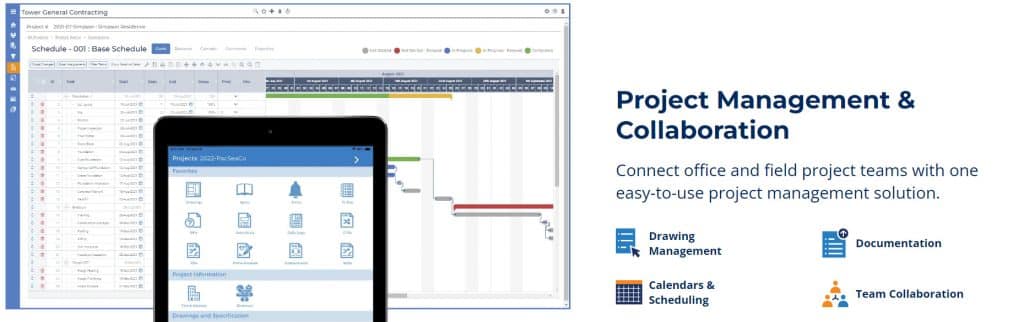
Best for: Contractors that need preconstruction, project management, and financial workflows connected across the project lifecycle.
Pricing
Available upon request.
Corecon, now connected with Sage Construction Management, supports contractors from preconstruction through project closeout. Its tools cover estimating, bid management, contract administration, project management, document control, cost control, and reporting.
One of Corecon’s stronger areas is preconstruction. The platform helps contractors track opportunities, organize bids, manage contacts, and monitor project progress through early stages before the work moves into execution.
As a Buildertrend alternative, Corecon may make sense for contractors who want more structure around bidding, cost tracking, and project administration. It is more construction-specific than general task management tools, but it may require more setup than simpler residential-builder platforms.
What it does well
- Preconstruction and bid management workflows
- Cost control and project administration
- Lead and opportunity tracking
- Reporting and project visibility
- Useful for contractors that need a structured project lifecycle system
Where it may fall short
The software can require careful setup, especially around cost codes and internal workflows. User reviews note that setting up the job cost code database is a key factor when using Corecon, which is important for buyers to consider before rollout.
Public review snapshot
Public G2 feedback points to its ability to organize expense, labor, and contract information in a way that supports better pricing and margin control. The main buyer concern is setup discipline: teams need clean cost codes and internal processes to get the most from the system.
Fieldwire

Best for: Contractors that need field coordination, plan management, task tracking, punch lists, and mobile jobsite communication.
Pricing
Starting at $39 per user/month, billed annually.
Fieldwire is a field-first construction management platform. It helps teams manage plans, tasks, punch lists, markups, inspections, and jobsite communication from web and mobile devices. Its main value is keeping the field and office aligned around current drawings and task status.
As a Buildertrend alternative, Fieldwire is strongest for teams that care most about field execution. It is not a full replacement for Buildertrend’s broader residential builder workflows, but it can be a better fit when drawings, tasks, punch lists, and jobsite coordination are the main pain points.
Fieldwire also supports offline work, which is useful for field teams that need access to plans and updates from the jobsite.
What it does well
- Plan viewing, versioning, and markups
- Task tracking and jobsite coordination
- Punch lists and issue tracking
- Mobile and offline field access
- Strong field-to-office communication
- Clear per-user pricing structure
Where it may fall short
Fieldwire is less focused on estimating, selections, client communication, invoicing, and financial workflows. It may need to sit beside other tools if a contractor wants full project and business management.
Public review snapshot
Capterra reviews mention that Fieldwire can help with jobsite coordination, but some users report occasional bugs, slow loading, or workflow interruptions. Public pricing data supports the $39 per user/month annual starting point, with higher plans required for more advanced features.
Projectmates
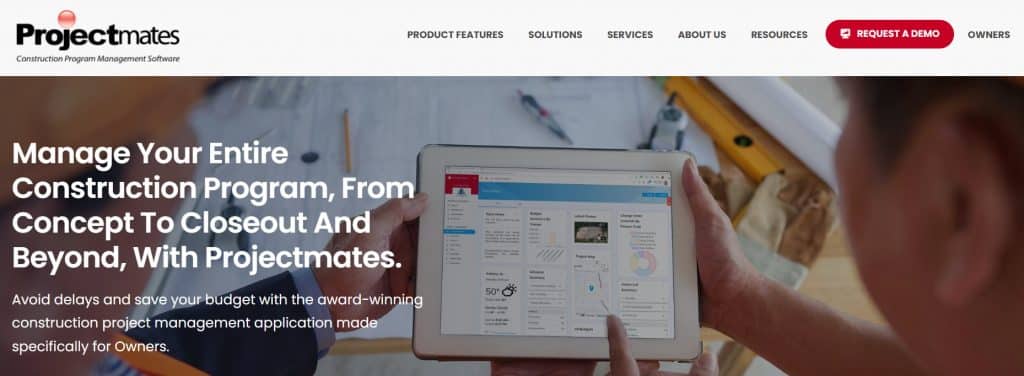
Best for: Owners and construction program teams managing capital projects from planning through closeout.
Pricing
Available upon request.
Projectmates is a construction program management software built primarily for owners. It helps owner-side teams manage capital programs, project documents, workflows, budgets, reporting, and collaboration across multiple projects.
It is only relevant for a specific buyer. The software is not mainly built for residential builders or contractors managing client-facing construction workflows, making it better suited for owners, real estate teams, public agencies, and organizations managing capital improvement programs.
Its value is strongest when a team needs visibility across many projects rather than daily contractor operations.
What it does well
- Owner-side capital project management
- Planning, design, and construction collaboration
- Project dashboards and reporting
- Submittals, punch lists, and document workflows
- Capital improvement program visibility
Where it may fall short
Projectmates may not be the right fit for contractors looking for estimating, selections, field team coordination, client communication, invoicing, or job costing in the same way Buildertrend supports residential and contractor workflows.
Public review snapshot
Capterra and Software Advice describe Projectmates as a construction project management platform for owners managing the full project lifecycle. G2 also positions Projectmates around owner-side construction program management.
Users should confirm whether they need owner-side capital planning or contractor-side project execution before comparing it directly with Buildertrend.
Contractor Foreman
Pricing
Contractor Foreman
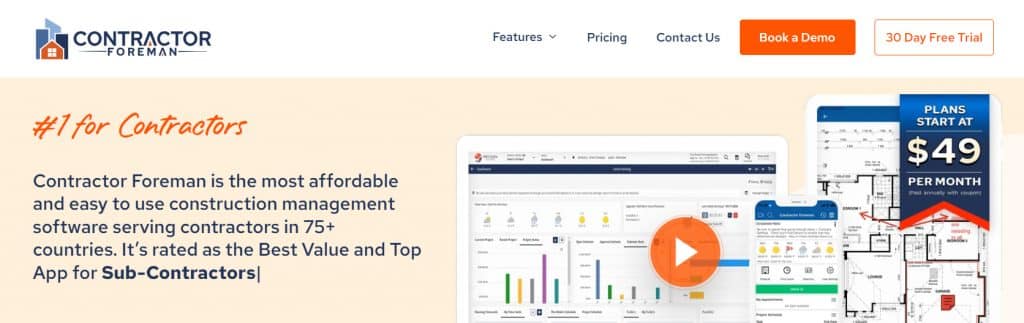
Best for: Budget-conscious contractors that want broad construction management features at a lower starting price.
Pricing
Starting at $49/month.
Contractor Foreman is construction management software with tools for estimates, schedules, daily logs, time cards, invoices, submittals, change orders, purchase orders, bid management, client portals, safety topics, and more. It is often positioned as a lower-cost alternative to larger construction platforms.
As a Buildertrend alternative, Contractor Foreman makes sense for smaller contractors that want a wide feature set without moving into enterprise-level pricing. Its broad coverage gives teams a way to manage several workflows in one system, including field updates, cost tracking, documents, and client communication.
What it does well
- Broad feature set for the price
- Estimates, schedules, daily logs, time cards, invoices, and change orders
- Client portal and bid management tools
- QuickBooks and Zapier integrations
- No per-project fees, according to G2 profile information
- Strong fit for small contractors, comparing cost-conscious options
Where it may fall short
Contractor Foreman’s strength is breadth and affordability, but buyers should check whether each workflow has the depth they need. Public reviews mention strong value and support, while some users note limits around customization or earlier issues with glitches and downtime.
Public review snapshot
G2 lists Contractor Foreman as starting at $49/month for the whole company and highlights its broad feature set with no per-project fees. Capterra and Software Advice reviews point to value commonly for money, support, and usability, while also noting areas such as checklist customization, glitches, or past downtime as points to verify.
💡Recommended Reading
CMiC Construction Platform
Best for: Larger contractors and construction firms that need ERP-level accounting, project management, job costing, and financial control.
Pricing
Available upon request.
CMiC is an enterprise construction platform focused on accounting, project management, job costing, procurement, document management, reporting, and operations. It is typically used by larger contractors that need a centralized system for financial and project data.
As an alternative solution, CMiC is not a simple residential-builder replacement. It is better suited for contractors that need ERP depth, integrated accounting, and stronger back-office controls.
Its biggest value is the connection between project management and financial management. That can be useful for firms handling larger project volumes, complex cost structures, and detailed reporting requirements.
What it does well
- Construction accounting and job costing
- Project management connected with financial workflows
- Procurement, document control, and reporting
- Enterprise-level construction operations
- Useful for larger firms needing one financial and project data environment
Where it may fall short
CMiC can feel heavy for smaller contractors. The platform requires setup, training, and internal process discipline. It may also be more complex than what a residential builder or remodeler needs when comparing Buildertrend alternatives.
Public review snapshot
Capterra lists CMiC at 4.2 stars from more than 150 reviews, with contact-vendor pricing and no free trial. Review summaries highlight its accounting and job costing strength, but also mention frequent glitches and error-handling issues.
Viewpoint Construction Management

Best for: Contractors that need construction ERP, accounting, project management, field tools, and back-office visibility through Trimble’s Viewpoint product suite.
Pricing
Available upon request.
Viewpoint, now part of Trimble, offers several construction products, including Viewpoint Vista, Viewpoint Spectrum, Viewpoint Team, and Viewpoint Field View. These tools support construction accounting, project management, field reporting, document workflows, job costing, payroll, equipment management, and financial visibility.
Viewpoint is usually a better fit for contractors with more complex accounting and operational needs. It is not positioned as a lightweight residential builder platform. Its strongest use case is connecting project data, job costs, payroll, equipment, and back-office operations.
Compared with Buildertrend, Viewpoint has broader ERP and accounting depth, but it can also require more expertise from the team using it.
What it does well
- Construction accounting and ERP workflows
- Job costing, payroll, equipment, and financial reporting
- Project management and document workflows
- Back-office and field visibility through different Viewpoint products
- Stronger fit for contractors with complex operations
Where it may fall short
Viewpoint can be harder to adopt for smaller contractors. Capterra reviews for Viewpoint Vista and Spectrum point to complex reporting, lower ease-of-use scores, and support concerns. Teams should confirm which Viewpoint product they need because the product suite includes several tools with different use cases.
Public review snapshot
Capterra lists Viewpoint Spectrum at 3.9 stars from more than 400 reviews and Viewpoint Vista at 3.9 stars from more than 250 reviews. Spectrum is described as cloud-based construction accounting software for enterprise-level contractors, while Vista is positioned around construction accounting and management. Common review concerns include complex reporting, support issues, and a learning curve.
Final Thoughts
The best Buildertrend alternative depends on what the team needs to fix first. Some contractors need stronger field coordination, while others need better financial visibility, simpler adoption, or a cleaner way to connect estimates, budgets, change orders, invoices, and job costs.
Before choosing a platform, look at how work moves through the business today. The right software should reduce handoffs, keep project data connected, and give the team clearer control from preconstruction through closeout.

![Construction Estimating Software for Small Businesses: 7 Tools Compared [2026 Update]](https://buildern.com/resources/wp-content/uploads/2025/12/BLOG_COVER_Best-Construction-Estimating-Software-for-Small-Businesses-2026-768x501.jpg)